

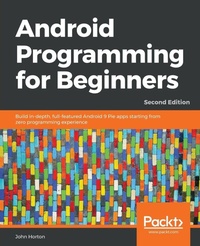
Android Programming for Beginners
Build in-depth, full-featured Android 9 Pie apps starting from zero programming experience
2nd Edition
Published on 31. October 2018
Book
Paperback/Softback
766 pages
978-1-78953-850-2 (ISBN)
Description
Learn all the Java and Android skills you need to start making powerful mobile applications with practical and actionable steps
Key Features
Kick-start your Android programming career, or just have fun publishing apps to the Google Play marketplace
A first-principles introduction to Java, via Android, which means you'll be able to start building your own applications from scratch
Learn by example and build four real-world apps and dozens of mini-apps throughout the book
Book DescriptionAre you trying to start a career in programming, but haven't found the right way in? Do you have a great idea for an app, but don't know how to make it a reality? Or maybe you're just frustrated that in order to learn Android, you must know Java. If so, then this book is for you.
This new and expanded second edition of Android Programming for Beginners will be your companion to create Android Pie applications from scratch. We will introduce you to all the fundamental concepts of programming in an Android context, from the basics of Java to working with the Android API. All examples use the up-to-date API classes, and are created from within Android Studio, the official Android development environment that helps supercharge your application development process.
After this crash course, we'll dive deeper into Android programming and you'll learn how to create applications with a professional-standard UI through fragments and store your user's data with SQLite. In addition, you'll see how to make your apps multilingual, draw to the screen with a finger, and work with graphics, sound, and animations too.
By the end of this book, you'll be ready to start building your own custom applications in Android and Java.
What you will learn
Master the fundamentals of coding Java for Android Pie
Install and set up your Android development environment
Build functional user interfaces with the Android Studio visual designer
Add user interaction, data captures, sound, and animation to your apps
Manage your apps data using the built-in Android SQLite database
Find out about the design patterns used by professionals to make top-grade applications
Build, deploy, and publish real Android applications to the Google Play marketplace
Who this book is forThis book is for you if you are completely new to Java, Android, or programming and want to make Android applications. This book also acts as a refresher for those who already have experience of using Java on Android to advance their knowledge and make fast progress through the early projects.
Key Features
Kick-start your Android programming career, or just have fun publishing apps to the Google Play marketplace
A first-principles introduction to Java, via Android, which means you'll be able to start building your own applications from scratch
Learn by example and build four real-world apps and dozens of mini-apps throughout the book
Book DescriptionAre you trying to start a career in programming, but haven't found the right way in? Do you have a great idea for an app, but don't know how to make it a reality? Or maybe you're just frustrated that in order to learn Android, you must know Java. If so, then this book is for you.
This new and expanded second edition of Android Programming for Beginners will be your companion to create Android Pie applications from scratch. We will introduce you to all the fundamental concepts of programming in an Android context, from the basics of Java to working with the Android API. All examples use the up-to-date API classes, and are created from within Android Studio, the official Android development environment that helps supercharge your application development process.
After this crash course, we'll dive deeper into Android programming and you'll learn how to create applications with a professional-standard UI through fragments and store your user's data with SQLite. In addition, you'll see how to make your apps multilingual, draw to the screen with a finger, and work with graphics, sound, and animations too.
By the end of this book, you'll be ready to start building your own custom applications in Android and Java.
What you will learn
Master the fundamentals of coding Java for Android Pie
Install and set up your Android development environment
Build functional user interfaces with the Android Studio visual designer
Add user interaction, data captures, sound, and animation to your apps
Manage your apps data using the built-in Android SQLite database
Find out about the design patterns used by professionals to make top-grade applications
Build, deploy, and publish real Android applications to the Google Play marketplace
Who this book is forThis book is for you if you are completely new to Java, Android, or programming and want to make Android applications. This book also acts as a refresher for those who already have experience of using Java on Android to advance their knowledge and make fast progress through the early projects.
More details
Edition
2nd Revised edition
Language
English
Place of publication
Birmingham
United Kingdom
Target group
Professional and scholarly
US School Grade: College Graduate Student
Edition type
Revised edition
Dimensions
Height: 235 mm
Width: 191 mm
Thickness: 41 mm
Weight
1403 gr
ISBN-13
978-1-78953-850-2 (9781789538502)
Copyright in bibliographic data and cover images is held by Nielsen Book Services Limited or by the publishers or by their respective licensors: all rights reserved.
Schweitzer Classification
Other editions
Additional editions
John Horton
Android Programming for Beginners
Build in-depth, full-featured Android 9 Pie apps starting from zero programming experience
E-Book
09/2024
2nd Edition
Packt Publishing
€34.99
Available for download
Person
John Horton is a programming and gaming enthusiast based in the UK. He has a passion for writing apps, games, books, and blog articles. He is the founder of Game Code School.
Content
Table of Contents
Beginning Android and Java
First Contact: Java, XML and the UI Designer
Exploring Android Studio and the project structure
Getting Started with layouts and Material Design
Beautiful Layouts with CardView and ScrollView
The Android Lifecycle
Java Variables, Operators and Expressions
Java Decisions, and Loops
Java Methods
Object-Oriented programming
More Object-Oriented Programming
The Stack, the Heap and the Garbage Collector
Anonymous Classes - Bringing Android Widgets to Life
Android Dialog Windows
Arrays, ArrayList, Map and Random Numbers
Adapters and Recyclers
Data Persistence and Sharing
Localization
Animations and Interpolations
Drawing Graphics
Threads, and starting the Live Drawing App
Particle Systems and Handling Screen Touches
Supporting Different Versions of Android, Sound Effects and Spinner Widget
Design Patterns, Multiple Layouts and Fragments
Advanced UI with Paging and Swiping
Advanced UI with Navigation Drawer and Fragment
Android Databases
Coding a Snake Game using everything we have learned so far
Enumerations and finishing the Snake game
A Quick Chat Before You Go
Beginning Android and Java
First Contact: Java, XML and the UI Designer
Exploring Android Studio and the project structure
Getting Started with layouts and Material Design
Beautiful Layouts with CardView and ScrollView
The Android Lifecycle
Java Variables, Operators and Expressions
Java Decisions, and Loops
Java Methods
Object-Oriented programming
More Object-Oriented Programming
The Stack, the Heap and the Garbage Collector
Anonymous Classes - Bringing Android Widgets to Life
Android Dialog Windows
Arrays, ArrayList, Map and Random Numbers
Adapters and Recyclers
Data Persistence and Sharing
Localization
Animations and Interpolations
Drawing Graphics
Threads, and starting the Live Drawing App
Particle Systems and Handling Screen Touches
Supporting Different Versions of Android, Sound Effects and Spinner Widget
Design Patterns, Multiple Layouts and Fragments
Advanced UI with Paging and Swiping
Advanced UI with Navigation Drawer and Fragment
Android Databases
Coding a Snake Game using everything we have learned so far
Enumerations and finishing the Snake game
A Quick Chat Before You Go