

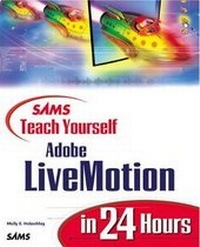
Sams Teach Yourself Adobe (R) LiveMotion (R) in 24 Hours
Published on 12. June 2000
Book
Paperback/Softback
496 pages
978-0-672-31916-7 (ISBN)
Description
Teach Yourself Adobe LiveMotion in 24 Hours is an easy introduction to Adobe's exciting new graphics product that allows Web site designers to create fast-loading, vector-based animation while remaining in the familiar, integrated Adobe environment. The book was designed to serve as a Web designer's first introduction to LiveMotion, and to guide readers through the process of creating everything from simple animations to entire Web sites in LiveMotion. The book's author, Molly E. Holzschlag, has a unique perspective on LiveMotion. She has been watching the product's development since the earliest alpha stages, and with her extensive experience conducting her popular Web design and development training sessions, she knows exactly what kinds of techniques beginning users need to learn, and what types of questions they typically have about products like LiveMotion.
More details
Series
Language
English
Place of publication
Indianapolis
United States
Publishing group
Pearson Education (US)
Target group
College/higher education
Illustrations
16pp colour section
ISBN-13
978-0-672-31916-7 (9780672319167)
Copyright in bibliographic data and cover images is held by Nielsen Book Services Limited or by the publishers or by their respective licensors: all rights reserved.
Schweitzer Classification
Person
Molly Holzschlag is an author, instructor, and designer who brings her irrepressible enthusiasm for Web design to books, classrooms, and Web sites. Books she has authored include Special Edition Using HTML 4, Short Order HTML, and Mastering Adobe GoLive. Honored as one of the Most Influential Women on the Web, Molly has spent an almost unprecedented decade working in the online world.
Content
Introduction.
I. GETTING STARTED WITH LIVEMOTION.
1. Learning LiveMotion Features.
2. Setting Preferences and Working with the Composition Area.
3. Understanding Web Graphics.
II. WORKING WITH LIVEMOTION OBJECTS.
4. Selecting, Moving, and Resizing Objects.
5. Creating Simple Objects.
6. Importing Photos and Artwork as Objects.
7. Setting Type with LiveMotion.
8. Combining, Grouping, and Editing Objects.
9. Working with Object Layers.
III. COLOR, SHAPE, AND STYLE.
10. Getting Colorful.
11. Working with the LiveMotion Library.
12. Applying LiveMotion Styles.
13. Textures, Gradients, Distortion, and 3D Effects.
14. Matting and Cropping.
IV. CREATING STATIC AND DYNAMIC IMAGES FOR THE WEB.
15. Designing Static Web Graphics.
16. Image Mapping and Rollover Techniques.
17. Creating Remote Rollovers.
V. ANIMATION AND MULTIMEDIA.
18. Exploring the Timeline.
19. Designing Animations.
20. Adding LiveMotion Audio.
21. Creating a Multimedia Presentation.
VI. DESIGNING AND OPTIMIZING ADVANCED WEB PRESENTATIONS.
22. Building a Web Site Using LiveMotion.
23. Using LiveMotion for Page Compositing and Navigation - -Design.
24. Optimizing and Exporting LiveMotion Files.
Index.
I. GETTING STARTED WITH LIVEMOTION.
1. Learning LiveMotion Features.
2. Setting Preferences and Working with the Composition Area.
3. Understanding Web Graphics.
II. WORKING WITH LIVEMOTION OBJECTS.
4. Selecting, Moving, and Resizing Objects.
5. Creating Simple Objects.
6. Importing Photos and Artwork as Objects.
7. Setting Type with LiveMotion.
8. Combining, Grouping, and Editing Objects.
9. Working with Object Layers.
III. COLOR, SHAPE, AND STYLE.
10. Getting Colorful.
11. Working with the LiveMotion Library.
12. Applying LiveMotion Styles.
13. Textures, Gradients, Distortion, and 3D Effects.
14. Matting and Cropping.
IV. CREATING STATIC AND DYNAMIC IMAGES FOR THE WEB.
15. Designing Static Web Graphics.
16. Image Mapping and Rollover Techniques.
17. Creating Remote Rollovers.
V. ANIMATION AND MULTIMEDIA.
18. Exploring the Timeline.
19. Designing Animations.
20. Adding LiveMotion Audio.
21. Creating a Multimedia Presentation.
VI. DESIGNING AND OPTIMIZING ADVANCED WEB PRESENTATIONS.
22. Building a Web Site Using LiveMotion.
23. Using LiveMotion for Page Compositing and Navigation - -Design.
24. Optimizing and Exporting LiveMotion Files.
Index.