


Windows PowerShell Pocket Reference
1st Edition
Published on 1. July 2008
Book
174 pages
978-0-596-52178-3 (ISBN)
Description
This portable reference to Windows PowerShell summarizes both the command shell and scripting language, and provides a concise reference to the major tasks that make PowerShell so successful. It's an ideal on-the-job tool for Windows administrators who don't have time to plow through huge books or search online.
Written by Microsoft PowerShell team member Lee Holmes, and excerpted from his Windows PowerShell Cookbook, Windows PowerShell Pocket Reference offers up-to-date coverage of PowerShell's 1.0 release. You'll find information on.NET classes and legacy management tools that you need to manage your system, along with chapters on how to write scripts, manage errors, format output, and much more.
Beginning with a whirlwind tour of Windows PowerShell, this convenient guide covers:
* PowerShell language and environment
* Regular expression reference
* PowerShell automatic variables
* Standard PowerShell verbs
* Selected.NET classes and their uses
* WMI reference
* Selected COM objects and their uses
*.NET string formatting
*.NET datetime formatting
An authoritative source of information about PowerShell since its earliest betas, Lee Holmes' vast experience lets him incorporate both the "how" and the "why" into the book's discussions. His relationship with the PowerShell and administration community -- through newsgroups, mailing lists, and his informative blog Lee Holmes -- gives him insight into problems faced by administrators and PowerShell users alike.
If you're ready to learn this powerful tool without having to break stride in your routine, this is the book you want.
Written by Microsoft PowerShell team member Lee Holmes, and excerpted from his Windows PowerShell Cookbook, Windows PowerShell Pocket Reference offers up-to-date coverage of PowerShell's 1.0 release. You'll find information on.NET classes and legacy management tools that you need to manage your system, along with chapters on how to write scripts, manage errors, format output, and much more.
Beginning with a whirlwind tour of Windows PowerShell, this convenient guide covers:
* PowerShell language and environment
* Regular expression reference
* PowerShell automatic variables
* Standard PowerShell verbs
* Selected.NET classes and their uses
* WMI reference
* Selected COM objects and their uses
*.NET string formatting
*.NET datetime formatting
An authoritative source of information about PowerShell since its earliest betas, Lee Holmes' vast experience lets him incorporate both the "how" and the "why" into the book's discussions. His relationship with the PowerShell and administration community -- through newsgroups, mailing lists, and his informative blog Lee Holmes -- gives him insight into problems faced by administrators and PowerShell users alike.
If you're ready to learn this powerful tool without having to break stride in your routine, this is the book you want.
More details
Other editions
New editions
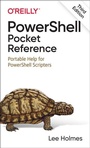
Book
05/2021
3rd Edition
O'Reilly
€30.00
Shipment within 15-20 days
Additional editions
Person
Lee Holmes is a developer on the Microsoft Windows PowerShell team and has been an authoritative source of information about PowerShell since its earliest betas. His vast experience with Windows PowerShell lets him integrate both the "how" and the "why" into discussions. Lee's integration with the PowerShell and administration community (via newsgroups, mailing lists, and blogs) gives him a great deal of insight into the problems faced by all levels of administrators andPowerShell users alike.
Content
Inhaltsverzeichnis
Preface
A Whirlwind Tour of Windows PowerShell
Introduction
An Interactive Shell
Structured Commands (Cmdlets)
Deep Integration of Objects
Administrators As First-Class Users
Composable Commands
Techniques to Protect You from Yourself
Common Discovery Commands
Ubiquitous Scripting
Ad-Hoc Development
Bridging Technologies
Namespace Navigation Through Providers
Much, Much More
Chapter 2:. PowerShell Language and Environment
Commands and Expressions
Comments
Variables
Booleans
Strings
Numbers
Arrays and Lists
Hashtables (Associative Arrays)
XML
Simple Operators
Comparison Operators
Conditional Statements
Looping Statements
Working with the.NET Framework
Writing Scripts, Reusing Functionality
Managing Errors
Formatting Output
Capturing Output
Tracing and Debugging
Common Customization Points
Chapter 3:. Regular Expression Reference
Chapter 4:. PowerShell Automatic Variables
Standard PowerShell Verbs
Selected.NET Classes and Their Uses
WMI Reference
Chapter 8:. Selected COM Objects and Their Uses
Chapter 9:.NET String Formatting
String Formatting Syntax
Standard Numeric Format Strings
Custom Numeric Format Strings
.NET DateTime Formatting
Custom DateTime Format Strings
Index
Preface
A Whirlwind Tour of Windows PowerShell
Introduction
An Interactive Shell
Structured Commands (Cmdlets)
Deep Integration of Objects
Administrators As First-Class Users
Composable Commands
Techniques to Protect You from Yourself
Common Discovery Commands
Ubiquitous Scripting
Ad-Hoc Development
Bridging Technologies
Namespace Navigation Through Providers
Much, Much More
Chapter 2:. PowerShell Language and Environment
Commands and Expressions
Comments
Variables
Booleans
Strings
Numbers
Arrays and Lists
Hashtables (Associative Arrays)
XML
Simple Operators
Comparison Operators
Conditional Statements
Looping Statements
Working with the.NET Framework
Writing Scripts, Reusing Functionality
Managing Errors
Formatting Output
Capturing Output
Tracing and Debugging
Common Customization Points
Chapter 3:. Regular Expression Reference
Chapter 4:. PowerShell Automatic Variables
Standard PowerShell Verbs
Selected.NET Classes and Their Uses
WMI Reference
Chapter 8:. Selected COM Objects and Their Uses
Chapter 9:.NET String Formatting
String Formatting Syntax
Standard Numeric Format Strings
Custom Numeric Format Strings
.NET DateTime Formatting
Custom DateTime Format Strings
Index