

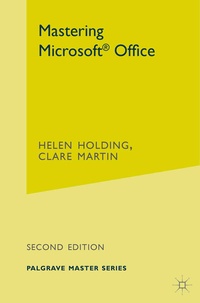
Mastering Microsoft Office
2nd Edition
Published on 12. July 2001
Book
Paperback/Softback
272 pages
978-0-333-94977-1 (ISBN)
Description
This new edition of Mastering Microsoft Office provides a concise, practical guide to the essential features of Microsoft Office. With updated coverage of Office 2000, this book offers guidance on the most useful aspects of Word, Excel, PowerPoint and Access. It also includes a new chapter on Outlook.
Step-by-step instructions take the reader through a series of connected tasks which are illustrated with screenshots to aid understanding. Exercises, multiple choice questions and worksheets help to consolidate knowledge, making this book ideal for use on courses, and for self-study in the home or office.
Step-by-step instructions take the reader through a series of connected tasks which are illustrated with screenshots to aid understanding. Exercises, multiple choice questions and worksheets help to consolidate knowledge, making this book ideal for use on courses, and for self-study in the home or office.
More details
Series
Edition
2nd ed. 2001
Language
English
Place of publication
London
United Kingdom
Publishing group
Bloomsbury Publishing PLC
Target group
College/higher education
Adult education
Dimensions
Height: 234 mm
Width: 156 mm
Thickness: 15 mm
Weight
418 gr
ISBN-13
978-0-333-94977-1 (9780333949771)
DOI
10.1007/978-0-230-80233-9
Schweitzer Classification
Other editions
Additional editions
Helen Holding | Clare Martin
Mastering Microsoft Office
E-Book
03/2017
2nd Edition
Bloomsbury Academic
€38.49
Available for download
Previous edition
Clare Martin | Helen Holding
Mastering Microsoft Office
Book
05/1998
Palgrave Macmillan
€14.84
Article exhausted; check for reprint
Persons
Both authors have wide-ranging experience in the use of computing and information systems in educational and commercial fields. CLARE MARTIN is a lecturer at Oxford Brookes University. HELEN HOLDING has experience in both industry and teaching at further and adult education level. She currently works for Chiltern Region Open College Network as Systems Manager.
Content
Preface.- Introduction to Windows and Office.- Microsoft Word: Getting Started.- Microsoft Word: More Fundamentals and Printing.- Microsoft Word: Text Enhancement and Document Layout.- File Management.- Microsoft Excel: Getting Started.- Microsoft Excel: Cell Manipulation and Worksheet Layout.- Microsoft Excel: Functions and Formulae.- Microsoft Excel: Charts and Multi-Worksheet Workbooks.- Introduction to Databases.- Database Tables.- Relationships.- Queries.- Forms and Reports.- Introduction to Powerpoint.- Designing a Presentation.- Excel Functions.- Introduction to Outlook.- Index.