

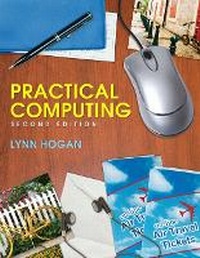
Practical Computing
2nd Edition
Published on 15. February 2008
Book
Paperback/Softback
360 pages
978-0-13-158563-8 (ISBN)
Description
For all beginning-level courses in personal computing.
Practical Computing has been crafted to address the unique challenges novices face in mastering PCs, combining user-friendly design, creative multi-media tools, and a focus on useful skills students can apply immediately, either at home or in the workplace.
Practical Computing has been crafted to address the unique challenges novices face in mastering PCs, combining user-friendly design, creative multi-media tools, and a focus on useful skills students can apply immediately, either at home or in the workplace.
More details
Edition
2nd edition
Language
English
Place of publication
United States
Publishing group
Pearson Education (US)
Target group
Professional and scholarly
Dimensions
Height: 216 mm
Width: 276 mm
Thickness: 10 mm
Weight
660 gr
ISBN-13
978-0-13-158563-8 (9780131585638)
Copyright in bibliographic data and cover images is held by Nielsen Book Services Limited or by the publishers or by their respective licensors: all rights reserved.
Schweitzer Classification
Other editions
New editions
Lynn Hogan | Amy M. Rutledge
Practical Computing
Book
03/2012
3rd Edition
Pearson
€81.70
Article is exhausted; no reprint
Previous edition
Person
Lynn Hogan
Lynn Hogan has taught computer literacy and microcomputer applications classes at Calhoun Community College for 25 years. For the past 18 years, she has served as chair of the Department of Computer Information Systems. She received Calhoun's outstanding instructor award in 2006, and currently teaches computer literacy for senior adults and web design courses. Having developed the first online computer course at Calhoun, she continues to work with the distance education program. She received an M.B.A. from the University of North Alabama and a Ph.D. from the University of Alabama.
She resides in Alabama with her husband and two daughters. Much of her free time is spent traveling to cutting horse shows and dressage shows, watching her daughters compete. In addition to working with horses, she enjoys cooking, reading, and family travel
Lynn Hogan has taught computer literacy and microcomputer applications classes at Calhoun Community College for 25 years. For the past 18 years, she has served as chair of the Department of Computer Information Systems. She received Calhoun's outstanding instructor award in 2006, and currently teaches computer literacy for senior adults and web design courses. Having developed the first online computer course at Calhoun, she continues to work with the distance education program. She received an M.B.A. from the University of North Alabama and a Ph.D. from the University of Alabama.
She resides in Alabama with her husband and two daughters. Much of her free time is spent traveling to cutting horse shows and dressage shows, watching her daughters compete. In addition to working with horses, she enjoys cooking, reading, and family travel
Content
Chapter 1 Understanding Your Personal Computer
Chapter 2 Working with Windows VistaTM
Chapter 3 Working with Files and Folders
Chapter 4 Working With The Internet
Chapter 5 Understanding Electronic Communication
Chapter 6 Understanding Computer Maintenance and Security
Chapter 7 Creating Documents (Using Microsoft Word 2007)
Chapter 8 Creating Spreadsheets (Using Microsoft Excel 2007)
Chapter 9 Creating Presentations (Using Microsoft PowerPoint 2007)
Chapter 10 Working with Graphics
Appendix A Purchasing a Home Computer
Appendix B Creating Basic Web Pages
Chapter 2 Working with Windows VistaTM
Chapter 3 Working with Files and Folders
Chapter 4 Working With The Internet
Chapter 5 Understanding Electronic Communication
Chapter 6 Understanding Computer Maintenance and Security
Chapter 7 Creating Documents (Using Microsoft Word 2007)
Chapter 8 Creating Spreadsheets (Using Microsoft Excel 2007)
Chapter 9 Creating Presentations (Using Microsoft PowerPoint 2007)
Chapter 10 Working with Graphics
Appendix A Purchasing a Home Computer
Appendix B Creating Basic Web Pages