

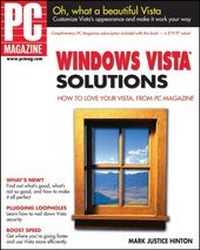
PC Magazine Windows Vista Solutions
12th Edition
Published on 8. February 2007
Book
Paperback/Softback
482 pages
978-0-470-04686-9 (ISBN)
Description
Do you have it? Do you want it? How do you use it?
PC Magazine has the answers
From choosing the edition that's right for you to customizing Vista to make it your own, this book offers everything you expect from PC Magazine. You'll find advice from an expert who was involved in beta testing every edition and update. Discover the differences in various editions and learn to set up Vista to work your way. Get acquainted with new features like Internet Explorer(r) 7 and the expanded media applications, including Media Player version 11 and Windows(r) Photo Gallery. And love your Vista.
Your one-stop guide from installation to customization
* Understand what each edition of Vista does and be sure you have the right one for your needs
* Get the setup right the first time
* Use the Control Panel to customize Vista
* Set up user accounts, programs, networking, and security features
* Learn to use new Internet features and expanded media applications
* Explore Vista for laptops and Tablet PCs
* See how the enhanced Start menu makes it easier to find and run anything
* Discover the new look -- it's more than just eye candy
Is Windows Vista a big deal?
Or is it just another upgrade? Let's see.
* Security enhancements -- Windows listened to users
* Improved search functions -- new places, new options
* Simplified, expanded document listing -- see and sort files differently
* More options for media files -- for playing music, videos, and DVDs
* New, improved applications -- stay in touch, edit photos, and play new games
PC Magazine has the answers
From choosing the edition that's right for you to customizing Vista to make it your own, this book offers everything you expect from PC Magazine. You'll find advice from an expert who was involved in beta testing every edition and update. Discover the differences in various editions and learn to set up Vista to work your way. Get acquainted with new features like Internet Explorer(r) 7 and the expanded media applications, including Media Player version 11 and Windows(r) Photo Gallery. And love your Vista.
Your one-stop guide from installation to customization
* Understand what each edition of Vista does and be sure you have the right one for your needs
* Get the setup right the first time
* Use the Control Panel to customize Vista
* Set up user accounts, programs, networking, and security features
* Learn to use new Internet features and expanded media applications
* Explore Vista for laptops and Tablet PCs
* See how the enhanced Start menu makes it easier to find and run anything
* Discover the new look -- it's more than just eye candy
Is Windows Vista a big deal?
Or is it just another upgrade? Let's see.
* Security enhancements -- Windows listened to users
* Improved search functions -- new places, new options
* Simplified, expanded document listing -- see and sort files differently
* More options for media files -- for playing music, videos, and DVDs
* New, improved applications -- stay in touch, edit photos, and play new games
More details
Person
Mark Justice Hinton eschewed computers in high school and college, delaying the inevitable. After burning out of the restaurant business, he got a job as a file clerk from a friend in a notorious investment company. In short order, he moved from divining the mysterious service bureau output to preparing the company for an in-house minicomputer, the IBM System/34, a box the size of 10 big PCs and the power of none of them. After two years as the Data Processing Manager of the National Symphony Orchestra (with an office in a broom closet way backstage in the Kennedy Center), Hinton followed his heart to Albuquerque, New Mexico, and founded PC Training and Consulting in 1984. Along with work for diverse clients, Hinton has taught computer classes for the University of New Mexico Division of Continuing Education since 1988. He has taught thousands of students in classes from DOS to Web design.
Content
Acknowledgments.
Introduction.
Part I: Getting Started with Windows Vista.
Chapter 1: Microsoft Windows Vista: Windows for the 21st Century.
Chapter 2: First Blush: An Overview of the New User Interface.
Chapter 3: Getting Windows Vista.
Part II: Essential Windows Vista Setup.
Chapter 4: Security Is Job One.
Chapter 5: Backup, Restore, and Recovery.
Part III: Making It Your Windows Vista.
Chapter 6: Customizing Vista.
Chapter 7: Working with Hardware.
Chapter 8: System Health and Maintenance.
Chapter 9: Setup Programs.
Part IV: Working with Windows Vista.
Chapter 10: Working with Documents.
Chapter 11: Networking Windows Vista.
Chapter 12: User Accounts and Family Safety.
Chapter 13: Internet Explorer.
Chapter 14: Internet Applications.
Chapter 15: Windows Photo Gallery.
Chapter 16: Media Player 11.
Chapter 17: Windows Media Center, DVD Maker, and Movie Maker.
Chapter 18: On the Road: Laptops, Tablet and Mobile PCs.
Part V: Beyond Windows Vista.
Chapter 19: Microsoft Office 2007.
Chapter 20: Welcome to the Future!
Appendix A: Virtual Windows.
Index.
Introduction.
Part I: Getting Started with Windows Vista.
Chapter 1: Microsoft Windows Vista: Windows for the 21st Century.
Chapter 2: First Blush: An Overview of the New User Interface.
Chapter 3: Getting Windows Vista.
Part II: Essential Windows Vista Setup.
Chapter 4: Security Is Job One.
Chapter 5: Backup, Restore, and Recovery.
Part III: Making It Your Windows Vista.
Chapter 6: Customizing Vista.
Chapter 7: Working with Hardware.
Chapter 8: System Health and Maintenance.
Chapter 9: Setup Programs.
Part IV: Working with Windows Vista.
Chapter 10: Working with Documents.
Chapter 11: Networking Windows Vista.
Chapter 12: User Accounts and Family Safety.
Chapter 13: Internet Explorer.
Chapter 14: Internet Applications.
Chapter 15: Windows Photo Gallery.
Chapter 16: Media Player 11.
Chapter 17: Windows Media Center, DVD Maker, and Movie Maker.
Chapter 18: On the Road: Laptops, Tablet and Mobile PCs.
Part V: Beyond Windows Vista.
Chapter 19: Microsoft Office 2007.
Chapter 20: Welcome to the Future!
Appendix A: Virtual Windows.
Index.