

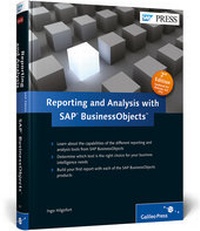
Reporting and Analysis with SAP BusinessObjects
2nd Edition
Published on 25. January 2012
Book
Hardback
501 pages
978-1-59229-387-2 (ISBN)
Description
This book tells you everything you always wanted to know about getting started with the SAP
BusinessObjects Business Intelligence (BI) platform tools. Learn everything you need to know about Crystal Reports, Web Intelligence, Dashboards (Xcelsius), Analysis, Live Office, and more. What are the different capabilities of each tool? How should you choose one over another? How do you build your first report in each tool? If you want to understand what the SAP BusinessObjects BI platform can do for you, look no further. This book is your first step.
1. Reporting and Analysis Business Requirements
Explore the basic business requirements for financial, sales, HR, and management analysis, and learn how each SAP BusinessObjects tool meets, or doesn't meet, these requirements.
2. Building Your First Report
Dive into the details: Get step-by-step instructions and detailed screenshots for building your first report with each of the SAP BusinessObjects BI tools.
3. Best Practices
Ensure that you get the most for your time and money by learning the best practices for working with SAP BusinessObjects BI tools.
4. Changes in SAP BusinessObjects 4.0 FP3
Stay up to date on the latest changes in SAP BusinessObjects 4.0, including feature pack 3, such as the introduction of the BI launch pad and BI workspaces.
5. Future Outlook
Get a sneak peek at what SAP is working on for future releases of the SAP BusinessObjects BI platform.
Highlights:
SAP Crystal Reports
SAP BusinessObjects Web Intelligence
SAP BusinessObjects Dashboards
SAP BusinessObjects Analysis
SAP BusinessObjects Explorer
SAP BusinessObjects Live Office
BI workspaces
BI launch pad
BusinessObjects Business Intelligence (BI) platform tools. Learn everything you need to know about Crystal Reports, Web Intelligence, Dashboards (Xcelsius), Analysis, Live Office, and more. What are the different capabilities of each tool? How should you choose one over another? How do you build your first report in each tool? If you want to understand what the SAP BusinessObjects BI platform can do for you, look no further. This book is your first step.
1. Reporting and Analysis Business Requirements
Explore the basic business requirements for financial, sales, HR, and management analysis, and learn how each SAP BusinessObjects tool meets, or doesn't meet, these requirements.
2. Building Your First Report
Dive into the details: Get step-by-step instructions and detailed screenshots for building your first report with each of the SAP BusinessObjects BI tools.
3. Best Practices
Ensure that you get the most for your time and money by learning the best practices for working with SAP BusinessObjects BI tools.
4. Changes in SAP BusinessObjects 4.0 FP3
Stay up to date on the latest changes in SAP BusinessObjects 4.0, including feature pack 3, such as the introduction of the BI launch pad and BI workspaces.
5. Future Outlook
Get a sneak peek at what SAP is working on for future releases of the SAP BusinessObjects BI platform.
Highlights:
SAP Crystal Reports
SAP BusinessObjects Web Intelligence
SAP BusinessObjects Dashboards
SAP BusinessObjects Analysis
SAP BusinessObjects Explorer
SAP BusinessObjects Live Office
BI workspaces
BI launch pad
More details
Other editions
Previous edition

Ingo Hilgefort
Reporting and Analytics with SAP BusinessObjects
Book
12/2009
1st Edition
SAP PRESS
€79.95
Article exhausted; check for reprint
Person
Author
Ingo Hilgefort started with Crystal Decisions in Frankfurt, Germany in the year 1999 as a Trainer and Consultant for Crystal Reports and Crystal Enterprise. With the acquisition of Crystal Decisions by BusinessObjects he moved into the Product Management role for the integration between the BusinessObjects product portfolio and SAP.
Content
... Introduction ... 13
1 ... Introduction to the SAP BusinessObjects Reporting and Analysis Tools ... 19
... 1.1 ... Overview of the SAP BusinessObjects Tools ... 19
... 1.2 ... Other Capabilities of the SAP BusinessObjects Tools ... 28
... 1.3 ... Summary ... 30
2 ... Customer Requirements and Usage Scenarios ... 31
... 2.1 ... General Guidelines for Establishing Business Requirements ... 31
... 2.2 ... Matching Business Requirements to BI Products ... 33
... 2.3 ... Mapping SAP BusinessObjects BI Tools to Capabilities ... 37
... 2.4 ... Mapping SAP BusinessObjects Tools to the Audience ... 42
... 2.5 ... Summary ... 48
3 ... The Role of the Semantic Layer ... 49
... 3.1 ... Semantic Layer Technology ... 49
... 3.2 ... Data Connectivity Options for SAP Systems ... 53
... 3.3 ... Recommendations for Semantic Layer Usage ... 55
... 3.4 ... Summary ... 56
4 ... Enterprise Reporting with SAP Crystal Reports for Enterprise ... 57
... 4.1 ... SAP Data Connectivity ... 57
... 4.2 ... Assessing the Business Requirements ... 62
... 4.3 ... Introduction to the Tool ... 65
... 4.4 ... Building a Report for Financial Analysis ... 87
... 4.5 ... Building a Report for HR Analysis ... 101
... 4.6 ... Summary ... 118
5 ... Interactive Analysis with SAP BusinessObjects Web Intelligence ... 119
... 5.1 ... SAP Data Connectivity ... 119
... 5.2 ... Assessing the Business Requirements ... 124
... 5.3 ... Introduction to the Tool ... 128
... 5.4 ... Building a Report for Sales Analysis ... 154
... 5.5 ... Building a Report for Financial Analysis ... 170
... 5.6 ... Summary ... 179
6 ... Dashboarding and Data Visualization with SAP BusinessObjects Dashboards ... 181
... 6.1 ... SAP Data Connectivity ... 181
... 6.2 ... Assessment of Business Requirements ... 189
... 6.3 ... Introduction to the Tool ... 193
... 6.4 ... Building a Dashboard for Sales Planning ... 224
... 6.5 ... Summary ... 250
7 ... Using SAP BusinessObjects Analysis, Edition for Microsoft Office ... 251
... 7.1 ... SAP Data Connectivity ... 251
... 7.2 ... Assessing the Business Requirements ... 256
... 7.3 ... Introduction to the Tool ... 259
... 7.4 ... Building a Workbook for Financial Analysis ... 272
... 7.5 ... Building a Workbook for Sales Analysis ... 284
... 7.6 ... Summary ... 295
8 ... Using SAP BusinessObjects Analysis, Edition for OLAP ... 297
... 8.1 ... SAP Data Connectivity ... 297
... 8.2 ... Assessing the Business Requirements ... 302
... 8.3 ... Introduction to the Tool ... 305
... 8.4 ... Building a Workbook for Financial Analysis ... 317
... 8.5 ... Building a Workbook for Sales Analysis ... 327
... 8.6 ... Summary ... 338
9 ... Data Exploration and Searching with SAP BusinessObjects Explorer ... 339
... 9.1 ... SAP Data Connectivity for SAP BusinessObjects Explorer ... 339
... 9.2 ... Assessing the Business Requirements ... 344
... 9.3 ... Introduction to the Tool ... 347
... 9.4 ... Creating an Information Space for Sales Analysis ... 368
... 9.5 ... Summary ... 383
10 ... Using SAP BusinessObjects Live Office ... 385
... 10.1 ... SAP BusinessObjects Live Office Configuration ... 385
... 10.2 ... SAP BusinessObjects BI Platform Content and Microsoft Office ... 387
... 10.3 ... Introduction to the Tool ... 388
... 10.4 ... Summary ... 419
11 ... Using SAP BusinessObjects BI Workspaces ... 421
... 11.1 ... Overview ... 421
... 11.2 ... Creating Content for Your First SAP BusinessObjects BI Workspace ... 427
... 11.3 ... Creating Your First BI Workspace ... 440
... 11.4 ... Summary ... 447
12 ... Navigating the BI Launch Pad ... 449
... 12.1 ... User Authentication ... 449
... 12.2 ... User Interface (UI) Overview ... 452
... 12.3 ... Folders and Categories ... 455
... 12.4 ... Using Search in the BI Launch Pad ... 456
... 12.5 ... Configuring User Preferences ... 462
... 12.6 ... Summary ... 467
13 ... Best Practices and Tips and Tricks for SAP BusinessObjects BI Tools ... 469
... 13.1 ... Selection of the Right Tool ... 469
... 13.2 ... SAP NetWeaver BEx Query Design ... 470
... 13.3 ... Data Connectivity ... 475
... 13.4 ... User Security ... 478
... 13.5 ... Performance Considerations ... 479
... 13.6 ... Known Limitations ... 481
... 13.7 ... Report Design Topics ... 488
... 13.8 ... Tracing and Troubleshooting ... 488
... 13.9 ... Summary ... 489
14 ... Integration Outlook ... 491
... 14.1 ... SAP Crystal Reports for Enterprise ... 491
... 14.2 ... SAP BusinessObjects Dashboards ... 492
... 14.3 ... SAP BusinessObjects Web Intelligence ... 492
... 14.4 ... SAP BusinessObjects Analysis Suite ... 492
... 14.5 ... SAP BusinessObjects Explorer ... 492
... 14.6 ... Semantic Layer ... 493
... 14.7 ... Summary ... 493
... The Author ... 495
... Index ... 497
1 ... Introduction to the SAP BusinessObjects Reporting and Analysis Tools ... 19
... 1.1 ... Overview of the SAP BusinessObjects Tools ... 19
... 1.2 ... Other Capabilities of the SAP BusinessObjects Tools ... 28
... 1.3 ... Summary ... 30
2 ... Customer Requirements and Usage Scenarios ... 31
... 2.1 ... General Guidelines for Establishing Business Requirements ... 31
... 2.2 ... Matching Business Requirements to BI Products ... 33
... 2.3 ... Mapping SAP BusinessObjects BI Tools to Capabilities ... 37
... 2.4 ... Mapping SAP BusinessObjects Tools to the Audience ... 42
... 2.5 ... Summary ... 48
3 ... The Role of the Semantic Layer ... 49
... 3.1 ... Semantic Layer Technology ... 49
... 3.2 ... Data Connectivity Options for SAP Systems ... 53
... 3.3 ... Recommendations for Semantic Layer Usage ... 55
... 3.4 ... Summary ... 56
4 ... Enterprise Reporting with SAP Crystal Reports for Enterprise ... 57
... 4.1 ... SAP Data Connectivity ... 57
... 4.2 ... Assessing the Business Requirements ... 62
... 4.3 ... Introduction to the Tool ... 65
... 4.4 ... Building a Report for Financial Analysis ... 87
... 4.5 ... Building a Report for HR Analysis ... 101
... 4.6 ... Summary ... 118
5 ... Interactive Analysis with SAP BusinessObjects Web Intelligence ... 119
... 5.1 ... SAP Data Connectivity ... 119
... 5.2 ... Assessing the Business Requirements ... 124
... 5.3 ... Introduction to the Tool ... 128
... 5.4 ... Building a Report for Sales Analysis ... 154
... 5.5 ... Building a Report for Financial Analysis ... 170
... 5.6 ... Summary ... 179
6 ... Dashboarding and Data Visualization with SAP BusinessObjects Dashboards ... 181
... 6.1 ... SAP Data Connectivity ... 181
... 6.2 ... Assessment of Business Requirements ... 189
... 6.3 ... Introduction to the Tool ... 193
... 6.4 ... Building a Dashboard for Sales Planning ... 224
... 6.5 ... Summary ... 250
7 ... Using SAP BusinessObjects Analysis, Edition for Microsoft Office ... 251
... 7.1 ... SAP Data Connectivity ... 251
... 7.2 ... Assessing the Business Requirements ... 256
... 7.3 ... Introduction to the Tool ... 259
... 7.4 ... Building a Workbook for Financial Analysis ... 272
... 7.5 ... Building a Workbook for Sales Analysis ... 284
... 7.6 ... Summary ... 295
8 ... Using SAP BusinessObjects Analysis, Edition for OLAP ... 297
... 8.1 ... SAP Data Connectivity ... 297
... 8.2 ... Assessing the Business Requirements ... 302
... 8.3 ... Introduction to the Tool ... 305
... 8.4 ... Building a Workbook for Financial Analysis ... 317
... 8.5 ... Building a Workbook for Sales Analysis ... 327
... 8.6 ... Summary ... 338
9 ... Data Exploration and Searching with SAP BusinessObjects Explorer ... 339
... 9.1 ... SAP Data Connectivity for SAP BusinessObjects Explorer ... 339
... 9.2 ... Assessing the Business Requirements ... 344
... 9.3 ... Introduction to the Tool ... 347
... 9.4 ... Creating an Information Space for Sales Analysis ... 368
... 9.5 ... Summary ... 383
10 ... Using SAP BusinessObjects Live Office ... 385
... 10.1 ... SAP BusinessObjects Live Office Configuration ... 385
... 10.2 ... SAP BusinessObjects BI Platform Content and Microsoft Office ... 387
... 10.3 ... Introduction to the Tool ... 388
... 10.4 ... Summary ... 419
11 ... Using SAP BusinessObjects BI Workspaces ... 421
... 11.1 ... Overview ... 421
... 11.2 ... Creating Content for Your First SAP BusinessObjects BI Workspace ... 427
... 11.3 ... Creating Your First BI Workspace ... 440
... 11.4 ... Summary ... 447
12 ... Navigating the BI Launch Pad ... 449
... 12.1 ... User Authentication ... 449
... 12.2 ... User Interface (UI) Overview ... 452
... 12.3 ... Folders and Categories ... 455
... 12.4 ... Using Search in the BI Launch Pad ... 456
... 12.5 ... Configuring User Preferences ... 462
... 12.6 ... Summary ... 467
13 ... Best Practices and Tips and Tricks for SAP BusinessObjects BI Tools ... 469
... 13.1 ... Selection of the Right Tool ... 469
... 13.2 ... SAP NetWeaver BEx Query Design ... 470
... 13.3 ... Data Connectivity ... 475
... 13.4 ... User Security ... 478
... 13.5 ... Performance Considerations ... 479
... 13.6 ... Known Limitations ... 481
... 13.7 ... Report Design Topics ... 488
... 13.8 ... Tracing and Troubleshooting ... 488
... 13.9 ... Summary ... 489
14 ... Integration Outlook ... 491
... 14.1 ... SAP Crystal Reports for Enterprise ... 491
... 14.2 ... SAP BusinessObjects Dashboards ... 492
... 14.3 ... SAP BusinessObjects Web Intelligence ... 492
... 14.4 ... SAP BusinessObjects Analysis Suite ... 492
... 14.5 ... SAP BusinessObjects Explorer ... 492
... 14.6 ... Semantic Layer ... 493
... 14.7 ... Summary ... 493
... The Author ... 495
... Index ... 497