

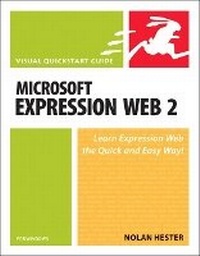
Microsoft Expression Web 2 for Windows
Visual QuickStart Guide
Published on 25. September 2008
Book
Paperback/Softback
264 pages
978-0-321-56379-8 (ISBN)
Description
Microsoft Expression Web offers a powerful array of visual tools for creating great looking sites while fully supporting Web-based standards. Expression Web makes it easy for designers to quickly design cool sites with tools that feel familiar. Thanks to Expression Web's underlying standards, the files can then be passed to developers who can code the site in the development tools they prefer. This back and forth without designers having to touch the code unless they want to makes this a powerful program. In Expression Web 2, Microsoft has added support for PHP backed sites and made it easy to work with PHP. Other new features include: Silverlight support and new editing capabilities for Flash SWF and Windows Media files. In addition Expression Web 2 now provides ASP.NET AJAX server controls that enable users to quickly create web pages that include a rich user experience with responsive and familiar user interface (UI) elements.
More details
Language
English
Place of publication
Berkeley
United States
Publishing group
Pearson Education (US)
Target group
Professional and scholarly
Dimensions
Height: 176 mm
Width: 226 mm
Thickness: 18 mm
Weight
420 gr
ISBN-13
978-0-321-56379-8 (9780321563798)
Copyright in bibliographic data and cover images is held by Nielsen Book Services Limited or by the publishers or by their respective licensors: all rights reserved.
Schweitzer Classification
Other editions
Previous edition
Book
01/2007
Peachpit Press Publications
€23.51
Article exhausted; check for reprint
Person
Nolan Hester has written more than a dozen books for Peachpit Press, including the best-selling Creating a Web Page with Dreamweaver: Visual QuickProject Guide and Retouching Photos in Photoshop Elements: Visual QuickProject Guide. He is also the author of two editions of Microsoft Office FrontPage for Windows: Visual QuickStart Guide.
Content
Introduction
Chapter 1: Exploring Expression Web
Chapter 2: Creating Sites
Chapter 3: Working with Pages
Chapter 4: Working with Text
Chapter 5: Working with Images
Chapter 6: Creating Links
Chapter 7: Creating Styles with CSS
Chapter 8: Creating Layouts with CSS
Chapter 9: Adding Behaviors & Media
Chapter 10: Adding Tables
Chapter 11: Adding Forms
Chapter 12: Publishing the Site
Index
Chapter 1: Exploring Expression Web
Chapter 2: Creating Sites
Chapter 3: Working with Pages
Chapter 4: Working with Text
Chapter 5: Working with Images
Chapter 6: Creating Links
Chapter 7: Creating Styles with CSS
Chapter 8: Creating Layouts with CSS
Chapter 9: Adding Behaviors & Media
Chapter 10: Adding Tables
Chapter 11: Adding Forms
Chapter 12: Publishing the Site
Index