

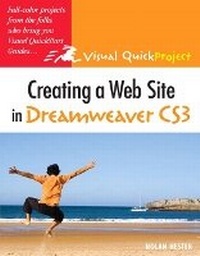
Creating a Web Site in Dreamweaver CS3
Visual QuickProject Guide
Published on 5. July 2007
Book
Paperback/Softback
160 pages
978-0-321-50304-6 (ISBN)
Description
Dreamweaver has been the tool of choice for professional Web site designers for years. And now that it is part of the Adobe Creative Suite, even more users, including beginning Web designers, will find it in their hands. This book is for them--all of the people who are itching to design their very first Web site but don't want to learn every last Dreamweaver feature to do so. This full-color volume guide offers them the quickest route to creating a well-designed, friendly Web site! Each short chapter uses big, bold screen shots and step-by-step instructions to illuminate one aspect of this process. By the end of the volume, users will create a simple Web site, fill it with text, graphics and tables, use style sheets, create image maps, add navigation and links, and test and publish the final product. Timely tips and occasional sidebars detailing good design practices round out the book.
More details
Language
English
Place of publication
Berkeley
United States
Publishing group
Pearson Education (US)
Target group
College/higher education
Dimensions
Height: 228 mm
Width: 176 mm
Thickness: 8 mm
Weight
292 gr
ISBN-13
978-0-321-50304-6 (9780321503046)
Copyright in bibliographic data and cover images is held by Nielsen Book Services Limited or by the publishers or by their respective licensors: all rights reserved.
Schweitzer Classification
Other editions
New editions
Book
12/2008
Peachpit Press Publications
€13.61
Article is exhausted; no reprint
Additional editions
E-Book
06/2007
1st Edition
Peachpit Press Publications
€6.49
Available for download
Previous edition
Book
01/2006
Peachpit Press Publications
€12.37
Article exhausted; check for reprint
Person
Nolan Hester has written more than a dozen books for Peachpit Press, including the best-selling previous editions of this book. Along with Retouching Photos in Photoshop Elements: Visual QuickProject Guide, he's written Visual QuickStart Guides on Microsoft Expression Web, Adobe Photoshop Album, and Microsoft FrontPage.
Content
Introduction
1. Welcome to Dreamweaver 8
2. Create a Basic Web Site
3. Add Images
4. Add Tables
5. Add Links
6. Create Styles & Layouts with CSS
7. Add Interactive Behaviors
8. Reuse Items to Save Time
9. Publish Site
Index
1. Welcome to Dreamweaver 8
2. Create a Basic Web Site
3. Add Images
4. Add Tables
5. Add Links
6. Create Styles & Layouts with CSS
7. Add Interactive Behaviors
8. Reuse Items to Save Time
9. Publish Site
Index