

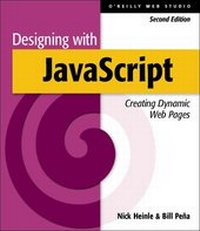
Designing with JavaScript
2nd Edition
Published on 5. February 2002
Book
Paperback/Softback
232 pages
978-1-56592-360-7 (ISBN)
Description
This new edition of "Designing with JavaScript" offers an introduction to JavaScript for the designer. By teaching JavaScript in the context of its most powerful capability - document manipulation through the DOM - this book teaches the language, object, library, and DOM concepts, and also provides Web developers with useful strategies and techniques. The text provides sophisticated JavaScript libraries for improved and easier use of form validation, browser detection and cookies. The libraries provided in the book, and online, include: StateLib for efficiently maintaining the state of objects and variables through a cookie; PRSSLib for progressing style sheets over time to create visually exciting, dynamic, functional, data-integrated documents; and ValidDataLib for advanced but easy forms validation and forms control. For Web authors new to programming, this book aims to make programming in JavaScript easy and efficient with libraries and masks, teaches language concepts while applying them, and carefully reveals advanced concepts of DOM and JavaScript usage.
Reviews / Votes
"A well written, attractive book which provides a good range of useful content that is applicable to common web development problems; if you are in need of a book to get you going straight away in using JavaScript, I suggest that you take a look at this one." - Jono Bacon LinuxFormat, May 2002More details
Other editions
Previous edition
Book
10/1997
O'Reilly
€24.50
Article exhausted; check for reprint
Persons
Nick Heinle is the author of Designing with JavaScript, 1st Edition, an O'Reilly bestseller. When this edition came out Nick was still a teenager and was profiled in the Boston Globe and Teen People. He is studying computer science and math and spends his free time at industry conferences and hiking in the mountains of Montana.
Content
Preface 1. Diving into JavaScript Adding descriptive links Night and day 2. Doing Windows Window basics Launching new windows Remote control 3. Controlling Frames The toolbar design Rotating pages QuickTime VR on a budget 4. Forms and Validation Getting to know that form Madlibs Stop that form! Is that really your email? Validate this! 5. Getting in Line with Arrays The array concept Being unpredictable Doing the date right Jumpin' jive 6. Too Many Browsers? Not Really What browser is that knocking at my door? Different browsers, different needs Style differences Checking for plug-ins Beyond the browser 7. Dynamic Images Image basics Image rollovers Multiple rollovers An image billboard 8. Customizing a Site with Cookies What's a cookie? Basic cookie operations A welcome for new visitors Forms that remember Customized pages 9. Dynamic HTML What is DHTML? The Document Object Model Dynamic Cascading Style Sheets Getting acquainted with layers Browser detection 10. Interactive DHTML Techniques Drop-down menus Sliding tabs Scrolling layers with clipping 11. Advanced Applications Object-oriented scripting The quiz: testing your readers Relational menus A cross-browser style object Moving on A. Common JavaScript Objects B. Event Handlers C. Style Properties D. JavaScript Syntax Index