

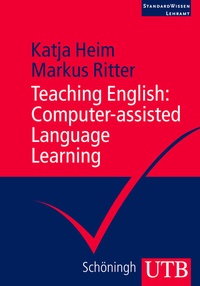
Teaching English: Computer-assisted Language Learning
Computer-assisted Language Learning
1st Edition
Published on 18. January 2012
Book
Paperback/Softback
250 pages
978-3-8252-3334-1 (ISBN)
Description
This book gives students an insight into why, when and how computers can be used in the English classroom.
It explores the fields in which computer applications have a potential for adding value to language lessons. The authors do not promote digital media as a good thing in itself but rather encourage readers to consider aims carefully: Digital media should be used, whenever they can help to make language learning more effective, more authentic, and more enjoyable.
It explores the fields in which computer applications have a potential for adding value to language lessons. The authors do not promote digital media as a good thing in itself but rather encourage readers to consider aims carefully: Digital media should be used, whenever they can help to make language learning more effective, more authentic, and more enjoyable.
More details
Other editions
Additional editions
Katja Heim | Markus Ritter
Teaching English: Computer-assisted Language Learning
E-Book
01/2012
1st Edition
UTB
€9.99
Available for download
Persons
Content
Table of Contents
1. BASIS 9
1.1 Why a book on computers in the language classroom 10
1.2 Computers in the language classroom - a brief historical overview 11
1.3 Structuring the field of CALL - and this book 16
2. WRITTEN ONLINE COMMUNICATION 19
2.1 Overview 20
2.2 Chat 21
2.3 E-mail 23
2.4 Forums, discussion boards, bulletin boards 27
2.5 Focus on research 29
2.6 Classroom ideas 32
3. ORAL ONLINE COMMUNICATION 35
3.1 Overview 36
3.2 Synchronous oral communication 36
3.3 Asynchronous oral communication 37
3.4 Focus on research 40
3.5 Classroom ideas 43
4. WEB RESOURCES 47
4.1 Overview 48
4.2 Web and Internet: a brief definition of terms 48
4.3 Web Portals 49
4.4 Reference Tools 58
4.5 Focus on research 67
4.6 Classroom ideas 68
5. WEB RESEARCH 74
5.1 Overview 74
5.2 Webquests 74
5.3 Search Enginges 81
5.4 Focus on Research 90
5.5 Classroom Ideas 92
6. TOOLS FOR TEACHERS 95
6.1 Overview 96
6.2 Authoring software 97
6.3 Diagnostic tools 100
6.4 Learning management systems 107
6.5 Interactive whiteboards 112
6.6 Focus on research 116
6.7 Classroom ideas 118
7. TUTORIAL COURSEWARE 125
7.1 Overview 126
7.2 Textbook-related courseware 127
7.3 Textbook-independent courseware 131
7.4 Focus on research 134
7.5 Classroom ideas 135
8. SOCIAL SOFTWARE 139
8.1 Overview 140
8.2 Talking terms: Social Software vs. Web 2.0 142
8.3 Wikis 142
8.4 Blogs and Microblogs 145
8.5 Podcasting 154
8.6 Second Lif 156
8.7 More Social Software Tools 162
8.8 Focus on research 166
8.9 Classroom ideas 169
9. SO WHAT? 173
9.1 Value added: Developing Intercultural Agency 174
9.2 Developing Intercultural Communicative Competence (ICC) 176
9.3 Developing Autonomy 180
9.4 Developing Critical Media Literacy 183
10. TEACHING ENGLISH WITH COMPUTERS: WHAT'S NEXT? 187
10.1 Current challenges 188
10.2 Technological Trends in Society 190
10.3 Technology in Education 193
SUGGESTED ANSWERS FOR THE TASKS 199
BIBLIOGRAPH 209
INDEX 217
1. BASIS 9
1.1 Why a book on computers in the language classroom 10
1.2 Computers in the language classroom - a brief historical overview 11
1.3 Structuring the field of CALL - and this book 16
2. WRITTEN ONLINE COMMUNICATION 19
2.1 Overview 20
2.2 Chat 21
2.3 E-mail 23
2.4 Forums, discussion boards, bulletin boards 27
2.5 Focus on research 29
2.6 Classroom ideas 32
3. ORAL ONLINE COMMUNICATION 35
3.1 Overview 36
3.2 Synchronous oral communication 36
3.3 Asynchronous oral communication 37
3.4 Focus on research 40
3.5 Classroom ideas 43
4. WEB RESOURCES 47
4.1 Overview 48
4.2 Web and Internet: a brief definition of terms 48
4.3 Web Portals 49
4.4 Reference Tools 58
4.5 Focus on research 67
4.6 Classroom ideas 68
5. WEB RESEARCH 74
5.1 Overview 74
5.2 Webquests 74
5.3 Search Enginges 81
5.4 Focus on Research 90
5.5 Classroom Ideas 92
6. TOOLS FOR TEACHERS 95
6.1 Overview 96
6.2 Authoring software 97
6.3 Diagnostic tools 100
6.4 Learning management systems 107
6.5 Interactive whiteboards 112
6.6 Focus on research 116
6.7 Classroom ideas 118
7. TUTORIAL COURSEWARE 125
7.1 Overview 126
7.2 Textbook-related courseware 127
7.3 Textbook-independent courseware 131
7.4 Focus on research 134
7.5 Classroom ideas 135
8. SOCIAL SOFTWARE 139
8.1 Overview 140
8.2 Talking terms: Social Software vs. Web 2.0 142
8.3 Wikis 142
8.4 Blogs and Microblogs 145
8.5 Podcasting 154
8.6 Second Lif 156
8.7 More Social Software Tools 162
8.8 Focus on research 166
8.9 Classroom ideas 169
9. SO WHAT? 173
9.1 Value added: Developing Intercultural Agency 174
9.2 Developing Intercultural Communicative Competence (ICC) 176
9.3 Developing Autonomy 180
9.4 Developing Critical Media Literacy 183
10. TEACHING ENGLISH WITH COMPUTERS: WHAT'S NEXT? 187
10.1 Current challenges 188
10.2 Technological Trends in Society 190
10.3 Technology in Education 193
SUGGESTED ANSWERS FOR THE TASKS 199
BIBLIOGRAPH 209
INDEX 217