

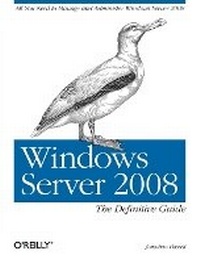
Windows Server 2008: The Definitive Guide
All You Need to Manage and Administer Windows Server 2008
1st Edition
Published on 22. April 2008
Book
Paperback/Softback
492 pages
978-0-596-51411-2 (ISBN)
Description
This practical guide has exactly what you need to work with Windows Server 2008. Inside, you'll find step-by-step procedures for using all of the major components, along with discussions on complex concepts such as Active Directory replication, DFS namespaces and replication, network access protection, the Server Core edition, Windows PowerShell, server clustering, and more. All of this with a more compact presentation and a tighter focus on tasks than you'll find in bulkier references.
Windows Server 2008: The Definitive Guide takes a refreshing approach. You won't find the history of Windows NT, or discussions on the way things used to work. Instead, you get only the information you need to use this server. If you're a beginning or intermediate system administrator, you learn how the system works, and how to administer machines running it. The expert administrators among you discover new concepts and components outside of your realm of expertise.
Simply put, this is the most thorough reference available for Windows Server 2008, with complete guides to:
* Installing the server in a variety of different environments
* File services and the Windows permission structure
* How the domain name system (DNS) works
* Active Directory, including its logical and physical structure, hierarchical components, scalability, and replication
* Group Policy's structure and operation
* Managing security policy with predefined templates and customized policy plans
* Architectural improvements, new features, and daily administration of IIS 7
* Terminal Services from both the administrator's user's point of view
* Networking architecture including DNS, DHCP, VPN, RADIUS server, IAS, and IPSec
* Windows clustering services --- applications, grouping machines, capacity and network planning, user account management
* Windows PowerShell scripting and command-line technology
With Windows Server 2008: The Definitive Guide, you to come away with a firm understanding of what's happening under the hood, but without the sense that you're taking a graduate course in OS theory. If you intend to work with this server, this is the only book you need.
More details
Other editions
Additional editions
Jonathan Hassell
Windows Server 2008: The Definitive Guide
E-Book
03/2008
1st Edition
O'Reilly
€46.49
Available for download
Jonathan Hassell
Windows Server 2008: The Definitive Guide
All You Need to Manage and Administer Windows Server 2008
E-Book
03/2008
1st Edition
O'Reilly
€36.49
Available for download
Person
Jonathan Hassell is an author, consultant and speaker on a variety of IT topics. His published works includes Learning Windows Server 2003 from O'Reilly, and his work appears regularly in such periodicals as Windows IT Pro, PC Pro and TechNet Magazine. He also speaks worldwide on topics ranging from networking and security to Windows administration.
Content
Inhaltsverzeichnis
Preface
1. Introducing Windows Server 2008
The Biggest Changes
Networking Improvements
Security Improvements
Manageability Improvements
Performance and Reliability Upgrades
Windows Server 2008 Editions
Hardware Requirements
The Last Word
2. Installation and Deployment
Installing Windows Server 2008
Initial Configuration Tasks
Deployment
The Last Word
3. File Services
File and Print Server Features
Setting Up File Sharing Services
NTFS File and Folder Permissions
The File Server Resource Manager
Disk-Based Quotas
Using Offline Files and Folders
Using Previous Versions
The Distributed File System
Command-Line Utilities
The Last Word
4. Domain Name System
Nuts and Bolts
Zones Versus Domains
Resource Records
Using Primary and Secondary Nameservers
Building a Nameserver
Subdomains and Delegation
Dynamic DNS
Active Directory-Integrated Zones
Forwarding
The Split DNS Architecture
Backup and Recovery
Command-Line Utilities
The Last Word
5. Active Directory
Active Directory Domain Services Objects and Concepts
Building an AD DS Structure
Understanding Operations Master Roles
Understanding Directory Replication
Active Directory Troubleshooting and Maintenance
The Last Word
6. Group Policy and IntelliMirror
An Introduction to Group Policy
Group Policy Implementation
Local Group Policy
Domain Group Policy
Deployment Considerations
Troubleshooting Group Policy
Other Group Policy Management Tools
Command-Line Utilities
The Last Word
7. Windows Security and Patch Management
Understanding Security Considerations
Locking Down Windows
Using Auditing and the Event Log
The Last Word
8. Internet Information Services 7
Major Improvements
The New Architecture
Roles
Managing IIS Graphically
Managing IIS from the Command Line
The Last Word
9. Windows Server 2008 Server Core
The Lack of a Shell
Realistic Deployment Scenarios
No Managed Code
Few Third-Party Software Applications
Installation
Initial Configuration
Administering Windows Server 2008 Server Core Machines
The Last Word
10. Terminal Services
The Remote Desktop Protocol
Adding the Terminal Server Role
Enabling Remote Desktop
On the User's Side
Terminal Services Administration
Terminal Services RemoteApp
Terminal Services Web Access
Terminal Services Gateway
Command-Line Utilities
The Last Word
11. DHCP and Network Access Protection
Dynamic Host Configuration Protocol
Network Access Protection
The Last Word
12. An Introduction to Clustering Technologies
Network Load-Balancing Clusters
Server Clustering
Command-Line Utilities
The Last Word
13. PowerShell
Why PowerShell?
Installing PowerShell
PowerShell and Security
Starting Up PowerShell
Cmdlets: The Heart of PowerShell
Getting Help with PowerShell
Using Data Stores and PowerShell Providers
The Pipeline
Formatting Basics
Variables
Writing Scripts
Objects:.NET, WMI, and COM
Advanced PowerShell
Learning More About PowerShell
The Last Word
14. Hyper-V
How It Works
Getting Started with Hyper-V
Virtualization Strategy
The Last Word
Index