

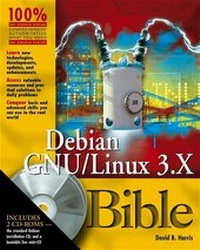
Debian GNU /Linux 3.1 Bible
Published on 1. August 2005
Book
Paperback/Softback
672 pages
978-0-7645-7644-7 (ISBN)
Description
If Debian GNU/Linux 3.1 can do it, you can do it too.
Debian is a complex project, but this comprehensive reference will guide you through the process of setting up, using, and administering a Debian GNU/Linux system. This book teaches you the commands, configuration setups, and best practices to use Debian productively on the desktop, Internet, and intranet servers. You'll learn about the thousands of software packages available for Debian, and how to create your own packages and make them available for other Debian users.
Inside, you'll find complete coverage of Debian GNU/Linux 3.1
* Understand the features that make Debian unique among Linux distributions
* Install Debian, use the shell and filesystem, and install and manage software packages
* Understand basic Debian system administration including managing user access, performing backups, and securing your system
* Run Debian using the KDE and GNOME desktop environments
* Configure graphics and sound, play games, and handle Internet, desktop publishing, and multimedia applications
* Provide Internet services on a home or corporate network, including e-mail, FTP, and Web servers
* Set up an intranet and manage file, print, and database services
* Use a Secure Shell connection to access your Debian system remotely
* Use the Debian platform for software development and understand Debian policy, the New Maintainer process, and packaging fundamentals
Debian is a complex project, but this comprehensive reference will guide you through the process of setting up, using, and administering a Debian GNU/Linux system. This book teaches you the commands, configuration setups, and best practices to use Debian productively on the desktop, Internet, and intranet servers. You'll learn about the thousands of software packages available for Debian, and how to create your own packages and make them available for other Debian users.
Inside, you'll find complete coverage of Debian GNU/Linux 3.1
* Understand the features that make Debian unique among Linux distributions
* Install Debian, use the shell and filesystem, and install and manage software packages
* Understand basic Debian system administration including managing user access, performing backups, and securing your system
* Run Debian using the KDE and GNOME desktop environments
* Configure graphics and sound, play games, and handle Internet, desktop publishing, and multimedia applications
* Provide Internet services on a home or corporate network, including e-mail, FTP, and Web servers
* Set up an intranet and manage file, print, and database services
* Use a Secure Shell connection to access your Debian system remotely
* Use the Debian platform for software development and understand Debian policy, the New Maintainer process, and packaging fundamentals
More details
Series
Edition
1. Auflage
Language
English
Place of publication
Foster City
United States
Publishing group
John Wiley & Sons Inc
Target group
Professional and scholarly
Illustrations
Illustrations
Dimensions
Height: 23.3 cm
Width: 18.8 cm
Thickness: 3.5 cm
Weight
979 gr
ISBN-13
978-0-7645-7644-7 (9780764576447)
Schweitzer Classification
Persons
Benjamin Mako Hill is an intellectual property researcher and activist and a professional Free/Open Source Software (FOSS) advocate, developer, and consultant. He is an active participant in the Debian Project in both technical and nontechnical roles, and is a founder of Debian-Nonprofit and several other Free Software projects. He is the author of the Free Software Project Management HOWTO and many published works on Free and Open Source Software in addition to academic and nonacademic work in both technical and nontechnical fields. He is currently working full time for Canonical Ltd. on Ubuntu, a Debian-based distribution.
David B. Harris is a professional systems administrator who works with Debian systems daily. He is an active and recognized member of the Debian community, where he maintains a number of Debian components. David also serves as the point of first contact for numerous Debian users and developers, and is known for providing excellent personalized technical support. Aside from Debian, he manages all the technical aspects of the Open and Free Technology Community, a group formed early in 2000 to provide services to Open Source projects.
Jaldhar Vyas is a 34-year-old Hindu priest and consultant specializing in Perl and Linux who lives in Jersey City, New Jersey, with his wife Jyoti, daughter Shailaja, and son Nilagriva. Jaldhar has been a Debian developer for eight years and a Linux user for 10. His current major area of interest is Debian-IN, subproject to improve Debian's support of Indian-language speakers.
David B. Harris is a professional systems administrator who works with Debian systems daily. He is an active and recognized member of the Debian community, where he maintains a number of Debian components. David also serves as the point of first contact for numerous Debian users and developers, and is known for providing excellent personalized technical support. Aside from Debian, he manages all the technical aspects of the Open and Free Technology Community, a group formed early in 2000 to provide services to Open Source projects.
Jaldhar Vyas is a 34-year-old Hindu priest and consultant specializing in Perl and Linux who lives in Jersey City, New Jersey, with his wife Jyoti, daughter Shailaja, and son Nilagriva. Jaldhar has been a Debian developer for eight years and a Linux user for 10. His current major area of interest is Debian-IN, subproject to improve Debian's support of Indian-language speakers.
Content
Preface.
Acknowledgments.
Part I: The Fundamentals.
Chapter 1: The Debian Project.
Chapter 2: Installing Debian.
Chapter 3: Using the Shell and Filesystem.
Chapter 4: Software Management.
Chapter 5: Basic System Administration.
Chapter 6: Performing Backups.
Part II: The Linux Desktop.
Chapter 7: Configuring Graphics and Sound.
Chapter 8: The KDE and GNOME Desktop Environments.
Chapter 9: Internet Applications.
Chapter 10: Publishing.
Chapter 11: Digital Photography and Multimedia.
Chapter 12: Games.
Part III: The Internet Server.
Chapter 13: Network Security.
Chapter 14: E-Mail Servers.
Chapter 15: Web Serving.
Chapter 16: File Transfer Services.
Chapter 17: The Domain Name System.
Chapter 18: Remote Access.
Part IV: The Intranet Server.
Chapter 19: Workstation Network and Internet Access.
Chapter 20: File Serving and Sharing.
Chapter 21: OpenLDAP.
Chapter 22: Intranet E-Mail Servers.
Chapter 23: Printing Services.
Chapter 24: Database Servers.
Part V: The Developer.
Chapter 25: The Debian Community.
Chapter 26: Building Packages.
Chapter 27: Debian Archives.
Appendix A: What's on the CD-ROMs?
Appendix B: Debian Constitution.
Index.
Acknowledgments.
Part I: The Fundamentals.
Chapter 1: The Debian Project.
Chapter 2: Installing Debian.
Chapter 3: Using the Shell and Filesystem.
Chapter 4: Software Management.
Chapter 5: Basic System Administration.
Chapter 6: Performing Backups.
Part II: The Linux Desktop.
Chapter 7: Configuring Graphics and Sound.
Chapter 8: The KDE and GNOME Desktop Environments.
Chapter 9: Internet Applications.
Chapter 10: Publishing.
Chapter 11: Digital Photography and Multimedia.
Chapter 12: Games.
Part III: The Internet Server.
Chapter 13: Network Security.
Chapter 14: E-Mail Servers.
Chapter 15: Web Serving.
Chapter 16: File Transfer Services.
Chapter 17: The Domain Name System.
Chapter 18: Remote Access.
Part IV: The Intranet Server.
Chapter 19: Workstation Network and Internet Access.
Chapter 20: File Serving and Sharing.
Chapter 21: OpenLDAP.
Chapter 22: Intranet E-Mail Servers.
Chapter 23: Printing Services.
Chapter 24: Database Servers.
Part V: The Developer.
Chapter 25: The Debian Community.
Chapter 26: Building Packages.
Chapter 27: Debian Archives.
Appendix A: What's on the CD-ROMs?
Appendix B: Debian Constitution.
Index.