

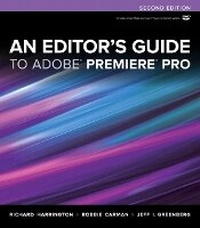
An Editor's Guide to Adobe Premiere Pro
2nd Edition
Published on 6. September 2012
Book
Mixed media product
352 pages
978-0-321-84006-6 (ISBN)
Description
For readers who want to get up to speed on Adobe Premiere Pro, they need look no further than this fast-paced but thorough guide to Adobe's flagship editing program. Three experienced editors take them step by step through the entire editing process in Premiere Pro in which they'll learn how to perform professional editing tasks such as project management, multi-format editing, color correction, audio mixing, titling, effects, and delivering video to tape, the web, and mobile devices. Plus the whole process moves at an accelerated pace so readers can get back to editing even faster. The goal is within a weekend, they'll learn everything they need to know to use Premiere Pro confidently for their own projects and client work.
Readers will be able to put their advanced editing skills to work immediately by using the accompanying hands-on lesson files to work through the steps in the book. They'll further improve their knowledge through engaging video tutorials, handy quick-reference guides, and keyboard shortcut sheets all made available on the book's DVD.
Readers will be able to put their advanced editing skills to work immediately by using the accompanying hands-on lesson files to work through the steps in the book. They'll further improve their knowledge through engaging video tutorials, handy quick-reference guides, and keyboard shortcut sheets all made available on the book's DVD.
More details
Other editions
Additional editions
Richard Harrington | Robbie Carman | Jeff Greenberg
Editor's Guide to Adobe Premiere Pro, An
E-Book
08/2012
2nd Edition
Peachpit Press Publications
€32.39
Available for download
Previous edition
Richard Harrington | Robbie Carman | Jeff I. Greenberg
An Editor's Guide to Adobe Premiere Pro
Book
06/2011
Peachpit Press Publications
€51.13
Article exhausted; check for reprint
Persons
Richard Harrington is a director and editor. He has been a certified instructor for Adobe, Apple, and Avid. He is a Creative COW forum leader, a member of the NAPP Instructor Dream Team, and a popular author, trainer, and speaker. His company is RHED Pixel (www.RHEDPixel.com) and his personal blog is www.RichardHarringtonBlog.com. Robbie Carman is a professional colorist who works on numerous broadcast television series and independent films. He is a certified trainer for Adobe and Apple, a principal at Amigo Media (www.amigomediallc.com), a well-known author and speaker at industry conferences, and he is the Creative COW forum host for DSLR video and Apple Color. Jeff I. Greenberg is a professional editor, postproduction supervisor, and an expert in postproduction. He's an internationally known trainer for Adobe, Apple, and Avid products. A popular speaker, Jeff also chairs technical tracks at NAB, is the program manager of the Editor's Retreat, and is a forum leader at Creative COW. His consulting group is JGreenbergConsulting.com.
Content
<>Chapter 1 The Adobe Workflow
Chapter 2 Configuring Your Nonlinear Editor
Chapter 3 Setting Up a Project
Chapter 4 Importing Media
Chapter 5 Organizing Media
Chapter 6 Essential Editing Skills
Chapter 7 Additional Editing Skills
Chapter 8 Timeline Operations
Chapter 9 The Power Is in the Trim
Chapter 10 Audio Mixing and Repair
Chapter 11 Color Correction and Grading
Chapter 12 Essential Effects
Chapter 13 Creating Titles
Chapter 14 Quality Control and Archiving
Chapter 15 Publish Your Video
On The Disc
Appendix A Multicamera Editing
Appendix B DSLR Workflow Guide
Appendix C Capturing from Tape
Appendix D Working with Final Cut Pro
Appendix E Working with Avid Media Composer
Appendix F Working with 3D Source Material
Chapter 2 Configuring Your Nonlinear Editor
Chapter 3 Setting Up a Project
Chapter 4 Importing Media
Chapter 5 Organizing Media
Chapter 6 Essential Editing Skills
Chapter 7 Additional Editing Skills
Chapter 8 Timeline Operations
Chapter 9 The Power Is in the Trim
Chapter 10 Audio Mixing and Repair
Chapter 11 Color Correction and Grading
Chapter 12 Essential Effects
Chapter 13 Creating Titles
Chapter 14 Quality Control and Archiving
Chapter 15 Publish Your Video
On The Disc
Appendix A Multicamera Editing
Appendix B DSLR Workflow Guide
Appendix C Capturing from Tape
Appendix D Working with Final Cut Pro
Appendix E Working with Avid Media Composer
Appendix F Working with 3D Source Material