

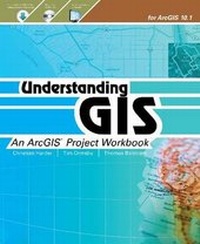
Understanding GIS
An ArcGIS Project Workbook
Published on 3. July 2013
Book
Paperback/Softback
362 pages
978-1-58948-346-0 (ISBN)
Description
Understanding GIS: An ArcGIS Project Workbook explains the methods and tools needed to apply GIS analysis to a spatial problem by finding the best location for a new park along the Los Angeles River in Southern California. Through this process, readers develop critical-thinking and problem-solving skills and learn to use ArcGIS (R) 10.1 for Desktop software from Esri (R).
Understanding GIS: An ArcGIS Project Workbook includes valuable learning materials:
Self-paced tutorials. The project is carried out progressively in nine lessons comprising more than thirty exercises. Each exercise has step-by-step instructions, graphics to confirm your results, and explanations of key concepts.
ArcGIS 10.1 for Desktop software. The book includes access to ArcGIS 10.1 for Desktop software (180-day use) to perform the analysis. The book's DVD includes project data.
An online Understanding GIS Resource Center includes the book's final lesson in PDF format, "GIS TV" videos that walk you through the exercises in real time, exercise results for each lesson, and more.
Understanding GIS: An ArcGIS Project Workbook includes valuable learning materials:
Self-paced tutorials. The project is carried out progressively in nine lessons comprising more than thirty exercises. Each exercise has step-by-step instructions, graphics to confirm your results, and explanations of key concepts.
ArcGIS 10.1 for Desktop software. The book includes access to ArcGIS 10.1 for Desktop software (180-day use) to perform the analysis. The book's DVD includes project data.
An online Understanding GIS Resource Center includes the book's final lesson in PDF format, "GIS TV" videos that walk you through the exercises in real time, exercise results for each lesson, and more.
More details
Language
English
Place of publication
Redlands
United States
Publishing group
ESRI Press
Illustrations
400 illustrations
ISBN-13
978-1-58948-346-0 (9781589483460)
Copyright in bibliographic data and cover images is held by Nielsen Book Services Limited or by the publishers or by their respective licensors: all rights reserved.
Schweitzer Classification
Other editions
New editions
Book
09/2017
3rd Edition
Environmental Systems Research Institute Inc.,U.S.
€101.70
Article exhausted; check for reprint
Persons
Christian Harder is a writer at Esri and author of a number of case study books on GIS.
Tim Ormsby is a technical writer at Esri and has created and contributed to ArcGIS training courses for both the classroom and online learning. Ormsby coauthored Esri Press's best-selling workbook Getting to Know ArcGIS Desktop (Esri Press 2010). Thomas Balstrom is the coauthor of the Danish-language Book of GIS and Geodata. He worked for two decades as an associate professor in GIS and physical geography at University of Copenhagen, Denmark, and currently is an associate professor in geoinformatics at University of Aalborg, Copenhagen.
Tim Ormsby is a technical writer at Esri and has created and contributed to ArcGIS training courses for both the classroom and online learning. Ormsby coauthored Esri Press's best-selling workbook Getting to Know ArcGIS Desktop (Esri Press 2010). Thomas Balstrom is the coauthor of the Danish-language Book of GIS and Geodata. He worked for two decades as an associate professor in GIS and physical geography at University of Copenhagen, Denmark, and currently is an associate professor in geoinformatics at University of Aalborg, Copenhagen.
Content
Foreword
Preface
Lesson 1: Frame the problem and explore the study area
Lesson 2: Preview data
Lesson 3: Choose the data
Lesson 4: Build the database
Lesson 5: Edit data
Lesson 6: Conduct the analysis
Lesson 7: Automate the analysis
Lesson 8: Present analysis results
Lesson 9: Share results online
Appendix A: Analysis issues
Appendix B: Data credits and data license agreement
Index
Preface
Lesson 1: Frame the problem and explore the study area
Lesson 2: Preview data
Lesson 3: Choose the data
Lesson 4: Build the database
Lesson 5: Edit data
Lesson 6: Conduct the analysis
Lesson 7: Automate the analysis
Lesson 8: Present analysis results
Lesson 9: Share results online
Appendix A: Analysis issues
Appendix B: Data credits and data license agreement
Index