

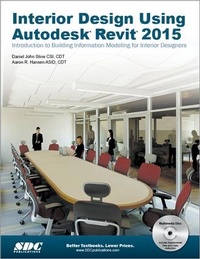
Interior Design Using Autodesk Revit 2015
1st Edition
Published on 26. June 2014
Book
Paperback/Softback
704 pages
978-1-58503-891-6 (ISBN)
Description
The intent of this book is to provide the interior design student a well-rounded knowledge of Autodesk Revit tools and techniques. These skills can then be applied to enhance professional development in both academia and industry.
The overall premise of the book is to learn Revit while developing the interior of a two story law office. The reader is provided an architectural model with established columns, beams, exterior walls, minimal interior walls and roofs in which to work. This allows more emphasis to be placed on interior design rather than primary architectural elements. The chapters chronology generally follows the typical design process. Students will find this book helps them more accurately and efficiently develop their design ideas and skills.
The first chapter introduces the reader to Revit, Building Information Modeling (BIM) and the basics of opening, saving and creating a new project. The second provides a quick introduction to modeling basic elements in Revit including walls, doors, windows and more. This chapter is designed to show students how powerful Revit is and hopefully make them more excited about learning it.
The remainder of the book is spent developing the interior space of the law office with an established space program. A student will learn how to view and navigate within the provided 3D architectural model, managing and creating materials and develop spaces with walls, doors and windows. Once all the spaces are added to the model, several areas are explored and used as the basis to cover Revit commands and workflows.
At the end of this tutorial, the reader will be able to model floor finishes, ceilings with soffits, casework, custom reception desk, restrooms, furniture and light fixtures. Additional features such as tags, schedules and photo-realistic rendering will be covered.
The overall premise of the book is to learn Revit while developing the interior of a two story law office. The reader is provided an architectural model with established columns, beams, exterior walls, minimal interior walls and roofs in which to work. This allows more emphasis to be placed on interior design rather than primary architectural elements. The chapters chronology generally follows the typical design process. Students will find this book helps them more accurately and efficiently develop their design ideas and skills.
The first chapter introduces the reader to Revit, Building Information Modeling (BIM) and the basics of opening, saving and creating a new project. The second provides a quick introduction to modeling basic elements in Revit including walls, doors, windows and more. This chapter is designed to show students how powerful Revit is and hopefully make them more excited about learning it.
The remainder of the book is spent developing the interior space of the law office with an established space program. A student will learn how to view and navigate within the provided 3D architectural model, managing and creating materials and develop spaces with walls, doors and windows. Once all the spaces are added to the model, several areas are explored and used as the basis to cover Revit commands and workflows.
At the end of this tutorial, the reader will be able to model floor finishes, ceilings with soffits, casework, custom reception desk, restrooms, furniture and light fixtures. Additional features such as tags, schedules and photo-realistic rendering will be covered.
More details
Language
English
Place of publication
Mission, KS
United States
Target group
College/higher education
Professional and scholarly
Professional Training and Undergraduate Advanced
Dimensions
Height: 280 mm
Width: 210 mm
Weight
453 gr
ISBN-13
978-1-58503-891-6 (9781585038916)
Copyright in bibliographic data and cover images is held by Nielsen Book Services Limited or by the publishers or by their respective licensors: all rights reserved.
Schweitzer Classification
Persons
Aaron Hansen is a Certified Interior Designer in Minnesota and Wisconsin with a Bachelor of Science in Interior Design from NDSU. He is part of the Education Design Group at LHB in Duluth, Minnesota. Daniel John Stine AIA, CSI, CDT, is a registered architect with over twenty years of experience in the field of architecture. He is the Director of Design Technology at Lake Flato Architects.
Content
1 Getting Started with Autodesk Revit Architecture 2015 2 Model Navigation 3 Quick Start: Small Office 4 Revit Materials 5 Programming 6 Floor Plans 7 Curtain Wall 8 Stairs and Railings 9 Ceilings 10 Break Room and Work Room 11 Toilet Room Design 12 Floors 13 Custom Reception Desk and Sign 14 Furniture, Groups and Design Options 15 Detailing 16 Schedules 17 Lighting and Rendering 18 Sheets and Revisions