

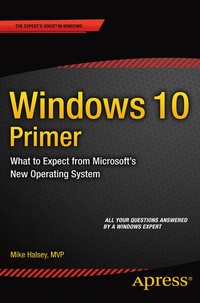
Windows 10 Primer
What to Expect from Microsoft's New Operating System
Published on 1. April 2015
Book
Paperback/Softback
XV, 100 pages
978-1-4842-1047-5 (ISBN)
Description
With Windows 10 arriving later in 2015, many questions remain to be answered, both for businesses and home users. Will it provide the compatibility of Windows XP, and the usability of Windows 7? Will it banish forever the problems associated with Windows 8? In this book, Windows expert, author and MVP Mike Halsey answers the questions you have and details hidden and improved features that can revolutionize your security, productivity and user experience. Whether you're an IT professional considering or planning an upgrade to your company's PCs or a Windows enthusiast eager to find out if Microsoft has finally built a truly modern Windows experience,
Windows 10 Primer
has the answers to all your most important questions.
More details
Edition
First Edition
Language
English
Place of publication
Berkeley
United States
Publishing group
Springer-Verlag Berlin and Heidelberg GmbH & Co. KG
Target group
Popular/general
Illustrations
47 s/w Abbildungen
XV, 100 p. 47 illus.
Dimensions
Height: 235 mm
Width: 155 mm
Thickness: 6 mm
Weight
166 gr
ISBN-13
978-1-4842-1047-5 (9781484210475)
DOI
10.1007/978-1-4842-1046-8
Schweitzer Classification
Other editions
Additional editions
E-Book
04/2015
APress
€13.90
Available for download
Person
Mike Halsey is a Microsoft MVP (Most Valuable Professional) awardee and technical expert. As the author of Windows 7, 8 and 10 Troubleshooting books and associated videos he's well versed in the problems and issues that PC users, IT Pros and System Administrators face when administering and maintaining all aspects of a PC ecosystem.Mike is a teacher and prolific author who uses his training in educating people about sometimes complex subjects in simple and straightforward ways to great effect in his books and training videos. Mike is very active on social media, which he has used for several years for promotion and education purposes.
Content
Chapter 1: Introducing Windows 10 Chapter 2: New and Improved Features in Windows 10 Chapter 3: Windows 10 for Phone and Other Devices Chapter 4: What's New for End Users? Chapter 5: What's New for Businesses? Chapter 6: Maximizing Security and Productivity