

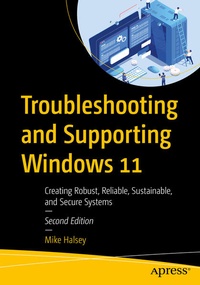
Troubleshooting and Supporting Windows 11
Description
Diagnose, troubleshoot and repair any type of problem on your PC from startup and file access to cloud services and the challenges created by hybrid work. This book contains everything you need to know to keep PC systems running optimally, and to repair problems quickly and efficiently. This book provides a deep dive into the Windows OS, detailing what everything is, and how it works. You will learn of the in-built, additional, and third-party tools and utilities you can use to create reliable, robust and secure PC systems. This updated version will guide you with the latest advancements in Windows 11 and using AI tools for troubleshooting and managing Windows security.
This book starts with a deep dive into the Windows OS, detailing what everything is, and how it works. You will learn of the in-built, additional, and third-party tools and utilities you can use to create reliable, robust and secure PC systems. Further, you will learn how to configure Windows 11 so as to avoid problems occurring, and how to support every type of end user, working from home, or in any part of the globe, speaking any language, and taking into account other factors such as ability or personal barriers. You will discover the support tools and support ecosystem you can use to create and manage effective support tracking and remote access. You will discover how to get detailed events and reliability information, and how to manage updating channels. You will deep dive into Windows 11 operating system and folder structure and learn app and software troubleshooting, process and service troubleshooting, network and internet troubleshooting and hardware and peripherals troubleshooting.
Finally, you will learn advanced troubleshooting techniques like security and encryption troubleshooting and using PowerShell scripting to repair problems. By the end, you will know how to troubleshoot complex problems and diagnose hardware problems in a PC. You will be able to troubleshoot and repair any type of problem on a Windows 11 PC.
New to the book:
- Using AI to troubleshoot and repair problems
- Managing Windows security features
- Supporting Windows 11 on older Windows 10 PCs
What You Will Learn
- How to support home and hybrid workers using their own PCs
- Using scripting and PowerShell to troubleshoot and repair systems
- Managing networking and internet access to minimize downtime
- Managing installation and troubleshooting for updates and patches
- How to use Artificial Intelligence tools to troubleshoot and repair problems
Who This Book Is For
IT Pros and system administrators who have to maintain small or large networks of connected PCs locally at their organization, or with hybrid workers.
More details
Other editions
Previous edition
Person
Mike Halsey
is a recognized technical expert. He is the author of more than 25 help and how-to books for Windows 7, 8, 10 and 11, including accessibility, productivity, and troubleshooting. He is also the author of
The Green IT Guide, Second Edition
(Apress). Mike is well-versed in the problems and issues that PC users experience when setting up, using, and maintaining their PCs and knows how difficult and technical it can appear.
He understands that some subjects can be intimidating, so he approaches each subject area in straightforward and easy-to-understand ways. Mike is originally from the UK, but now lives in France with his border collies, Evan, Robbie and Teo.
Content
Part 1: Troubleshooting Fundamentals.- Chapter 1: Introducing Troubleshooting in Windows 11.- Chapter 2: Tools and Utilities Used Throughout this Book.- Chapter 3: Building a Robust and Secure PC Ecosystem.- Chapter 4: Configuring Windows 11.- Chapter 5: Managing Windows Security Features.- Chapter 6: Supporting Local and Remote PC Users.- Chapter 7: Windows 11's Support Tools Users.- Chapter 8: The Methodology of Supporting Users.- Part 2: Troubleshooting Windows 11.- Chapter 9: Events and Reliability Troubleshooting.- Chapter 10: Integrity and Updating Troubleshooting.- Chapter 11: User Account and File Troubleshooting.- Chapter 12: The Windows 11 File and Folder Structure in Depth.- Chapter 13: Apps and Software Troubleshooting.- Chapter 14: Process and Services Troubleshooting.- Chapter 15: Networking and Internet Troubleshooting.- Chapter 16: Hardware and Peripherals Troubleshooting.- Chapter 17: Using AI to Troubleshoot and Repair Problems.- Part 3: Advanced Troubleshooting Techniques.- Chapter 18: IT Systems and the Wider World.- Chapter 19: Security and Encryption Troubleshooting.- Chapter 20: Virus and Malware Troubleshooting.- Chapter 21: Registry Troubleshooting.- Chapter 22: Startup and Repair Troubleshooting.- Chapter 23: Supporting Windows 11 on Older Windows 10 PCs.- Chapter 24: Researching and Troubleshooting Difficult Problems.- Chapter 25: Installing and Restoring Windows 11.