

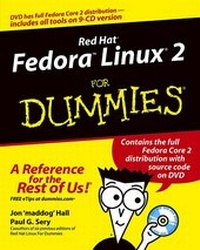
Red Hat Fedora Linux 2 For Dummies
1st Edition
Published on 2. July 2004
Book
Paperback/Softback
408 pages
978-0-7645-6792-6 (ISBN)
Description
Fedora "X" For Dummies shows first-time Fedora users how to install and use the Fedora operating system from Red Hat. Updated to correspond with the next release of the software, this book also explores how to use Mozilla's email client and a virtual private network. And readers will find out how to use Nautilis to surf the net.
More details
Edition
1., Aufl.
Language
English
Place of publication
Foster City
United States
Publishing group
John Wiley & Sons Inc
Target group
College/higher education
Professional and scholarly
Dimensions
Height: 23.3 cm
Width: 18.5 cm
Weight
624 gr
ISBN-13
978-0-7645-6792-6 (9780764567926)
Schweitzer Classification
Persons
Jon 'maddog' Hall is the executive director of Linux International, a vendor organization dedicated to promoting the use of the Linux operating system. He has been in the computer industry for more than a quarter of a century (somehow, that sounds more impressive than just "25 years"), the past 18 years of which have been spent using, programming, and admiring the Unix operating system. Jon works for Compaq Computer Corporation, where he is helping to shape Compaq's strategy with respect to Linux. Previously, Jon was the department head of computer science at Hartford State Technical College, where his students lovingly (he hopes) gave him the nickname 'maddog' as he tried to teach them operating system design, compiler theory, and how to live an honorable life.
While working for Digital Equipment Corporation in May of 1994, 'maddog' met Linus Torvalds, and was intelligent enough (his critics say 'maddog' was just lucky) to recognize the potential of the Linux operating system. Linux changed his life, mostly by providing him with 22-hour workdays. Since 'maddog' has started working with Linux, however, he has also started meeting more girls (in particular, his two godchildren). You can usually find Jon speaking at various Linux conferences and events ('maddog' just barks), and he has also been known to travel long distances to speak to local Linux user groups.
Paul G. Sery is a systems administrator employed by Sandia National Laboratories in Albuquerque, New Mexico. He is a member of the Computer Support Unit, Special Projects, which specializes in managing and troubleshooting Unix and Linux systems.
When he's not beating his head against systems administration problems, Paul and his wife, Lidia, enjoy riding their tandem bicycle through the Rio Grande valley. They also enjoy traveling throughout Mexico. Paul is the author of Linux Network Toolkit and the coauthor of several other books. He has a bachelor's degree in electrical engineering from the University of New Mexico.
While working for Digital Equipment Corporation in May of 1994, 'maddog' met Linus Torvalds, and was intelligent enough (his critics say 'maddog' was just lucky) to recognize the potential of the Linux operating system. Linux changed his life, mostly by providing him with 22-hour workdays. Since 'maddog' has started working with Linux, however, he has also started meeting more girls (in particular, his two godchildren). You can usually find Jon speaking at various Linux conferences and events ('maddog' just barks), and he has also been known to travel long distances to speak to local Linux user groups.
Paul G. Sery is a systems administrator employed by Sandia National Laboratories in Albuquerque, New Mexico. He is a member of the Computer Support Unit, Special Projects, which specializes in managing and troubleshooting Unix and Linux systems.
When he's not beating his head against systems administration problems, Paul and his wife, Lidia, enjoy riding their tandem bicycle through the Rio Grande valley. They also enjoy traveling throughout Mexico. Paul is the author of Linux Network Toolkit and the coauthor of several other books. He has a bachelor's degree in electrical engineering from the University of New Mexico.
Content
Introduction. Part I: Installing Fedora Core. Chapter 1: And in the Opposite Corner ... a Penguin? Chapter 2: Paving the Way for Fedora Core. Chapter 3: Ready, Set, Install! Chapter 4: Starting Up with Fedora Core. Part II: Got Net? Chapter 5: Dial--Up Modems Still Get the Job Done. Chapter 6: Broadband Rocks! Chapter 7: Connect Locally, Communicate Globally: Connecting to a LAN. Chapter 8: Only You Can Prevent Break--Ins. Part III: Linux, Huh! What Is It Good For? Absolutely Everything! Chapter 9: Gnowing GNOME. Chapter 10: Gnowing More GNOME. Chapter 11: Surfin' the Net and Groovin' to Tunes. Chapter 12: Live from the Net. Chapter 13: Going to the Office. Chapter 14: Days of Wine and Applications. Part IV: Revenge of the Nerds. Chapter 15: Building Your Own, Private Network. Chapter 16: Creating Basic Linux Network Services. Chapter 17: Securing Your Future. Chapter 18: Bringing In the Fedora Core Repairman. Chapter 19: Building a Streaming Audio Server. Part V: The Part of Tens. Chapter 20: Ten Problem Areas and Solutions. Chapter 21: Ten Security Vulnerabilities. Part VI: Appendixes. Appendix A: Fedora Core Administration Utilities. Appendix B: Discovering Your Hardware. Appendix C: Filing Your Life Away. Appendix D: Becoming a Suit: Managing the Linux File System. Appendix E: Using RPM and YUM. Appendix F: About the DVD. Index.