

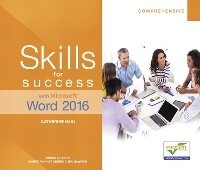
Skills for Success with Microsoft Word 2016 Comprehensive
Will be published approx. on 20. September 2016
Book
Paperback/Softback
512 pages
978-0-13-447949-1 (ISBN)
Description
Designed for a new generation of learners
Skills for Successteaches students the way they prefer to learn software-instead of reading big blocks of text, they'd rather see and do. Using the hallmark visual layout, students complete an entire skill in just two pages. Step-by-step instructions are aligned with full size screens image to guide students as they progress through each new skill. No matter what device they are using-desktop or tablet-or their current skill level, students will learn what they need to get started quickly.
Note: You are purchasing a standalone product; MyMathLab does not come packaged with this content. Students, if interested in purchasing this title with MyMathLab, ask your instructor for the correct package ISBN and Course ID. Instructors, contact your Pearson representative for more information.
Skills for Successteaches students the way they prefer to learn software-instead of reading big blocks of text, they'd rather see and do. Using the hallmark visual layout, students complete an entire skill in just two pages. Step-by-step instructions are aligned with full size screens image to guide students as they progress through each new skill. No matter what device they are using-desktop or tablet-or their current skill level, students will learn what they need to get started quickly.
Note: You are purchasing a standalone product; MyMathLab does not come packaged with this content. Students, if interested in purchasing this title with MyMathLab, ask your instructor for the correct package ISBN and Course ID. Instructors, contact your Pearson representative for more information.
More details
Persons
Catherine Hain is an instructor at Central New Mexico Community College in Albuquerque, New Mexico. She teaches computer applications classes in the Business and Information Technology School, both in the classroom and through the distance learning office. Catherine holds a bachelor's degree in Management and Marketing and a master's degree in Business Administration.
Content
Part 1 | Getting Started with Microsoft Office Applications Chapter 1 Common Features of Office 2016
Part 2 | Microsoft Office Microsoft Word Introduction to Word Chapter 1 Create Letters and Memos Chapter 2 Create Business Reports Chapter 3 Create Flyers Chapter 4 Create Newsletters and Mail Merge Documents Chapter 5 Create Static Forms Chapter 6 Create a Brochure Chapter 7 Prepare a Document with References Chapter 8 Collaborate and Share Documents Chapter 9 Work with Styles and Hyperlinks Chapter 10 Create Forms and Macros Glossary Appendix Index
Part 2 | Microsoft Office Microsoft Word Introduction to Word Chapter 1 Create Letters and Memos Chapter 2 Create Business Reports Chapter 3 Create Flyers Chapter 4 Create Newsletters and Mail Merge Documents Chapter 5 Create Static Forms Chapter 6 Create a Brochure Chapter 7 Prepare a Document with References Chapter 8 Collaborate and Share Documents Chapter 9 Work with Styles and Hyperlinks Chapter 10 Create Forms and Macros Glossary Appendix Index