

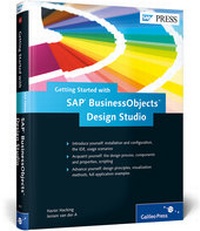
Getting Started with SAP BusinessObjects Design Studio
1st Edition
Published on 21. November 2013
Book
Hardback
468 pages
978-1-59229-895-2 (ISBN)
Description
Whether you're a long-time BEx WAD user or a die-hard Xcelsius fan (or both!), there's a new dashboard design kid on the block. Call it Zen, call it Design Studio-but whatever you call it, you better learn how to use it. How is it different from what you're used to, and what can it do? This book will answer these questions and more. From connecting data sources to using charts and crosstabs to creating scripts, you'll find the instructions and examples you need to start building effective, interactive dashboards. What are you waiting for?Topic Highlights - Capabilities and use cases- Positioning in the SAP BI suite- Installation- The Zen interface- Parts of a Zen dashboard- Design guidelines- Building dashboards- Making dashboards interactive- Building planning dashboards- JavaScript functions
Highlights include:
Design Studio vs. Dashboards and BEx WAD
Installation and configuration
Usage scenarios
Data sources
Script Editor
Layout Editor
Content Assistance
Components
Properties
Methods
Chart types
DuPont analysis application
Sales dashboard application
Highlights include:
Design Studio vs. Dashboards and BEx WAD
Installation and configuration
Usage scenarios
Data sources
Script Editor
Layout Editor
Content Assistance
Components
Properties
Methods
Chart types
DuPont analysis application
Sales dashboard application
More details
Persons
Author
Xavier Hacking is an SAP BI consultant at Interdobs B.V. He specializes in SAP NetWeaver BW and the SAP BusinessObjects BI 4.0 toolset, with a focus on dashboard development with SAP BusinessObjects Dashboards (formerly Xcelsius) and the integration of the SAP BusinessObjects BI 4.0 frontend tools with the BW backend.
Jeroen van der A is an SAP BI consultant at Interdobs B.V. He specializes in SAP NetWeaver BW and the SAP BusinessObjects BI 4.0 toolset, with a focus on dashboard development with SAP BusinessObjects Dashboards (formerly Xcelsius) and the integration of the SAP BusinessObjects BI 4.0 frontend tools with the BW backend.
Content
Foreword ... 15
Introduction ... 17
Acknowledgments ... 21
1. Introduction to SAP BusinessObjects Design Studio ... 23
1.1 ... What Is Design Studio? ... 24
1.2 ... Design Studio and Existing SAP BusinessObjects BI Environments ... 30
1.3 ... Summary ... 40
2. SAP BusinessObjects Design Studio vs. SAP BusinessObjects Dashboards vs. BEx Web Application Designer ... 41
2.1 ... SAP BusinessObjects Dashboards ... 41
2.2 ... BEX Web Application Designer ... 51
2.3 ... Key Differences ... 58
2.4 ... Summary ... 61
3. Usage Scenarios ... 63
3.1 ... Customer Relationship Management ... 63
3.2 ... Employee Management ... 68
3.3 ... Field Sales ... 73
3.4 ... Financial Reporting ... 77
3.5 ... Sales Analytics ... 81
3.6 ... Business Balanced Scorecards ... 86
3.7 ... Summary ... 91
4. Installation and Configuration ... 93
4.1 ... Architecture, Components, and Prerequisites ... 93
4.2 ... Preparing for Installation ... 98
4.3 ... Installing the SAP BusinessObjects BI Platform Add-On ... 104
4.4 ... Configuring the SAP BusinessObjects BI Platform ... 111
4.5 ... Configuring SAP NetWeaver Portal and SAP NetWeaver BW ... 127
4.6 ... Installing the Design Studio Client Tool ... 132
4.7 ... Logging In ... 135
4.8 ... Summary ... 137
5. The Integrated Development Environment ... 139
5.1 ... Menu ... 140
5.2 ... Toolbar ... 167
5.3 ... Layout Editor ... 169
5.4 ... Summary ... 181
6. The Application Design Process ... 183
6.1 ... Setting Up the User Interface and Visualizations ... 184
6.2 ... Adding the Data ... 188
6.3 ... Making It Interactive ... 192
6.4 ... Formatting and Fine-Tuning ... 197
6.5 ... Executing the Application ... 201
6.6 ... Summary ... 202
7. Components and Properties ... 205
7.1 ... Application Component Properties ... 205
7.2 ... Data Source Alias Component Properties ... 213
7.3 ... Visual Component Properties ... 214
7.4 ... Working with Components and Properties ... 253
7.5 ... Summary ... 262
8. Scripting for Interactivity ... 263
8.1 ... BI Action Language ... 263
8.2 ... Creating a Script ... 271
8.3 ... Methods ... 281
8.4 ... Examples: Building Navigation Items ... 295
8.5 ... Examples: Manipulating Data Output ... 303
8.6 ... Example: Building a Scorecard ... 312
8.7 ... Example: Building a Calculator ... 316
8.8 ... Summary ... 325
9. Design Principles and Visualization Options ... 327
9.1 ... General Design Principles ... 327
9.2 ... Choosing a Visualization Method ... 332
9.3 ... Summary ... 348
10. Building a DuPont Analysis Application ... 349
10.1 ... Application Overview ... 350
10.2 ... Building the Application ... 355
10.3 ... Summary ... 379
11. Building a Sales Dashboard Application ... 381
11.1 ... Application Overview ... 381
11.2 ... Building the Application ... 387
11.3 ... Summary ... 405
12. Outlook for SAP BusinessObjects Design Studio ... 407
12.1 ... Software Development Kit (SDK) ... 409
12.2 ... Integrated Planning and Planning Application Kit Support ... 410
12.3 ... Universes and OData ... 411
12.4 ... Mobilize, Visualize, and Unify ... 412
12.5 ... Summary ... 414
Appendices ... 415
A ... Using CSS ... 417
B ... Tips for Using SAP BusinessObjects Design Studio and SAP BusinessObjects Analysis, Edition for Microsoft Office ... 425
C ... SAP BusinessObjects Mobile and SAP BusinessObjects Design Studio ... 431
D ... Comprehensive List of Methods and Parameters ... 439
E ... The Authors ... 457
Index ... 459