

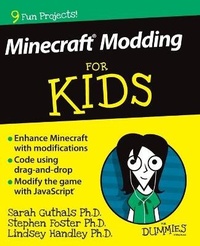
Minecraft Modding For Kids For Dummies
Published on 28. July 2015
Book
Paperback/Softback
320 pages
978-1-119-05004-9 (ISBN)
Description
Join more than 100 million players in the online world of Minecraft
Are you a Minecraft fanatic looking to mod your games? Hours of fun await! Minecraft Modding For Kids For Dummies teaches you how to mod in easy-to-do parts. Offering loads of helpful explanations and cool projects along the way, this friendly guide will have you advancing levels, keeping score, respawning players, building portals, creating an archery range-and much more-faster than you can say redstone!
There's no denying that modding is cool. After all, it allows you to alter your Minecraft gaming world to constantly keep things new and fun. While it isn't incredibly difficult to learn to mod, it does take some practice. Luckily, Minecraft Modding For Kids For Dummies is here to help you build basic coding skills to make modding your games as easy as 1-2-3!
The book is in full color and lies flat so you can look while you play
Includes lifetime access to LearnToMod software with 3 months free access to a private Minecraft server
Features larger print to make the text feel less daunting
Offers next steps you can take if you want to learn even more about modding and coding
If you're one of the millions of kids who play Minecraft every day, this hands-on guide gets you up and running fast with modding your favorite game!
Are you a Minecraft fanatic looking to mod your games? Hours of fun await! Minecraft Modding For Kids For Dummies teaches you how to mod in easy-to-do parts. Offering loads of helpful explanations and cool projects along the way, this friendly guide will have you advancing levels, keeping score, respawning players, building portals, creating an archery range-and much more-faster than you can say redstone!
There's no denying that modding is cool. After all, it allows you to alter your Minecraft gaming world to constantly keep things new and fun. While it isn't incredibly difficult to learn to mod, it does take some practice. Luckily, Minecraft Modding For Kids For Dummies is here to help you build basic coding skills to make modding your games as easy as 1-2-3!
The book is in full color and lies flat so you can look while you play
Includes lifetime access to LearnToMod software with 3 months free access to a private Minecraft server
Features larger print to make the text feel less daunting
Offers next steps you can take if you want to learn even more about modding and coding
If you're one of the millions of kids who play Minecraft every day, this hands-on guide gets you up and running fast with modding your favorite game!
Reviews / Votes
"The perfect gift for anyone obsessed with game" (Erisea, November 2015)More details
Series
Language
English
Place of publication
United States
Publishing group
John Wiley & Sons Inc
Target group
Children/juvenile
Dimensions
Height: 234 mm
Width: 191 mm
Thickness: 15 mm
Weight
531 gr
ISBN-13
978-1-119-05004-9 (9781119050049)
Copyright in bibliographic data and cover images is held by Nielsen Book Services Limited or by the publishers or by their respective licensors: all rights reserved.
Schweitzer Classification
Persons
Sarah Guthals, Ph.D. is the CTO of ThoughtSTEM and has dedicated her life to coding education.
Stephen Foster, Ph.D. is the CEO of ThoughtSTEM, a company that teaches computer science to kids across America.
Lindsey Handley, Ph.D. is the COO of ThoughtSTEM and has hundreds of hours of experience as a classroom instructor for Minecraft based science and computer science classes.
Stephen Foster, Ph.D. is the CEO of ThoughtSTEM, a company that teaches computer science to kids across America.
Lindsey Handley, Ph.D. is the COO of ThoughtSTEM and has hundreds of hours of experience as a classroom instructor for Minecraft based science and computer science classes.
Content
Introduction 1
About This Book 1
Foolish Assumptions 2
Icons Used in This Book 3
Accessing the LearnToMod Software 3
Obtaining an Access Key as an E-Book Reader 4
Beyond the Book 5
Where to Go from Here 5
Part 1: Making Your First Minecraft Mod 7
Project 1: Getting Started on Modding Minecraft 9
Know What Minecraft Modding Is 10
Use the LearnToMod Online Software 11
Become Familiar with the Programming Environment 19
Write Your First Minecraft Mod 22
Run Your First Mod in Minecraft 28
Write Your Own Minecraft Mods 32
Share Your Mods with Friends 34
Project 2: Earning Modding Badges 37
Write Mods with Functions 38
Earn Scramble Badges 40
Earn Missing Badges 45
Make and Call New Functions 48
Complete the Functions Badge Code 51
Earn Quiz Badges 57
Challenge Yourself Beyond Badges 58
Complete the Function Challenge 59
Project 3: Building and Protecting Structures 62
Use Drones to Build Structures in Minecraft 63
Build a Tower in Minecraft By Breaking Coding into Phases 70
Use Locations to Strike Lightning on Yourself in Minecraft 84
Use Locations to Strike Lightning on Drones in Minecraft 87
Debug Complex Mods 88
Spawn Entities and Add Inventory Items 90
Build a One-Click House in Minecraft 91
Part 2: Making Your First Minecraft Minigame 109
Project 4: Making a Single-Player Game in Minecraft: Spleef 111
Introduce the Gameplay Loop 112
Make Spleef: Iteration 1 115
Make Spleef: Iteration 2 136
Project 5: Making a Multilevel Minecraft Minigame: Monster Arena 142
Draw the Gameplay Loop 143
Iteration 1: Make Monster Arena 144
Iteration 2: Add Levels 158
Iteration 3: Add Even More Levels and Challenges 163
Make More Iterations: Be Creative and Unique 166
Project 6: Minecraft Modding with Friends: The Multiplayer Version of Spleef 168
Start from the Single-Player Spleef Game 169
Summarize the Gameplay Loop 171
Iteration 1: Refactor the Single-Player Version 172
Iteration 2: Add in Player2 179
Test the Multiplayer Spleef Game 184
Iteration 3: End the Game at 200 Blocks 187
Part 3: Designing and Building a Multiplayer Minigame 189
Project 7: Modding with Projectiles 191
Design and Build an Exploding Projectile 192
Make a Projectile Library 210
Complete an Extra Challenge: Use the Projectile Library to Make a Teleporting Projectile 225
Project 8: Making a Multiplayer Minigame: Capture the Flag 226
Plan the Capture-the-Flag Game 227
Prepare the Capture-the-Flag Mod 227
Iteration 1: Create the Single-Player Version 230
Project 9: Iterating on Gameplay Using an Existing Game: Capture the Flag 261
Iteration 2: Add Player 2 262
Iteration 3: Make Someone Win 270
Play the Game in Alternative Ways 276
Part 4: Building Your Own Minecraft Minigame 279
Project 10: Building Your Own Game 281
Sketch Out Your Mod 282
Plan Your Mod 283
Draw the Gameplay Loop 284
Outline Your Mod 285
Refactor Your Mods 286
Test Your Code 286
Share Your Mod with Friends 286
Remix Other People's Mods 287
Engage with Your Community 289
Index 290
About This Book 1
Foolish Assumptions 2
Icons Used in This Book 3
Accessing the LearnToMod Software 3
Obtaining an Access Key as an E-Book Reader 4
Beyond the Book 5
Where to Go from Here 5
Part 1: Making Your First Minecraft Mod 7
Project 1: Getting Started on Modding Minecraft 9
Know What Minecraft Modding Is 10
Use the LearnToMod Online Software 11
Become Familiar with the Programming Environment 19
Write Your First Minecraft Mod 22
Run Your First Mod in Minecraft 28
Write Your Own Minecraft Mods 32
Share Your Mods with Friends 34
Project 2: Earning Modding Badges 37
Write Mods with Functions 38
Earn Scramble Badges 40
Earn Missing Badges 45
Make and Call New Functions 48
Complete the Functions Badge Code 51
Earn Quiz Badges 57
Challenge Yourself Beyond Badges 58
Complete the Function Challenge 59
Project 3: Building and Protecting Structures 62
Use Drones to Build Structures in Minecraft 63
Build a Tower in Minecraft By Breaking Coding into Phases 70
Use Locations to Strike Lightning on Yourself in Minecraft 84
Use Locations to Strike Lightning on Drones in Minecraft 87
Debug Complex Mods 88
Spawn Entities and Add Inventory Items 90
Build a One-Click House in Minecraft 91
Part 2: Making Your First Minecraft Minigame 109
Project 4: Making a Single-Player Game in Minecraft: Spleef 111
Introduce the Gameplay Loop 112
Make Spleef: Iteration 1 115
Make Spleef: Iteration 2 136
Project 5: Making a Multilevel Minecraft Minigame: Monster Arena 142
Draw the Gameplay Loop 143
Iteration 1: Make Monster Arena 144
Iteration 2: Add Levels 158
Iteration 3: Add Even More Levels and Challenges 163
Make More Iterations: Be Creative and Unique 166
Project 6: Minecraft Modding with Friends: The Multiplayer Version of Spleef 168
Start from the Single-Player Spleef Game 169
Summarize the Gameplay Loop 171
Iteration 1: Refactor the Single-Player Version 172
Iteration 2: Add in Player2 179
Test the Multiplayer Spleef Game 184
Iteration 3: End the Game at 200 Blocks 187
Part 3: Designing and Building a Multiplayer Minigame 189
Project 7: Modding with Projectiles 191
Design and Build an Exploding Projectile 192
Make a Projectile Library 210
Complete an Extra Challenge: Use the Projectile Library to Make a Teleporting Projectile 225
Project 8: Making a Multiplayer Minigame: Capture the Flag 226
Plan the Capture-the-Flag Game 227
Prepare the Capture-the-Flag Mod 227
Iteration 1: Create the Single-Player Version 230
Project 9: Iterating on Gameplay Using an Existing Game: Capture the Flag 261
Iteration 2: Add Player 2 262
Iteration 3: Make Someone Win 270
Play the Game in Alternative Ways 276
Part 4: Building Your Own Minecraft Minigame 279
Project 10: Building Your Own Game 281
Sketch Out Your Mod 282
Plan Your Mod 283
Draw the Gameplay Loop 284
Outline Your Mod 285
Refactor Your Mods 286
Test Your Code 286
Share Your Mod with Friends 286
Remix Other People's Mods 287
Engage with Your Community 289
Index 290