

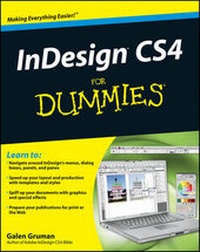
InDesign CS4 For Dummies
Published on 24. October 2008
Book
Paperback/Softback
432 pages
978-0-470-38848-8 (ISBN)
Description
InDesign is the preferred graphic design software, and InDesign CS4 is loaded with cool new desktop publishing features. InDesign CS4 For Dummies shows you how to use every one! Whether you're an experienced designer or just want to create a cool newsletter for the school soccer team, you'll benefit from Galen Gruman's guidance. This desktop publishing expert shows you how to navigate InDesign menus, dialog boxes, panels, and panes; streamline your work with templates; prepare your creations for printing or online publication, and more.
Explore the new tools, work with the application frame, and set preferences for the way you work
Learn to open and save documents and export content
Get familiar with the Pages panel, apply Master Pages, and work with Layers
Make the most of color with color libraries, multi-ink colors, spot versus process color, and gradients
Create layout guidelines and use color swatches for consistency
Streamline text formatting by using styles and treat text as a graphic element
Design for the Web with hyperlinks, multimedia elements, and Flash files
See how InDesign CS4 works seamlessly with other applications in the Adobe Creative Suite
Discover why good design is part science and part art and learn to manipulate, organize, and align design objects
Take advantage of tips for cropping and positioning graphics
Prepare for printing or other output with enhanced preflighting tools
InDesign CS4 For Dummies also offers great advice for designing pages that do their job perfectly. Start creating today!
Explore the new tools, work with the application frame, and set preferences for the way you work
Learn to open and save documents and export content
Get familiar with the Pages panel, apply Master Pages, and work with Layers
Make the most of color with color libraries, multi-ink colors, spot versus process color, and gradients
Create layout guidelines and use color swatches for consistency
Streamline text formatting by using styles and treat text as a graphic element
Design for the Web with hyperlinks, multimedia elements, and Flash files
See how InDesign CS4 works seamlessly with other applications in the Adobe Creative Suite
Discover why good design is part science and part art and learn to manipulate, organize, and align design objects
Take advantage of tips for cropping and positioning graphics
Prepare for printing or other output with enhanced preflighting tools
InDesign CS4 For Dummies also offers great advice for designing pages that do their job perfectly. Start creating today!
Reviews / Votes
"...explains everything in easily understood, bit-sized chunks (excellent)...It'll take you from a standing start to a position of relative confidence..." (Mac User, February 27th 2009)More details
Language
English
Place of publication
United States
Publishing group
John Wiley & Sons Inc
Illustrations
Photos: 0 B&W, 0 Color; Drawings: 0 B&W, 0 Color; Screen captures: 175 B&W, 0 Color
Dimensions
Height: 234 mm
Width: 185 mm
Thickness: 25 mm
Weight
567 gr
ISBN-13
978-0-470-38848-8 (9780470388488)
Copyright in bibliographic data and cover images is held by Nielsen Book Services Limited or by the publishers or by their respective licensors: all rights reserved.
Schweitzer Classification
Other editions
Additional editions
Person
Galen Gruman is the principal at The Zango Group, an editorial and book production firm. He has designed and produced numerous publications and is a regular contributor to Macworld and CIO. Galen is author or coauthor of 22 books on desktop publishing, and he is currently the executive editor for InfoWorld.
Content
Introduction. Part I: Before You Begin.
Chapter 1: Understanding InDesign Ingredients.
Chapter 2: Making InDesign Work Your Way.
Part II: Document Essentials.
Chapter 3: Opening and Saving Your Work.
Chapter 4: Discovering How Pages and Layers Work.
Chapter 5: The Joys of Reuse.
Chapter 6: Working with Color.
Part III: Object Essentials.
Chapter 7: Adding Essential Elements.
Chapter 8: Manipulating Objects.
Chapter 9: Organizing Objects.
Chapter 10: Aligning and Arranging Objects.
Part IV: Text Essentials.
Chapter 11: Putting Words on the Page.
Chapter 12: The Ins and Outs of Text Editing.
Chapter 13: The Styles of Text.
Chapter 14: Fine-Tuning Paragraph Details.
Chapter 15: Finessing Character Details.
Chapter 16: Tricks with Text.
Part V: Graphics Essentials.
Chapter 17: Importing Graphics.
Chapter 18: Fitting Graphics and Setting Paths.
Part VI: Getting Down to Business.
Chapter 19: Working with Tabs and Tables.
Chapter 20: Working with Footnotes, Indexes, and TOCs.
Chapter 21: Working with Automatic Text.
Chapter 22: Publishing Books.
Part VII: Printing and Multimedia Essentials.
Chapter 23: Printing Your Work.
Chapter 24: Multimedia Project Basics.
Part VIII: The Part of Tens.
Chapter 25: Top Ten New Features in InDesign CS4.
Chapter 26: Top Ten Resources for InDesign Users.
Index.
Chapter 1: Understanding InDesign Ingredients.
Chapter 2: Making InDesign Work Your Way.
Part II: Document Essentials.
Chapter 3: Opening and Saving Your Work.
Chapter 4: Discovering How Pages and Layers Work.
Chapter 5: The Joys of Reuse.
Chapter 6: Working with Color.
Part III: Object Essentials.
Chapter 7: Adding Essential Elements.
Chapter 8: Manipulating Objects.
Chapter 9: Organizing Objects.
Chapter 10: Aligning and Arranging Objects.
Part IV: Text Essentials.
Chapter 11: Putting Words on the Page.
Chapter 12: The Ins and Outs of Text Editing.
Chapter 13: The Styles of Text.
Chapter 14: Fine-Tuning Paragraph Details.
Chapter 15: Finessing Character Details.
Chapter 16: Tricks with Text.
Part V: Graphics Essentials.
Chapter 17: Importing Graphics.
Chapter 18: Fitting Graphics and Setting Paths.
Part VI: Getting Down to Business.
Chapter 19: Working with Tabs and Tables.
Chapter 20: Working with Footnotes, Indexes, and TOCs.
Chapter 21: Working with Automatic Text.
Chapter 22: Publishing Books.
Part VII: Printing and Multimedia Essentials.
Chapter 23: Printing Your Work.
Chapter 24: Multimedia Project Basics.
Part VIII: The Part of Tens.
Chapter 25: Top Ten New Features in InDesign CS4.
Chapter 26: Top Ten Resources for InDesign Users.
Index.