

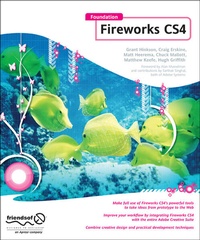
Foundation Fireworks CS4
Published on 26. March 2009
Book
Paperback/Softback
304 pages
978-1-4302-1618-6 (ISBN)
Description
Are you a web designer who is looking for a new and quicker way to prototype and create for the web? Perhaps you are a programmer who finds most design tools to be overkill for what you need to get done. Or, maybe you're an old Fireworks pro, who wants to get up-to-date on the changes in Creative Suite 4. Either way, this book has something for you.
- Coverage of all that's new and powerful for the Web designer and developer in Fireworks CS4
- Targets developers who want design tools that don't get in their way and designers who want development tools that don't constrain their creativity
- Do all your website and page prototypes and comps in one tool and learn how to take them straight to Dreamweaver to implement your designs
More details
Edition
1st ed.
Language
English
Place of publication
Berkeley
United States
Publishing group
APress
Target group
Popular/general
Illustrations
304 p.
Dimensions
Height: 235 mm
Width: 191 mm
Thickness: 17 mm
Weight
579 gr
ISBN-13
978-1-4302-1618-6 (9781430216186)
DOI
10.1007/978-1-4302-1619-3
Schweitzer Classification
Other editions
Additional editions
Hugh Griffith | Rogie King | Nathan Smith
Foundation Fireworks CS4
E-Book
08/2010
APress
€35.30
Available for download
Persons
A bio is not available for this author.
Content
00. Book forward, possibly: --- Jon Hicks, prominent FW designer --- Alan Musselman, FW dev relations Part I: Learning Fireworks 01. Introduction --- History of Fireworks --- Adobe acquisition of Macromedia --- Fireworks vs. Photoshop 02. Integration --- with Dreamweaver --- with Flash --- with Photoshop --- with Illustrator (HG) 03. Working with rasters --- Marquee, lasso --- Pencil, brush --- Blur --- Sharpen --- Dodge --- Burn --- Smudge --- Rubber stamp --- Replace color --- Red-eye removal --- Eraser 04. Working with vectors --- Benefits vs. raster --- Integration with Flash --- Good at all resolutions --- Combining shapes, add/delete vertices --- Join --- Split --- Union --- Intersect --- Punch --- Crop --- Line tool --- Pen tool --- Masks (CM) --- Shapes --- Rectangle (most commonly used) --- Ellipse --- Polygon --- Special (all the rest) 05. Exporting --- Hotspot tool --- Slice tool --- Exporting code (not recommended) --- Optimizing quality vs. file size --- Using the side-by-side view Part II: Using Fireworks 06. Creating effects --- Adding depth --- Inner shadow --- Drop shadow --- Jewel button --- Chrome --- Water droplet --- Reflections --- Wicked worn --- Pixel bevel --- Simple mask 07. Creating logos --- (Firefox logo done in FW!) --- Convert text to vector --- Kerning letters --- Modifying typography --- Anti-aliasing, how much? 08. Animation --- Frames --- GIF --- Flash 09. Web design workflow --- Using multiple pages --- Using/Benefits of Symbols (CE) --- Using the 9-slice tool --- Enterprise environment --- Benefits of PNG --- Wireframing (HG) --- Designing on a grid --- Common grid templates --- Using the align tool --- Batch processing (Is this the right place for this? HG) 10. Extensibility --- Installing a plugin --- Must-have plugins --- Photoshop compatible --- for Fireworks only --- Creating your own Part III: Fireworks in Action 11. Website case study #1: Blog-Matt --- Gather requirements --- Choosing a color palette --- Building the interface --- Slicing and dicing --- Writing the code (by hand) 12. Website case study #2: Photo Site-Nathan Website case study #3: Comic Site-Hugh 14. Website case study #4: CSS Sprites-Craig 15. Website case study #5: Adobe AIR- Rogie 16. Website case study #6: e-Commerce-Chuck Appendix --- Keyboard shortcuts --- Fireworks resource sites