

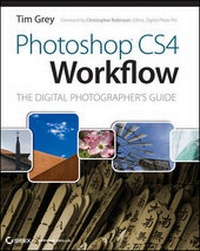
Photoshop CS4 Workflow
The Digital Photographer's Guide
Published on 14. November 2008
Book
Paperback/Softback
400 pages
978-0-470-38128-1 (ISBN)
Description
In this latest edition of his bestselling guide, expert digital photographer and author Tim Grey explains how proper workflow can alleviate repetitive parts of a project to allow you to focus on producing stunning results and he reveals expert tips and techniques that automate tasks, optimize output, and reduce time spent at the computer, and offers insights to using Lightroom and Bridge. He also demonstrates how to process RAW captures; crop, rotate, repair, and adjust tone and color; harness new Clone, Curves, and Blend Mode features; download, sort, and organize digital images on a computer; and more.
More details
Language
English
Place of publication
Chichester
United Kingdom
Publishing group
John Wiley and Sons Ltd
Target group
Professional and scholarly
Illustrations
col. ill
Dimensions
Height: 252 mm
Width: 202 mm
Thickness: 21 mm
Weight
1096 gr
ISBN-13
978-0-470-38128-1 (9780470381281)
Copyright in bibliographic data and cover images is held by Nielsen Book Services Limited or by the publishers or by their respective licensors: all rights reserved.
Schweitzer Classification
Other editions
Additional editions
E-Book
04/2009
Sybex
€36.40
Available for download
Persons
Tim Grey is regarded as one of the top educators in digital photography and imaging, offering clear guidance on complex subjects through his writing and speaking. He is the author of many books on Photoshop and digital photography, presents workshops around the world on topics related to digital imaging, and regularly contributes to Outdoor Photographer, PC Photo, Digital Photo Pro, and other print and online publications. He also publishes the Digital Darkroom Quarterly print newsletter and the daily "Digital Darkroom Questions" e-mail list.
Content
1. Workflow Foundations. 2. Download and Sort. 3. RAW Conversion. 4. Rotate and Crop. 5. Basic Tone and Color. 6. Image Cleanup. 7. Advanced Tonal Adjustments. 8. Advanced Color Adjustments. 9. Making Selections. 10. Targeted Adjustments. 11. Creative Adjustments. 12. Saving Files. 13. Workflow Automations. 14. Output Processing.