

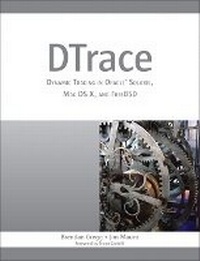
DTrace
Description
Written by key contributors to the DTrace community, DTrace teaches by example, presenting scores of commands and easy-to-adapt, downloadable D scripts. These concise examples generate answers to real and useful questions, and serve as a starting point for building more complex scripts. Using them, you can start making practical use of DTrace immediately, whether you're an administrator, developer, analyst, architect, or support professional.
The authors fully explain the goals, techniques, and output associated with each script or command. Drawing on their extensive experience, they provide strategy suggestions, checklists, and functional diagrams, as well as a chapter of advanced tips and tricks. You'll learn how to
Write effective scripts using DTrace's D language
Use DTrace to thoroughly understand system performance
Expose functional areas of the operating system, including I/O, filesystems, and protocols
Use DTrace in the application and database development process
Identify and fix security problems with DTrace
Analyze the operating system kernel
Integrate DTrace into source code
Extend DTrace with other tools
This book will help you make the most of DTrace to solve problems more quickly and efficiently, and build systems that work faster and more reliably.
More details
Other editions
Additional editions
Persons
Jim Mauro
is a senior software engineer for Oracle Corporation, working in the Systems group with a primary focus on systems performance. Jim has 30 years of experience in the computer industry and coauthored SolarisTM Performance and Tools and the first and second editions of SolarisTM Internals (Sun Microsystems Press, 2000, and Prentice Hall, 2006).
Content
Foreword xxi
Preface xxv
Acknowledgments xxxi
About the Authors xxxv
</i><b>
Part I: Introduction
Chapter 1: Introduction to DTrace 1
</b>What Is DTrace? 1
Why Do You Need It? 1
Capabilities 2
Dynamic and Static Probes 4
DTrace Features 4
A First Look 6
Overview 8
Architecture 16
Summary 17
<b>
Chapter 2: D Language 19
</b>D Language Components 20
Probes 23
Variables 26
Aggregations 33
Actions 37
Options 43
Example Programs 44
Summary 49
<b>
Part II: Using DTrace
Chapter 3: System View 51
</b>Start at the Beginning 52
Observing CPUs 56
Observing Memory 95
Observing Disk and Network I/O 125
Summary 148
<b>
Chapter 4: Disk I/O 151
</b>Capabilities 152
Disk I/O Strategy 154
Checklist 155
Providers 156
Scripts 172
Case Studies 269
Summary 290
<b>
Chapter 5: File Systems 291
</b>Capabilities 292
Strategy 295
Checklist 296
Providers 297
Scripts 313
Case Study 387
Summary 397
<b>
Chapter 6: Network Lower-Level Protocols 399
</b>Capabilities 400
Strategy 402
Checklist 403
Providers 404
Scripts 445
Common Mistakes 548
Summary 555
<b>
Chapter 7: Application-Level Protocols 557
</b>Capabilities 558
Strategy 558
Checklist 559
Providers 560
Scripts 574
Summary 668
<b>
Chapter 8: Languages 669
</b>Capabilities 671
Strategy 672
Checklist 674
Providers 675
C 679
C++ 689
Java 691
JavaScript 705
Perl 719
PHP 731
Python 740
Ruby 751
Shell 764
Tcl 774
Summary 782
<b>
Chapter 9: Applications 783
</b>Capabilities 784
Strategy 784
Checklist 786
Providers 787
Scripts 804
Case Studies 817
Summary 832
<b>
Chapter 10: Databases 833
</b>Capabilities 834
Strategy 835
Providers 836
MySQL 837
PostgreSQL 851
Oracle 858
Summary 865
<b>
Part III: Additional User Topics
Chapter 11: Security 867
</b>Privileges, Detection, and Debugging 867
Scripts 875
Summary 892
<b>
Chapter 12: Kernel 893
</b>Capabilities 894
Strategy 896
Checklist 897
Providers 897
Scripts 932
Summary 945
<b>
Chapter 13: Tools 947
</b>The DTraceToolkit 948
Chime 962
DTrace GUI Plug-in for NetBeans and Sun Studio 966
DLight, Oracle Solaris Studio 12.2 966
Mac OS X Instruments 971
Analytics 973
Summary 985
<b>
Chapter 14: Tips and Tricks 987
</b>Tip 1: Known Workloads 987
Tip 2: Write Target Software 989
Tip 3: Use grep to Search for Probes 991
Tip 4: Frequency Count 991
Tip 5: Time Stamp Column, Postsort 992
Tip 6: Use Perl to Postprocess 993
Tip 7: Learn Syscalls 994
Tip 8: timestamp vs. vtimestamp 995
Tip 9: profile:::profile-997 and Profiling 996
Tip 10: Variable Scope and Use 997
Tip 11: strlen() and strcmp() 999
Tip 12: Check Assumptions 1000
Tip 13: Keep It Simple 1001
Tip 14: Consider Performance Impact 1001
Tip 15: drops and dynvardrops 1003
Tip 16: Tail-Call Optimization 1003
Further Reading 1003
<b>
Appendix A: DTrace Tunable Variables 1005
</b><b>
Appendix B: D Language Reference 1011
</b><b>
Appendix C: Provider Arguments Reference 1025
</b>Providers 1025
Arguments 1038
<b>
Appendix D: DTrace on FreeBSD 1045
</b>Enabling DTrace on FreeBSD 7.1 and 8.0 1045
DTrace for FreeBSD: John Birrell 1047
<b>
Appendix E: USDT Example 1051
</b>USDT Bourne Shell Provider 1052
Case Study: Implementing a Bourne Shell Provider 1057
<b>
Appendix F: DTrace Error Messages 1063
</b>Privileges 1063
Drops 1064
Aggregation Drops 1065
Dynamic Variable Drops 1066
Invalid Address 1066
Maximum Program Size 1067
Not Enough Space 1068
<b>
Appendix G: DTrace Cheat Sheet 1069
</b>Synopsis 1069
Finding Probes 1069
Finding Probe Arguments 1070
Probes 1070
Vars 1070
Actions 1071
Switches 1071
Pragmas 1071
One-Liners 1072
<b>
Bibliography 1073
</b>Suggested Reading 1073
Vendor Manuals 1075
<i>
Index 1089
</i>