

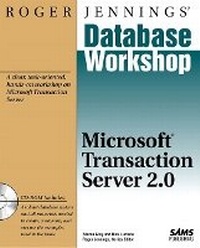
Roger Jennings' Database Workshop
Microsoft Transaction Server 2.0
Published on 9. December 1997
Book
Mixed media product
524 pages
978-0-672-31130-7 (ISBN)
Description
This step-by-step workshop provides you with a solid understanding of Microsoft Transaction Server and its supporting technologies. With the in-depth information and detailed exercises contained in Roger Jenning's Database Workshop: Microsoft Transaction Server 2.0, you will develop and implement components for transaction processing. With the help of the accompanying CD-ROM, you will create scalable, robust, and flexible three-tier client/server applications for both the enterprise and the Internet.
More details
Language
English
Place of publication
Indianapolis
United States
Publishing group
Pearson Education (US)
Target group
College/higher education
Dimensions
Width: 233 mm
Thickness: 32 mm
Weight
1032 gr
ISBN-13
978-0-672-31130-7 (9780672311307)
Copyright in bibliographic data and cover images is held by Nielsen Book Services Limited or by the publishers or by their respective licensors: all rights reserved.
Schweitzer Classification
Other editions
Previous edition

Niels Berglund | Jeff A. Stucker
Roger Jennings' Database Workshop
Activex Data Objects and Advanced Data Connector
Book
Sams Publishing
€52.53
Article exhausted; check different version
Content
(NOTE: Each chapter concludes with a Workshop Wrap-Up.)I. SETTING UP SHOP.
1. Exploring Microsoft Transaction Server.
What is Microsoft Transaction Server? The Role of MTS in Client/Server Applications. MTS Feature: Component Transactions. MTS Feature: Transaction Monitoring. MTS Feature: Object Brokering. MTS Feature: Resource Pooling. MTS Feature: Security. MTS Feature: Administration. MTS Feature: Component Deployment and Client Setup. The Future of Microsoft Transaction Server.
2. Laying the Foundation: Client/Server Architectures.
Client/Server Fundamentals: Understanding Two-Tier Architectures. Building a Conventional Three-Tier Application. Using Microsoft Transaction Server Plumbing for N-Tier Applications. The Complexity Factor: Is N-Tier Worth It?
3. Working with Database Transactions.
Preparation: Understanding Database Transactions. Task: Explicitly Declaring a Transaction. Task: Committing a Transaction. Task: Aborting a Transaction. Task: Understanding Distributed Transactions.
4. Getting Acquainted with COM.
What is COM? Understanding Automation. Task: Building a Simple COM Object.
II. INSTALLING AND USING MICROSOFT TRANSACTION SERVER.
5. Configuring and Determining System Requirements.
Task: Analyzing Your Hardware. Meeting Software Requirements. Task: Selecting an Effective Component Development Environment. Task: Accessing Databases with Microsoft Transaction Server. Task: Configuring the Internet Server. Task: Using Open Database Connectivity (ODBC) Version 3.0.
6. Installing Microsoft Transaction Server.
Preparation: Possible Network Configurations. Choosing Between Windows NT Server and Windows NT Workstation. Task: Running the Setup Application. Task: Verifying Correct Installation. Installing Service Packs. Task: Uninstalling Microsoft Transaction Server.
7. Using Transaction Server Explorer.
Preparation: Understanding Transaction Server Explorer. Task: Opening Transaction Server Explorer. Task: Getting Around Transaction Server Explorer. Task: Starting/Stopping the Distributed Transaction Coordinator (MS DTC). Task: Configuring My Computer. Task: Creating New Hierarchy Objects. Task: Deleting Existing Hierarchy Objects. Task: Opening a New Window. Task: Exploring the Packages Installed Folder. Task: Using the Remote Components View. Task: Monitoring Transactions with the Transaction List View. Task: Using the Transaction Statistics View. Task: Monitoring MS DTC Messages Using the Trace Messages View.
8. Installing Components.
Preparation: Understanding Packages. Task: Creating an Empty Package. Task: Importing Packages. Task: Deleting Packages. Task: Modifying Package Properties. Task: Adding Components to a Package. Task: Deleting Components from a Package. Task: Exporting Packages. Task: Refreshing Installed Components.
9. Configuring Component Security.
Understanding Package Identity versus Client Identity. Understanding Declarative Security. Understanding Programmatic Security. Understanding Roles. Task: Creating Roles. Task: Assigning Windows NT Domain Users to Roles. Task: Assigning Roles to Components and Component Interfaces. Task: Enabling Package Authorization Checking. Task: Enabling DCOM Security. Task: Assigning Administrative Permissions.
III. MICROSOFT TRANSACTION SERVER COMPONENTS.
10. Understanding Microsoft Transaction Server Components.
Preparation: Understanding Stateless versus Stateful Components. Task: Working with Component Transactions. Making Components Microsoft Transaction Server Friendly. Programmatic Component Security. Sharing Data Between Component Instances. Understanding Threading Models. Task: Viewing Component-Threading Models from Transaction Server Explorer.
11. Implementing Components in Visual Basic.
Using Real-World Components. Preparation: Knowing When to Use Visual Basic. Task: Creating an ActiveX DLL Project. Task: Importing the Common Data Access Routines. Task: Adding New Class Modules to the Project. Task: Adding Methods to Class Modules. Task: Adding MTS-Specific Code to Your Components. Task: Implementing Data Retrieval in Components. Task: Implementing Component Transactions. Task: Sharing Data among Components. Task: Implementing Programmatic Security. Task: Testing the Visual Basic Components.
12. Implementing Components in Visual C++ Using the Active Template Library.
Preparation: Deciding When to Use Visual C++. Task: Creating Simple Objects in C++ with ATL. Exploring Automatically Generated Microsoft Transaction. Server-Specific Code. Accessing an Object's Context via GetObjectContext(). Task: Retrieving Data from Databases. Task: Testing the ATL Component.
13. Implementing Components in Java Using Visual J++.
Preparation: Deciding Whether to Use Visual J++. Task: Creating Simple Objects in Java. Task: Using the ActiveX Component Wizard for Java. Task: Making COM Objects MTS-Friendly. Task: Retrieving Data from Databases. Task: Implementing Component Transactions. Task: Sharing State Between Components. Implementing Programmatic Security. Task: Testing the Java Component.
IV. CREATING MICROSOFT TRANSACTION SERVER CLIENT APPLICATIONS.
14. Creating Windows Clients Using Visual Basic.
Preparation: Ensuring Correct Component and Database Setup. Task: Exploring the Beckwith College Database System. Task: Completing the Beckwith College Database System Application. Task: Designing the Student Schedule Dialog. Task: Using MT S-Controlled Components to Populate the New Dialog. Task: Hooking the New Form to the BCDS Main Menu. Task: Testing the Completed Application. Task: Building the Client as a Standalone Application.
15. Setting Up Remote Windows Clients Using DCOM.
Preparation: Understanding DCOM. Installing DCOM on Windows 95 Computers. Task: Exporting Packages. Task: Running the Client-Configuration Executable on Client Machines. Task: Uninstalling a Remote Configuration on a Client Machine. Task: Manually Registering Components on a Client Machine. Task: Manually Registering Components on a Client Machine Without Using Clireg32.exe. Task: Using the OLE/COM Object Viewer.
V. INTEGRATING MICROSOFT TRANSACTION SERVER AND THE INTERNET.
16. Building Dynamic Web Sites Using Active Server Pages.
Preparation: Understanding Internet Information Server. Preparation: Understanding Active Server Pages. Task: Using the Active Server Pages Intrinsic Objects. Task: Using the Active Server Pages Base Components. Task: Using the ActiveX Data Object Component. Task: Creating Database-Driven Web Applications with Microsoft Visual InterDev.
17. Creating Interactive Web Applications Using Microsoft Transaction Server and Active Server Pages.
Preparation: Examining the Role of Transaction Server in an Internet Application. Task: Configuring and Validating Your System. Task: Invoking Microsoft Transaction Server Components in Active Server Pages. Task: Driving Components Through Visual Basic Scripts. Task: Creating Transactional Scripts. Task: Integrating Active Technologies.
18. Working with the Beckwith Online Sample Application.
Preparation: Understanding the Beckwith Online Sample Application. Task: Configuring the Beckwith Online Application. Task: Understanding the Access Pages. Task: Building the Last Semester Grades Viewer. Task: Using the Beckwith Promoter Component. Task: Using the Update Employee Information Page.
VI. ADVANCED MICROSOFT TRANSACTION SERVER ADMINISTRATION.
19. Performing Server Administration and Configuration.
Preparation: Familiarizing Yourself with the Windows NT Tools. Task: Exploring the Event Viewer. Task: Using the Performance Monitor. Task: Using Windows NT Diagnostics. Task: Using Microsoft Transaction Server Command-Line Utilities.
20. Managing Multiple Servers.
Preparation: Distributing the Microsoft Transaction Server Load. Task: Adding New Servers to Transaction Server Explorer. Task: Configuring a Client Computer Using the Pull Method of Distribution. Task: Configuring a Client Computer Using the Push Method of Distribution.
21. Monitoring and Tuning Components.
Task: Optimizing the Server's Advanced Settings. Task: Verifying the MS DTC State of MTS Servers. Task: Refreshing Components Settings. Task: Shutting Down Server Processes. Task: Monitoring Components. Task: Using the Transaction List to Monitor Active Transactions. Task: Using the Transaction Statistics Window to View Summary Statistics. Task: Using the Trace Messages Window to View MS DTC Messages.
22. Troubleshooting the Complete Solution.
Task: Verifying That Microsoft SQL Server is Operating Correctly. Task: Verifying That the Network is Working Correctly. Task: Verifying That ODBC is Working Correctly. Task: Verifying That MS Distributed Transaction Coordinator is Running. Task: Verifying That Transaction Server is Installed Correctly. Task: Restarting MTS Server Processes. Task: Refreshing All Server Components. Task: Verifying That DCOM is Set Up Correctly. Task: Verifying That DCOM is Operating Correctly. Task: Deciphering Cryptic Error Messages.
VII. Working with the Software Development Kit.
23. Installing and Exploring the Software Development Kit.
Uses of the Software Development Kit. Task: Obtaining and Installing the SDK. What's in the SDK? Task: Verifying SDK Installation with the Automation Sample.
24. Scripting Transaction Server Explorer with Automation.
Preparation: Understanding the Microsoft Transaction Server. Scriptable Object Model. Task: Creating a Visual Basic Application That Uses MTS Scriptable Objects. Task: Deleting Packages. Task: Creating New Packages and Installing Components . Task: Scripting Component Transactions. Task: Scripting the Creation of Roles. Task: Completing the Scripting Application.
25. Exploring the Software Development Kit's MTSSpy Application.
Task: Building the MTSSpy Sample Application. Task: Preparing MTSSpy for Execution. Task: Running MTSSpy. Events Captured by MTSSpy.
VIII. APPENDIXES.
A. Overview and Installation of the Beckwith College Sample Database.
Beckwith College Databases Description. Installing the Sample Databases.
B. Sample Database Schema and Entity-Relationship Diagram.
Beckwith College Databases Schema. Beckwith Sample Database Entity-Relationship Diagram.
C. Beckwith Component Reference. Alumnus. Course. Department. Employee. Enrollment. Grade. HighSchool. IDGenerator. Prospect. Section. Student. Transaction. Promote.
D. Useful Web Sites and Newsgroups.
Useful Web Sites. Transaction Server Newsgroups.
Index.
1. Exploring Microsoft Transaction Server.
What is Microsoft Transaction Server? The Role of MTS in Client/Server Applications. MTS Feature: Component Transactions. MTS Feature: Transaction Monitoring. MTS Feature: Object Brokering. MTS Feature: Resource Pooling. MTS Feature: Security. MTS Feature: Administration. MTS Feature: Component Deployment and Client Setup. The Future of Microsoft Transaction Server.
2. Laying the Foundation: Client/Server Architectures.
Client/Server Fundamentals: Understanding Two-Tier Architectures. Building a Conventional Three-Tier Application. Using Microsoft Transaction Server Plumbing for N-Tier Applications. The Complexity Factor: Is N-Tier Worth It?
3. Working with Database Transactions.
Preparation: Understanding Database Transactions. Task: Explicitly Declaring a Transaction. Task: Committing a Transaction. Task: Aborting a Transaction. Task: Understanding Distributed Transactions.
4. Getting Acquainted with COM.
What is COM? Understanding Automation. Task: Building a Simple COM Object.
II. INSTALLING AND USING MICROSOFT TRANSACTION SERVER.
5. Configuring and Determining System Requirements.
Task: Analyzing Your Hardware. Meeting Software Requirements. Task: Selecting an Effective Component Development Environment. Task: Accessing Databases with Microsoft Transaction Server. Task: Configuring the Internet Server. Task: Using Open Database Connectivity (ODBC) Version 3.0.
6. Installing Microsoft Transaction Server.
Preparation: Possible Network Configurations. Choosing Between Windows NT Server and Windows NT Workstation. Task: Running the Setup Application. Task: Verifying Correct Installation. Installing Service Packs. Task: Uninstalling Microsoft Transaction Server.
7. Using Transaction Server Explorer.
Preparation: Understanding Transaction Server Explorer. Task: Opening Transaction Server Explorer. Task: Getting Around Transaction Server Explorer. Task: Starting/Stopping the Distributed Transaction Coordinator (MS DTC). Task: Configuring My Computer. Task: Creating New Hierarchy Objects. Task: Deleting Existing Hierarchy Objects. Task: Opening a New Window. Task: Exploring the Packages Installed Folder. Task: Using the Remote Components View. Task: Monitoring Transactions with the Transaction List View. Task: Using the Transaction Statistics View. Task: Monitoring MS DTC Messages Using the Trace Messages View.
8. Installing Components.
Preparation: Understanding Packages. Task: Creating an Empty Package. Task: Importing Packages. Task: Deleting Packages. Task: Modifying Package Properties. Task: Adding Components to a Package. Task: Deleting Components from a Package. Task: Exporting Packages. Task: Refreshing Installed Components.
9. Configuring Component Security.
Understanding Package Identity versus Client Identity. Understanding Declarative Security. Understanding Programmatic Security. Understanding Roles. Task: Creating Roles. Task: Assigning Windows NT Domain Users to Roles. Task: Assigning Roles to Components and Component Interfaces. Task: Enabling Package Authorization Checking. Task: Enabling DCOM Security. Task: Assigning Administrative Permissions.
III. MICROSOFT TRANSACTION SERVER COMPONENTS.
10. Understanding Microsoft Transaction Server Components.
Preparation: Understanding Stateless versus Stateful Components. Task: Working with Component Transactions. Making Components Microsoft Transaction Server Friendly. Programmatic Component Security. Sharing Data Between Component Instances. Understanding Threading Models. Task: Viewing Component-Threading Models from Transaction Server Explorer.
11. Implementing Components in Visual Basic.
Using Real-World Components. Preparation: Knowing When to Use Visual Basic. Task: Creating an ActiveX DLL Project. Task: Importing the Common Data Access Routines. Task: Adding New Class Modules to the Project. Task: Adding Methods to Class Modules. Task: Adding MTS-Specific Code to Your Components. Task: Implementing Data Retrieval in Components. Task: Implementing Component Transactions. Task: Sharing Data among Components. Task: Implementing Programmatic Security. Task: Testing the Visual Basic Components.
12. Implementing Components in Visual C++ Using the Active Template Library.
Preparation: Deciding When to Use Visual C++. Task: Creating Simple Objects in C++ with ATL. Exploring Automatically Generated Microsoft Transaction. Server-Specific Code. Accessing an Object's Context via GetObjectContext(). Task: Retrieving Data from Databases. Task: Testing the ATL Component.
13. Implementing Components in Java Using Visual J++.
Preparation: Deciding Whether to Use Visual J++. Task: Creating Simple Objects in Java. Task: Using the ActiveX Component Wizard for Java. Task: Making COM Objects MTS-Friendly. Task: Retrieving Data from Databases. Task: Implementing Component Transactions. Task: Sharing State Between Components. Implementing Programmatic Security. Task: Testing the Java Component.
IV. CREATING MICROSOFT TRANSACTION SERVER CLIENT APPLICATIONS.
14. Creating Windows Clients Using Visual Basic.
Preparation: Ensuring Correct Component and Database Setup. Task: Exploring the Beckwith College Database System. Task: Completing the Beckwith College Database System Application. Task: Designing the Student Schedule Dialog. Task: Using MT S-Controlled Components to Populate the New Dialog. Task: Hooking the New Form to the BCDS Main Menu. Task: Testing the Completed Application. Task: Building the Client as a Standalone Application.
15. Setting Up Remote Windows Clients Using DCOM.
Preparation: Understanding DCOM. Installing DCOM on Windows 95 Computers. Task: Exporting Packages. Task: Running the Client-Configuration Executable on Client Machines. Task: Uninstalling a Remote Configuration on a Client Machine. Task: Manually Registering Components on a Client Machine. Task: Manually Registering Components on a Client Machine Without Using Clireg32.exe. Task: Using the OLE/COM Object Viewer.
V. INTEGRATING MICROSOFT TRANSACTION SERVER AND THE INTERNET.
16. Building Dynamic Web Sites Using Active Server Pages.
Preparation: Understanding Internet Information Server. Preparation: Understanding Active Server Pages. Task: Using the Active Server Pages Intrinsic Objects. Task: Using the Active Server Pages Base Components. Task: Using the ActiveX Data Object Component. Task: Creating Database-Driven Web Applications with Microsoft Visual InterDev.
17. Creating Interactive Web Applications Using Microsoft Transaction Server and Active Server Pages.
Preparation: Examining the Role of Transaction Server in an Internet Application. Task: Configuring and Validating Your System. Task: Invoking Microsoft Transaction Server Components in Active Server Pages. Task: Driving Components Through Visual Basic Scripts. Task: Creating Transactional Scripts. Task: Integrating Active Technologies.
18. Working with the Beckwith Online Sample Application.
Preparation: Understanding the Beckwith Online Sample Application. Task: Configuring the Beckwith Online Application. Task: Understanding the Access Pages. Task: Building the Last Semester Grades Viewer. Task: Using the Beckwith Promoter Component. Task: Using the Update Employee Information Page.
VI. ADVANCED MICROSOFT TRANSACTION SERVER ADMINISTRATION.
19. Performing Server Administration and Configuration.
Preparation: Familiarizing Yourself with the Windows NT Tools. Task: Exploring the Event Viewer. Task: Using the Performance Monitor. Task: Using Windows NT Diagnostics. Task: Using Microsoft Transaction Server Command-Line Utilities.
20. Managing Multiple Servers.
Preparation: Distributing the Microsoft Transaction Server Load. Task: Adding New Servers to Transaction Server Explorer. Task: Configuring a Client Computer Using the Pull Method of Distribution. Task: Configuring a Client Computer Using the Push Method of Distribution.
21. Monitoring and Tuning Components.
Task: Optimizing the Server's Advanced Settings. Task: Verifying the MS DTC State of MTS Servers. Task: Refreshing Components Settings. Task: Shutting Down Server Processes. Task: Monitoring Components. Task: Using the Transaction List to Monitor Active Transactions. Task: Using the Transaction Statistics Window to View Summary Statistics. Task: Using the Trace Messages Window to View MS DTC Messages.
22. Troubleshooting the Complete Solution.
Task: Verifying That Microsoft SQL Server is Operating Correctly. Task: Verifying That the Network is Working Correctly. Task: Verifying That ODBC is Working Correctly. Task: Verifying That MS Distributed Transaction Coordinator is Running. Task: Verifying That Transaction Server is Installed Correctly. Task: Restarting MTS Server Processes. Task: Refreshing All Server Components. Task: Verifying That DCOM is Set Up Correctly. Task: Verifying That DCOM is Operating Correctly. Task: Deciphering Cryptic Error Messages.
VII. Working with the Software Development Kit.
23. Installing and Exploring the Software Development Kit.
Uses of the Software Development Kit. Task: Obtaining and Installing the SDK. What's in the SDK? Task: Verifying SDK Installation with the Automation Sample.
24. Scripting Transaction Server Explorer with Automation.
Preparation: Understanding the Microsoft Transaction Server. Scriptable Object Model. Task: Creating a Visual Basic Application That Uses MTS Scriptable Objects. Task: Deleting Packages. Task: Creating New Packages and Installing Components . Task: Scripting Component Transactions. Task: Scripting the Creation of Roles. Task: Completing the Scripting Application.
25. Exploring the Software Development Kit's MTSSpy Application.
Task: Building the MTSSpy Sample Application. Task: Preparing MTSSpy for Execution. Task: Running MTSSpy. Events Captured by MTSSpy.
VIII. APPENDIXES.
A. Overview and Installation of the Beckwith College Sample Database.
Beckwith College Databases Description. Installing the Sample Databases.
B. Sample Database Schema and Entity-Relationship Diagram.
Beckwith College Databases Schema. Beckwith Sample Database Entity-Relationship Diagram.
C. Beckwith Component Reference. Alumnus. Course. Department. Employee. Enrollment. Grade. HighSchool. IDGenerator. Prospect. Section. Student. Transaction. Promote.
D. Useful Web Sites and Newsgroups.
Useful Web Sites. Transaction Server Newsgroups.
Index.