

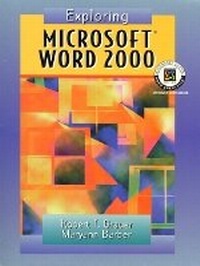
Exploring Microsoft Word 2000
Published on 24. June 1999
Book
Spiral bound
480 pages
978-0-13-020489-9 (ISBN)
Description
For any course teaching application software using Microsoft Office 2000 applications. This book will appeal to students in a variety of disciplines including liberal arts, business, and the sciences.
All books in this series offer consistent presentation-common design, pedagogy, and writing style. Concepts as well as key-strokes are stressed. Hands-on exercises in every lesson provide just the right amount of practice time. This best-selling author team's hands-on approach and conceptual framework helps students master important concepts, as well as the features of the powerful new Office 2000 applications.
All books in this series offer consistent presentation-common design, pedagogy, and writing style. Concepts as well as key-strokes are stressed. Hands-on exercises in every lesson provide just the right amount of practice time. This best-selling author team's hands-on approach and conceptual framework helps students master important concepts, as well as the features of the powerful new Office 2000 applications.
More details
Language
English
Place of publication
United States
Publishing group
Pearson Education (US)
Target group
Professional and scholarly
Dimensions
Height: 280 mm
Width: 230 mm
Thickness: 16 mm
Weight
934 gr
ISBN-13
978-0-13-020489-9 (9780130204899)
Copyright in bibliographic data and cover images is held by Nielsen Book Services Limited or by the publishers or by their respective licensors: all rights reserved.
Schweitzer Classification
Other editions
New editions
Robert T. Grauer | Maryann Barber
Exploring Microsoft Word 2002 Comprehensive
Book
09/2001
Pearson
€54.46
Article exhausted; check for reprint
Content
EXPLORING MICROSOFT WORD 2000.
1. What Will Word Processing Do For Me?
2. Gaining Proficiency: Editing and Formatting.
3. Enhancing a Document: The Web and Other Resources.
4. Advanced Features: Outlines, Tables, Styles, and Sections.
5. Desktop Publishing: Creating a Newsletter.
6. Creating a Home Page: Introduction to HTML.
7. The Expert User: Work Groups, Master Documents, and Macros.
Appendix A: Toolbars.
Appendix B: Object Linking and Embedding.
Appendix C: Mail Merge.
1. What Will Word Processing Do For Me?
2. Gaining Proficiency: Editing and Formatting.
3. Enhancing a Document: The Web and Other Resources.
4. Advanced Features: Outlines, Tables, Styles, and Sections.
5. Desktop Publishing: Creating a Newsletter.
6. Creating a Home Page: Introduction to HTML.
7. The Expert User: Work Groups, Master Documents, and Macros.
Appendix A: Toolbars.
Appendix B: Object Linking and Embedding.
Appendix C: Mail Merge.