

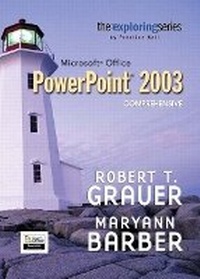
Exploring Microsoft PowerPoint 2003 Comprehensive and Student Resource CD Package
Published on 4. October 2006
Book
Mixed media product
978-0-13-230395-8 (ISBN)
Description
For any course teaching application software using Microsoft Office 2003 applications. This series will appeal to students in a variety of disciplines including liberal arts, business, and the sciences.
This series gives the "how and why" of performing tasks in Office 2003. It provides new chapter opening case studies, real-world practice exercises; full business and integrated end of chapter cases, and expert topics of Microsoft Office 2003. More than two million students have used previous editions of this highly successful series!
This series gives the "how and why" of performing tasks in Office 2003. It provides new chapter opening case studies, real-world practice exercises; full business and integrated end of chapter cases, and expert topics of Microsoft Office 2003. More than two million students have used previous editions of this highly successful series!
More details
Language
English
Place of publication
Upper Saddle River
United States
Publishing group
Pearson Education (US)
Target group
Professional and scholarly
Weight
735 gr
ISBN-13
978-0-13-230395-8 (9780132303958)
Copyright in bibliographic data and cover images is held by Nielsen Book Services Limited or by the publishers or by their respective licensors: all rights reserved.
Schweitzer Classification
Other editions
Previous edition
Robert T. Grauer | Maryann Barber
Exploring Microsoft PowerPoint 2003 Comprehensive
Book
01/2006
Pearson
€28.46
Article exhausted; check for reprint
Content
1. Introduction to PowerPoint: Presentations Made Easy.
2. Gaining Proficiency: Slide Show Tools, the Web, and Slide Masters.
3. Animating a Presentation: Photographs, Diagrams, and Charts.
4. Advanced Techniques: Sound, Masters, Web Pages, and Broadcasting.
Getting Started with Windows XP.
Appendix A. Toolbars.
2. Gaining Proficiency: Slide Show Tools, the Web, and Slide Masters.
3. Animating a Presentation: Photographs, Diagrams, and Charts.
4. Advanced Techniques: Sound, Masters, Web Pages, and Broadcasting.
Getting Started with Windows XP.
Appendix A. Toolbars.