

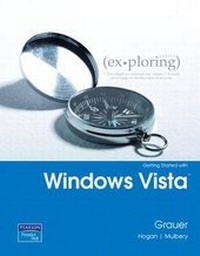
Exploring Microsoft Office 2007 Windows Vista Getting Started
Published on 19. July 2007
Book
Spiral bound
96 pages
978-0-13-235054-9 (ISBN)
Description
The content associated with the traditional text has moved to Pearson Custom Library (PCL). PCL allows customers to create customized textbooks, giving students a more engaging and affordable education. If you would like to purchase the full text without customization, please use ISBN 0558460720. For more information about customization opportunities, refer to www.pearsoncustomlibrary.com.
More details
Language
English
Place of publication
United States
Publishing group
Pearson Education (US)
Target group
Professional and scholarly
Dimensions
Height: 216 mm
Width: 272 mm
Thickness: 6 mm
Weight
213 gr
ISBN-13
978-0-13-235054-9 (9780132350549)
Copyright in bibliographic data and cover images is held by Nielsen Book Services Limited or by the publishers or by their respective licensors: all rights reserved.
Schweitzer Classification
Other editions
Previous edition
Book
01/2004
Pearson
€9.89
Article exhausted; check for reprint
Persons
Lynn Hogan
Lynn Hogan teaches at the University of North Alabama, providing instruction in the area of computer applications. With over 30 years of educational experience at the community college and university level, Lynn has taught applications, programming, and concepts courses in both online and classroom environments. She received an M.B.A. from the University of North Alabama and a Ph.D. from the University of Alabama. Lynn is a co-author of Practical Computing and has served on the authoring team of Your Office as well as the Exploring Office 2010 series. She resides in Alabama with her husband and two daughters.
Dr. Robert T. Grauer, Creator of the Exploring Series
Bob Grauer is Professor Emeritus in the Department of Computer Information Systems at the University of Miami, where he is a multiple winner of the Outstanding Teaching Award in the School of Business, most recently in 2009. He has written numerous COBOL texts and is the vision behind the Exploring Office series, with more than three million books in print. His work has been translated into three foreign languages and is used in all aspects of higher education at both national and international levels. Bob Grauer has consulted for several major corporations including IBM and American Express. He received his Ph.D. in Operations Research in 1972 from the Polytechnic Institute of Brooklyn.
Lynn Hogan teaches at the University of North Alabama, providing instruction in the area of computer applications. With over 30 years of educational experience at the community college and university level, Lynn has taught applications, programming, and concepts courses in both online and classroom environments. She received an M.B.A. from the University of North Alabama and a Ph.D. from the University of Alabama. Lynn is a co-author of Practical Computing and has served on the authoring team of Your Office as well as the Exploring Office 2010 series. She resides in Alabama with her husband and two daughters.
Dr. Robert T. Grauer, Creator of the Exploring Series
Bob Grauer is Professor Emeritus in the Department of Computer Information Systems at the University of Miami, where he is a multiple winner of the Outstanding Teaching Award in the School of Business, most recently in 2009. He has written numerous COBOL texts and is the vision behind the Exploring Office series, with more than three million books in print. His work has been translated into three foreign languages and is used in all aspects of higher education at both national and international levels. Bob Grauer has consulted for several major corporations including IBM and American Express. He received his Ph.D. in Operations Research in 1972 from the Polytechnic Institute of Brooklyn.
Content
Chapter 1 Windows Vista Objectives
Case Study Section 1 Basics of Windows Vista Describing Windows Vista Versions and Features Identifying Components of the Windows Vista Interface Explore the Desktop Display the Windows Sidebar Customize the Desktop Work with the Taskbar Identifying Components on the Start Menu Working with Windows and Dialog Boxes Understand Windows Components Open, Size, and Move Windows Stack and Cascade Open Windows Select Options in Dialog Boxes Using Help and Support Hands-on Exercise 1: Working with Windows Section 2 Files and Folders Managing Files and Folders in Windows Explorer Creating, Renaming, and Deleting Folders Create Folders Rename Folders Delete Folders Working with Files Add Metadata to Files Save Files Selecting, Copying, and Moving Multiple Files and Folders Select Multiple Files and Folders Copy and Move Files and Folders Hands-on Exercise 2: Working with Files and Folders
Section 3 Windows Resources: Search, Recycle Bin, and Control Panel Using Windows Search Apply Advanced Filters Save Searches Managing the Recycle Bin Changing Computer Settings Through the Control Bin Change the Background Select a Screen Saver Check System Settings Install and Uninstall Programs Manage the Mouse and Printers Create and Manage User Accounts Explore Security Settings Hands-on Exercise 3 :Working with the Recycle Bin, Windows Search, and the Control Panel Summary Key Terms Practice Exercises Mid-Level Exercises Mini-Cases
Case Study Section 1 Basics of Windows Vista Describing Windows Vista Versions and Features Identifying Components of the Windows Vista Interface Explore the Desktop Display the Windows Sidebar Customize the Desktop Work with the Taskbar Identifying Components on the Start Menu Working with Windows and Dialog Boxes Understand Windows Components Open, Size, and Move Windows Stack and Cascade Open Windows Select Options in Dialog Boxes Using Help and Support Hands-on Exercise 1: Working with Windows Section 2 Files and Folders Managing Files and Folders in Windows Explorer Creating, Renaming, and Deleting Folders Create Folders Rename Folders Delete Folders Working with Files Add Metadata to Files Save Files Selecting, Copying, and Moving Multiple Files and Folders Select Multiple Files and Folders Copy and Move Files and Folders Hands-on Exercise 2: Working with Files and Folders
Section 3 Windows Resources: Search, Recycle Bin, and Control Panel Using Windows Search Apply Advanced Filters Save Searches Managing the Recycle Bin Changing Computer Settings Through the Control Bin Change the Background Select a Screen Saver Check System Settings Install and Uninstall Programs Manage the Mouse and Printers Create and Manage User Accounts Explore Security Settings Hands-on Exercise 3 :Working with the Recycle Bin, Windows Search, and the Control Panel Summary Key Terms Practice Exercises Mid-Level Exercises Mini-Cases