

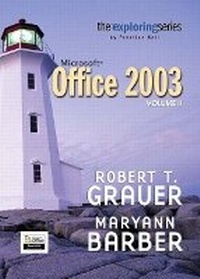
Exploring Microsoft Office 2003 Volume 2
Published on 22. April 2004
Book
Paperback/Softback
934 pages
978-0-13-143442-4 (ISBN)
Description
For Introductory Computer courses in Microsoft Office 2003 or courses in Computer Concepts with a lab component for Microsoft Office 2003 applications.
Master the How and Why of Office 2003! Students master the "How and Why" of performing tasks in Office and gain a greater understanding of how to use the individual applications together to solve business problems.
Master the How and Why of Office 2003! Students master the "How and Why" of performing tasks in Office and gain a greater understanding of how to use the individual applications together to solve business problems.
More details
Language
English
Place of publication
United States
Publishing group
Pearson Education (US)
Target group
Professional and scholarly
Dimensions
Height: 274 mm
Width: 218 mm
Thickness: 28 mm
Weight
1833 gr
ISBN-13
978-0-13-143442-4 (9780131434424)
Copyright in bibliographic data and cover images is held by Nielsen Book Services Limited or by the publishers or by their respective licensors: all rights reserved.
Schweitzer Classification
Other editions
Previous edition
Robert T. Grauer | Maryann Barber
Exploring Microsoft Office XP Professional, Vol. 2
Book
09/2001
Pearson
€34.65
Article exhausted; check for reprint
Persons
Dr. Robert T. Grauer
Dr. Robert T. Grauer is an Associate Professor in the Department of Computer Information Systems at the University of Mniami where he has been honored with the Outstanding Teacher Award in the School of Business.
Dr. Grauer has written more than 20 books on programming and information systems. His work has been translated into three foreign languages and is in use at all levels of higher education at both the national and international level.
Dr. Grauer has also been a consultant to several major corporations including IBM and American Express. He received his Ph.D. in Operations Research in 1972 from the Polytechnic Institute of Brooklyn.
Maryann M. Barber
Maryann M. Barber is a lecturer in the Department of Computer Information Systems at the University of Miami. She has been honored with several teaching awards, including the Excellence in Teaching Awards for the School of Business, the Freshman Teaching Award, the Apple Polishing Award, the Student Government Professor of the Year Award, the Interfraternity Council Professor of the Year Award, and the University of Miami Excellence in Teaching Award.
Maryann is also the Faculty Master at Stanford Residential College. She is a member of numerous leadership honor societies at the University of Miami, including Iron Arrow, Mortar Board, and Omicron Delta Kappa.
Dr. Robert T. Grauer is an Associate Professor in the Department of Computer Information Systems at the University of Mniami where he has been honored with the Outstanding Teacher Award in the School of Business.
Dr. Grauer has written more than 20 books on programming and information systems. His work has been translated into three foreign languages and is in use at all levels of higher education at both the national and international level.
Dr. Grauer has also been a consultant to several major corporations including IBM and American Express. He received his Ph.D. in Operations Research in 1972 from the Polytechnic Institute of Brooklyn.
Maryann M. Barber
Maryann M. Barber is a lecturer in the Department of Computer Information Systems at the University of Miami. She has been honored with several teaching awards, including the Excellence in Teaching Awards for the School of Business, the Freshman Teaching Award, the Apple Polishing Award, the Student Government Professor of the Year Award, the Interfraternity Council Professor of the Year Award, and the University of Miami Excellence in Teaching Award.
Maryann is also the Faculty Master at Stanford Residential College. She is a member of numerous leadership honor societies at the University of Miami, including Iron Arrow, Mortar Board, and Omicron Delta Kappa.
Content
Word 2003
5. Desktop Publishing: Creating a Newsletter.
6. Creating a Home Page: Introduction to HTML.
7. The Expert User: Work Groups, Master Documents, and Macros.
Appendix A: Toolbars.
Excel 2003
5. Consolidating Data: 3-D Workbooks and File Linking.
6. A Financial Forecast: Workgroups, Auditing, and Templates.
7. List and Data Management: Converting Data to Information.
8. Automating Repetitive Tasks: Macros and Visual Basic.
9. A Professional Application: VBA and Date Functions
10. Extending VBA: Processing Worksheets and Workbooks.
Appendix A. Toolbars.
Appendix B. Solver.
Access 2003
5. One-to-Many Relationships: Subforms and Multiple Table Queries.
6. Many-to-Many Relationships: A More Complex System.
7. Building Applications: The Switchboard Manager, Macros and Prototyping.
8. Proficiency: Relational Databases, Charts, and the Switchboard.
Appendix A. Toolbars.
Appendix B. Database Design - Getting the Most from Microsoft Access.
Appendix C. Combining an Access Database with a Word Form Letter.
Appendix D. A Semester Project.
Powerpoint 2003
3. Animating a Presentation: Photographs, Diagrams, and Charts.
4. Advanced Techniques: Sound, Masters, Web Pages, and Broadcasting.
Getting Started with VBA.
5. Desktop Publishing: Creating a Newsletter.
6. Creating a Home Page: Introduction to HTML.
7. The Expert User: Work Groups, Master Documents, and Macros.
Appendix A: Toolbars.
Excel 2003
5. Consolidating Data: 3-D Workbooks and File Linking.
6. A Financial Forecast: Workgroups, Auditing, and Templates.
7. List and Data Management: Converting Data to Information.
8. Automating Repetitive Tasks: Macros and Visual Basic.
9. A Professional Application: VBA and Date Functions
10. Extending VBA: Processing Worksheets and Workbooks.
Appendix A. Toolbars.
Appendix B. Solver.
Access 2003
5. One-to-Many Relationships: Subforms and Multiple Table Queries.
6. Many-to-Many Relationships: A More Complex System.
7. Building Applications: The Switchboard Manager, Macros and Prototyping.
8. Proficiency: Relational Databases, Charts, and the Switchboard.
Appendix A. Toolbars.
Appendix B. Database Design - Getting the Most from Microsoft Access.
Appendix C. Combining an Access Database with a Word Form Letter.
Appendix D. A Semester Project.
Powerpoint 2003
3. Animating a Presentation: Photographs, Diagrams, and Charts.
4. Advanced Techniques: Sound, Masters, Web Pages, and Broadcasting.
Getting Started with VBA.