

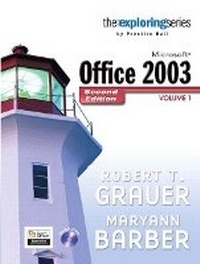
Exploring Microsoft Office 2003 , Volume 1
2nd Edition
Published on 5. September 2006
Book
Mixed media product
1176 pages
978-0-13-221070-6 (ISBN)
Description
For Introductory Computer courses in Microsoft Office 2003 or courses in Computer Concepts with a lab component for Microsoft Office 2003 applications.
Master the How and Why of Office 2003! Students master the "How and Why" of performing tasks in Office and gain a greater understanding of how to use the individual applications together to solve business problems.
Master the How and Why of Office 2003! Students master the "How and Why" of performing tasks in Office and gain a greater understanding of how to use the individual applications together to solve business problems.
More details
Edition
2nd edition
Language
English
Place of publication
United States
Publishing group
Pearson Education (US)
Target group
Professional and scholarly
Dimensions
Height: 256 mm
Width: 229 mm
Thickness: 51 mm
Weight
2390 gr
ISBN-13
978-0-13-221070-6 (9780132210706)
Copyright in bibliographic data and cover images is held by Nielsen Book Services Limited or by the publishers or by their respective licensors: all rights reserved.
Schweitzer Classification
Other editions
Previous edition
Robert T. Grauer | Maryann Barber
Exploring Microsoft Office 2003 Volume 1- Adhesive Bound
Book
04/2004
Pearson
€64.36
Article exhausted; check for reprint
Content
Getting Started with Windows XP
Microsoft (R) Word 2003
1. Introduction: What Will Word Processing Do For Me?
2. Gaining Proficiency: Editing and Formatting
3. Enhancing a Document: The Web and Other Resources
4. Advanced Features: Outlines, Tables, Styles, and Sections
Microsoft (R) Excel 2003
1. Introduction to Microsoft Excel: What Is a Spreadsheet?
2. Gaining Proficiency: The Web and Business Applications
3. Graphs and Charts: Delivering a Message
4. Spreadsheets in Decision Making: What If?
Microsoft (R) Access 2003
1. Introduction to Microsoft Access: What Is a Database?
2. Tables and Forms: Design, Properties, Views, and Wizards
3. Information from the Database: Reports and Queries
4. Proficiency: Relational Databases, External Data, Charts, and the Switchboard
Microsoft (R) Powerpoint 2003
1. Introduction to PowerPoint: Presentations Made Easy
2. Gaining Proficiency: Slide Show Tools, the Web, and Slide Masters
The Internet and World Wide Web
Essential Computing Concepts
Microsoft (R) Office Outlook 2003
Integrated Case Studies
Additional Exercises and Case Studies (New since First Edition)
18 End-of-Chapter case studies (one per chapter)
Practice with Word - 10 exercises and 4 mini cases
Practice with Excel - 12 exercises and 8 mini cases
Practice with Access - 7 exercises and 3 mini cases
Practice with PowerPoint - 5 exercises and 4 mini cases
Integrated Case Studies - 2 new cases, each with 13 exercises
Microsoft (R) Word 2003
1. Introduction: What Will Word Processing Do For Me?
2. Gaining Proficiency: Editing and Formatting
3. Enhancing a Document: The Web and Other Resources
4. Advanced Features: Outlines, Tables, Styles, and Sections
Microsoft (R) Excel 2003
1. Introduction to Microsoft Excel: What Is a Spreadsheet?
2. Gaining Proficiency: The Web and Business Applications
3. Graphs and Charts: Delivering a Message
4. Spreadsheets in Decision Making: What If?
Microsoft (R) Access 2003
1. Introduction to Microsoft Access: What Is a Database?
2. Tables and Forms: Design, Properties, Views, and Wizards
3. Information from the Database: Reports and Queries
4. Proficiency: Relational Databases, External Data, Charts, and the Switchboard
Microsoft (R) Powerpoint 2003
1. Introduction to PowerPoint: Presentations Made Easy
2. Gaining Proficiency: Slide Show Tools, the Web, and Slide Masters
The Internet and World Wide Web
Essential Computing Concepts
Microsoft (R) Office Outlook 2003
Integrated Case Studies
Additional Exercises and Case Studies (New since First Edition)
18 End-of-Chapter case studies (one per chapter)
Practice with Word - 10 exercises and 4 mini cases
Practice with Excel - 12 exercises and 8 mini cases
Practice with Access - 7 exercises and 3 mini cases
Practice with PowerPoint - 5 exercises and 4 mini cases
Integrated Case Studies - 2 new cases, each with 13 exercises