

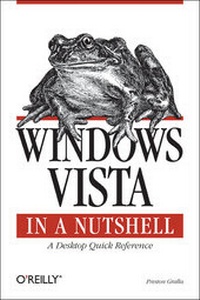
Windows Vista in a Nutshell
A Desktop Quick Reference
1st Edition
Published on 30. January 2007
Book
750 pages
978-0-596-52707-5 (ISBN)
Description
This unique reference thoroughly documents every important setting and feature in Microsoft's new operating system, with alphabetical listings for hundreds of commands, windows, menus, listboxes, buttons, scrollbars and other elements of Windows Vista. With this book's simple organization, you'll easily find any setting, tool, or feature for the task you want to accomplish.
Along with a system overview that highlights major changes, and a tour of the basics such as manipulating files and getting around the interface, Windows Vista in a Nutshell offers alphabetized references for these topics:
* The User Interface: Covers the Sidebar, Aero Glass, the new Control Panel layout, and applets, as well as how to customize animated windows, the desktop, Start menu, pop-up windows on the Taskbar, and more.
* The File System, Drives, Data, and Search: Discusses working with the new Windows Explorer, Virtual Folders, searches, indexing, saved searches, metadata, and sharing.
* The Internet and Networking: Examines TCP/IP, RSS, tabbed browsing, and anti-phishing features of Internet Explorer, plus cookie handling, parental control features, and more.
* Networking and Wireless: Offers an illustrated, step-by-step guide to setting up a home network; covers the Network Center, Sync Center, Hot Spot access, wireless management, collaboration, and sharing.
* Working with Hardware: Describes how to set up, maintain, and troubleshoot hardware--including keyboards, mice, monitors, USB devices, scanners, cameras, and sound devices--and how to add, install, and troubleshoot drivers.
* Security: Includes the Security Center, Windows Defender, User Account Protection, System Protection, Network Access Protection, WiFi encryption, Windows Firewall, file encryption, and more.
* Mobility: Explains Mobility Center settings, plugging a secondary monitor into your computer, and the new "network projection" feature for making presentations.
* Multimedia: Covers Windows Photo Gallery, Media Player, Media Center, podcasting features, connecting to and synching with MP3 players, recording TV and videos, making videos with Windows Movie Maker, and burning CDs and DVDs.
* The Command Prompt: Provides commands for working with files, utilities for troubleshooting the network, and instructions on how to create your own batch files.
Appendixes include information on installation, keyboard shortcuts, common filename extensions, and more. Windows Vista in a Nutshell is your one-stop source for everything you need from Microsoft's latest operating system.
More details
Other editions
Additional editions
E-Book
12/2006
1st Edition
O'Reilly
€35.99
Available for download
E-Book
12/2006
1st Edition
O'Reilly
€29.99
Available for download
Person
Preston Gralla is the editor of WindowsDevCenter.com and OnDotNet. He is the author of Internet Annoyances, PC Pest Control, Windows XP Power Hound, and Windows XP Hacks, Second Edition, and co-author of Windows XP Cookbook. He has also written more than 30 other books. He has written for major national newspapers and magazines, including PC Magazine, Computerworld, the Los Angeles Times, the Dallas Morning News (where he was the technology columnist), USA Today, and several others. A well-known technology expert, Preston has also appeared on many TV and radio programs and networks, including CNN, MSNBC, and NPR. In addition, he's won a number of awards for his writing, including Best Feature in a Computer Magazine from the Computer Press Association. He lives in Cambridge, Massachusetts.
Content
Preface I. The Big Picture 1. The Lay of the Land The Big Picture What's New in Windows Vista Windows Vista Editions Hardware Requirements Upgrading from Earlier Versions of Windows 2. Using Windows Vista The Desktop Point-and-Click Operations Starting Up Applications Windows and Menus Keyboard Accelerators Common Controls Files, Folders, and Disks The Command Line Online Help Shutting Down II. Nutshell Reference 3. The User Interface Controlling the Interface 4. Working with the Filesystem, Drives, Data, and Search 5. Internet Explorer Security 6. Windows Mail 7. Networking, Wireless, and Mobility Networking 101 Planning Your Network Setting Up a Network Wired and Wireless Connections, Management, and Configuration Sharing Resources and Files Network Applications Mobile Computing Networking and Internet Command-Line Tools 8. Security General Security Internet Security Encryption 9. Working with Hardware 10. Managing Programs, Users, and Your Computer User Accounts and Computer Management Applications and Utilities Games 11. Performance and Troubleshooting Performance, Maintenance, and Troubleshooting Startup 12. Graphics and Multimedia 13. The Registry What's in the Registry Adding and Deleting Registry Keys and Values Registry Protection in Windows Vista Organization of the Registry Hives Backing Up the Registry Exporting and Importing Registry Data with Patches Five Cool Things You Can Do in Your Registry 14. The Command Prompt Using the Command Line Command Prompt Choices Wildcards, Pipes, and Redirection Batch Files III. Appendixes A. Installing Windows Vista B. Keyboard Shortcuts C. Keyboard Equivalents for Symbols and International Characters D. Common Filename Extensions E. Services Index