

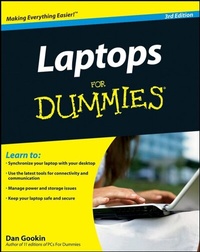
Laptops For Dummies
3rd Edition
Published on 19. September 2008
Book
Paperback/Softback
384 pages
978-0-470-27759-1 (ISBN)
Description
Mobile is magnificent!
Here's how to choose, use, and love your laptop
Life is out there waiting -- who wants to be stuck behind a desk? Laptops offer freedom, and if you've been wary of them, fear no more. Here's what you do and don't need in a laptop and how to set it up, use all its features, deal with its oddities, protect it, and more, in the plain English you expect from For Dummies and Dan Gookin.
* Starting at Start -- decide what you need in a laptop, understand the parts, and set it up for action
* Windows view -- learn how Windows Vista(r) and SP1 work with your laptop
* More power -- monitor and recharge your battery and learn to manage your laptop's power
* Get connected -- safely add your laptop to an existing network or configure a wireless connection
* Ah, memory -- store your stuff securely on PC cards, Secure Digital cards, and other devices
* Pain-free Tablets -- explore an entire chapter devoted to the often-overlooked Tablet PC
* Hit the road -- travel safely with your laptop, protect your data, and outwit laptop thieves
* Shoot down trouble -- follow this simple and reassuring advice when something goes wrong
Open the book and find:
* What's different about the laptop keyboard, and why
* Safe ways to collect your e-mail on the road
* Why saving Web pages is smart
* What to do with a cranky battery
* How (and when) to run System Restore
* How to make your laptop hard to steal
* Things you can add to make laptops more fun
* How to sync your laptop with your desktop
Here's how to choose, use, and love your laptop
Life is out there waiting -- who wants to be stuck behind a desk? Laptops offer freedom, and if you've been wary of them, fear no more. Here's what you do and don't need in a laptop and how to set it up, use all its features, deal with its oddities, protect it, and more, in the plain English you expect from For Dummies and Dan Gookin.
* Starting at Start -- decide what you need in a laptop, understand the parts, and set it up for action
* Windows view -- learn how Windows Vista(r) and SP1 work with your laptop
* More power -- monitor and recharge your battery and learn to manage your laptop's power
* Get connected -- safely add your laptop to an existing network or configure a wireless connection
* Ah, memory -- store your stuff securely on PC cards, Secure Digital cards, and other devices
* Pain-free Tablets -- explore an entire chapter devoted to the often-overlooked Tablet PC
* Hit the road -- travel safely with your laptop, protect your data, and outwit laptop thieves
* Shoot down trouble -- follow this simple and reassuring advice when something goes wrong
Open the book and find:
* What's different about the laptop keyboard, and why
* Safe ways to collect your e-mail on the road
* Why saving Web pages is smart
* What to do with a cranky battery
* How (and when) to run System Restore
* How to make your laptop hard to steal
* Things you can add to make laptops more fun
* How to sync your laptop with your desktop
More details
Edition
3., Auflage
Language
English
Place of publication
Chichester
United Kingdom
Publishing group
John Wiley and Sons Ltd
Edition type
Revised edition
Illustrations
Illustrations
Dimensions
Height: 23.3 cm
Width: 18.7 cm
Weight
571 gr
ISBN-13
978-0-470-27759-1 (9780470277591)
Schweitzer Classification
Other editions
New editions
Dan Gookin
Laptops For Dummies
Book
01/2010
4th Edition
Wiley
€23.90
Article exhausted; check for reprint
Previous edition
Dan Gookin
Laptops For Dummies
Book
10/2006
2nd Edition
Wiley
€19.90
Article exhausted; check for reprint
Content
Introduction. Part I: Getting Your Very Own Laptop. Chapter 1: The Quest for Portable Computing. Chapter 2: A Laptop Just for You. Part II: Discover Your Laptop. Chapter 3: Out of the Box and into Your Lap. Chapter 4: The Chapter about Turning a Laptop On and Off. Chapter 5: Around Your Laptop in 18 Pages. Chapter 6: Windows on Your Laptop. Chapter 7: Behold the Tablet PC. Chapter 8: You and Your Laptop. Chapter 9: Power Management Madness. Chapter 10: Expanding Your Laptop's Universe. Part III: Your Laptop Talks to the World. Chapter 11: Fear Not Networking. Chapter 12: Doing the Internet. Chapter 13: That Modem Thing. Chapter 14: Internet Security. Chapter 15: Portable Internet Stuff. Chapter 16: The Desktop-Laptop Connection. Part IV: Hit the Road, Jack. Chapter 17: On the Road Again ... Chapter 18: Laptop Security. Chapter 19: Meeting Expectations. Part V: Troubleshooting. Chapter 20: Major Trouble and General Solutions. Chapter 21: Upgrading Your Laptop. Part VI: The Part of Tens. Chapter 22: Ten or So Battery Tips and Tricks. Chapter 23: Ten Handy Laptop Accessories. Chapter 24: Ten Things to Throw in Your Laptop Case. Chapter 25: Ten Tips from a PC Guru. Index.