

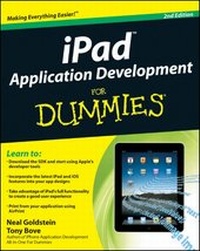
iPad Application Development For Dummies
2nd Edition
Published on 28. January 2011
Book
Paperback/Softback
552 pages
978-0-470-92050-3 (ISBN)
Description
Create apps for the hottest device on the market -- the iPad!
iPad application development is the new gold rush -- iPad sales are booming and new apps are arriving daily. Whether you're a serious programmer new to the iPad or a beginner who wants to get started in app development, this easy-to-follow guide will help you join the party. It begins with the basics about the SDK and becoming a registered Apple developer, looks at how an iPad application runs, and takes you through actually creating two applications step by step.
* The iPad is the hottest-selling device on the market, and the demand for cool iPad apps remains huge
* This guide is perfect for beginners who want to get started developing iPad apps as well as professional programmers new to the iPad SDK
* Explains how to download and use the iPad SDK and how iPad programming differs from iPhone programming
* Tells how to create a great user experience and explains nib files, views, view controllers, interface objects, gesture recognizers, and much, much more
Turn your ideas into lucrative iPad apps with the great advice in iPad Application Development For Dummies, 2nd Edition!
Note: Apple's iOS SDK tools are only accessible on Intel-powered Mac and MacBook devices.
iPad application development is the new gold rush -- iPad sales are booming and new apps are arriving daily. Whether you're a serious programmer new to the iPad or a beginner who wants to get started in app development, this easy-to-follow guide will help you join the party. It begins with the basics about the SDK and becoming a registered Apple developer, looks at how an iPad application runs, and takes you through actually creating two applications step by step.
* The iPad is the hottest-selling device on the market, and the demand for cool iPad apps remains huge
* This guide is perfect for beginners who want to get started developing iPad apps as well as professional programmers new to the iPad SDK
* Explains how to download and use the iPad SDK and how iPad programming differs from iPhone programming
* Tells how to create a great user experience and explains nib files, views, view controllers, interface objects, gesture recognizers, and much, much more
Turn your ideas into lucrative iPad apps with the great advice in iPad Application Development For Dummies, 2nd Edition!
Note: Apple's iOS SDK tools are only accessible on Intel-powered Mac and MacBook devices.
More details
Edition
2., Auflage
Language
English
Place of publication
Chichester
United Kingdom
Publishing group
John Wiley and Sons Ltd
Target group
Professional and scholarly
Edition type
Revised edition
Illustrations
Illustrations
Dimensions
Height: 23.3 cm
Width: 18.7 cm
Thickness: 29 mm
Weight
780 gr
ISBN-13
978-0-470-92050-3 (9780470920503)
Schweitzer Classification
Other editions
New editions
Neal Goldstein
iPad Application Development For Dummies
Book
05/2012
3rd Edition
Wiley
€32.90
Article is exhausted, reprint undefined
Previous edition
Neal Goldstein | Tony Bove
iPad Application Development For Dummies
Book
05/2010
1st Edition
Wiley
€28.90
Article exhausted; check for reprint
Persons
Neal Goldstein is a master at making cutting-edge technology practical. He was an early pioneer of object-oriented programming and enjoysrock-star status among mobile developers. Tony Bove has written more than two dozen books, including all editions of iPod touch For Dummies and iPod & iTunes For Dummies.
Content
Introduction.
Part I: Planning the Killer App.
Chapter 1: What Makes a Killer iPad App.
Chapter 2: Creating a Compelling User Experience.
Chapter 3: The App Store Is Not Enough.
Part II: Becoming a Real Developer.
Chapter 4: Enlisting in the Developer Corps.
Chapter 5: Getting to Know the SDK.
Chapter 6: Death, Taxes, and iPad Provisioning.
Part III: Understanding How Apps Work.
Chapter 7: Looking Behind the Screen.
Chapter 8: Understanding How an App Runs.
Part IV: Building DeepThoughts.
Chapter 9: Building the User Interface.
Chapter 10: Animating the View.
Chapter 11: Adding User Settings and Gestures.
Chapter 12: Getting the Bugs Out.
Part V: Building an Industrial-Strength Application.
Chapter 13: Designing Your Application.
Chapter 14: Working with Split View Controllers and the Master View.
Chapter 15: Finding Your Way.
Chapter 16: Adding the Stuff.
Chapter 17: Printing from Your iPad App.
Chapter 18: Providing Content in the Master View.
Chapter 19: Enhancing the User Experience.
Part VI: The Part of Tens.
Chapter 20: Ten Tips on iPad App Design.
Chapter 21: Ten Ways to Be a Happy Developer.
Index.
Part I: Planning the Killer App.
Chapter 1: What Makes a Killer iPad App.
Chapter 2: Creating a Compelling User Experience.
Chapter 3: The App Store Is Not Enough.
Part II: Becoming a Real Developer.
Chapter 4: Enlisting in the Developer Corps.
Chapter 5: Getting to Know the SDK.
Chapter 6: Death, Taxes, and iPad Provisioning.
Part III: Understanding How Apps Work.
Chapter 7: Looking Behind the Screen.
Chapter 8: Understanding How an App Runs.
Part IV: Building DeepThoughts.
Chapter 9: Building the User Interface.
Chapter 10: Animating the View.
Chapter 11: Adding User Settings and Gestures.
Chapter 12: Getting the Bugs Out.
Part V: Building an Industrial-Strength Application.
Chapter 13: Designing Your Application.
Chapter 14: Working with Split View Controllers and the Master View.
Chapter 15: Finding Your Way.
Chapter 16: Adding the Stuff.
Chapter 17: Printing from Your iPad App.
Chapter 18: Providing Content in the Master View.
Chapter 19: Enhancing the User Experience.
Part VI: The Part of Tens.
Chapter 20: Ten Tips on iPad App Design.
Chapter 21: Ten Ways to Be a Happy Developer.
Index.