

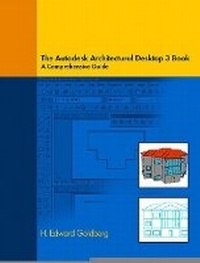
Architectural Desktop 3 Book
A Comprehensive Guide to Autodesk Architectural Desktop 3
Published on 13. June 2002
Book
Paperback/Softback
350 pages
978-0-13-040644-6 (ISBN)
Description
For advanced courses in Computer-Aided Architectural Design, and for sophomore-level courses in Architectural Drafting, Interior Design, and Environmental Design, using Architectural Desktop.
This versatile text can be used to teach Autodesk Architectural Desktop 3 in both lecture and self-paced classes. Application chapters make the book suitable for advanced classes. Unlike other texts-which teach isolated commands-this text enables students to relate commands to producing drawings, presenting topics in the order in which they are actually used. Numerous conceptual, modeling, drawing, dimensioning, and documentation exercises are provided throughout.
For those who find the program puzzling, this book takes a common sense approach. It provides clear, concise CAD information because it is written by an architect and educator who uses the program in professional practice and who teaches the program to students.
This versatile text can be used to teach Autodesk Architectural Desktop 3 in both lecture and self-paced classes. Application chapters make the book suitable for advanced classes. Unlike other texts-which teach isolated commands-this text enables students to relate commands to producing drawings, presenting topics in the order in which they are actually used. Numerous conceptual, modeling, drawing, dimensioning, and documentation exercises are provided throughout.
For those who find the program puzzling, this book takes a common sense approach. It provides clear, concise CAD information because it is written by an architect and educator who uses the program in professional practice and who teaches the program to students.
More details
Language
English
Place of publication
Berkeley
United States
Publishing group
Pearson Education (US)
Target group
Professional and scholarly
Dimensions
Width: 274 mm
Thickness: 16 mm
Weight
716 gr
ISBN-13
978-0-13-040644-6 (9780130406446)
Copyright in bibliographic data and cover images is held by Nielsen Book Services Limited or by the publishers or by their respective licensors: all rights reserved.
Schweitzer Classification
Other editions
New editions
Book
12/2003
Peachpit Press Publications
€63.23
Article is exhausted; no reprint
Content
I. THE PROGRAM CONCEPTS.
1. The Mass Model Concept.
2. The Space Planning Concept.
3. The Virtual Building Concept.
4. The Display System.
5. The Templates.
II. CONCEPT MENU.
1. Mass Elements.
2. Mass Groups.
3. Spaces.
4. Space Boundaries.
5. Slice Floorplates.
III. DESIGN.
1. Design Content.
2. Walls.
3. Wall Tools.
4. Curtain Walls.
5. Openings.
6. Doors.
7. Windows.
8. Window Assemblies.
9. Structural Members.
10. Slabs.
11. Slab Tools.
12. Roofs.
13. Roof Slab Tools.
14. Stairs.
15. Railings.
16. Grids.
IV. DOCUMENTATION.
1. Documentation Content.
2. Set Drawing Scale.
3. AEC Dimension.
4. Schedule Tags.
5. Schedule Data.
6. Schedule Tables.
7. Elevations, Sections.
8. Perspectives.
V. DESKTOP.
1. Drawing Setup.
2. Layer Management.
3. Select Display.
4. Display Manager.
5. Style Manager.
6. Live Section Display.
7. Layout Tools.
8. Anchors.
9. Create AEC Content.
10. Multi-View Blocks.
11. Mask Blocks.
12. Profiles.
13. AEC Polygon.
14. Utilities.
Glossary.
Index.
1. The Mass Model Concept.
2. The Space Planning Concept.
3. The Virtual Building Concept.
4. The Display System.
5. The Templates.
II. CONCEPT MENU.
1. Mass Elements.
2. Mass Groups.
3. Spaces.
4. Space Boundaries.
5. Slice Floorplates.
III. DESIGN.
1. Design Content.
2. Walls.
3. Wall Tools.
4. Curtain Walls.
5. Openings.
6. Doors.
7. Windows.
8. Window Assemblies.
9. Structural Members.
10. Slabs.
11. Slab Tools.
12. Roofs.
13. Roof Slab Tools.
14. Stairs.
15. Railings.
16. Grids.
IV. DOCUMENTATION.
1. Documentation Content.
2. Set Drawing Scale.
3. AEC Dimension.
4. Schedule Tags.
5. Schedule Data.
6. Schedule Tables.
7. Elevations, Sections.
8. Perspectives.
V. DESKTOP.
1. Drawing Setup.
2. Layer Management.
3. Select Display.
4. Display Manager.
5. Style Manager.
6. Live Section Display.
7. Layout Tools.
8. Anchors.
9. Create AEC Content.
10. Multi-View Blocks.
11. Mask Blocks.
12. Profiles.
13. AEC Polygon.
14. Utilities.
Glossary.
Index.