

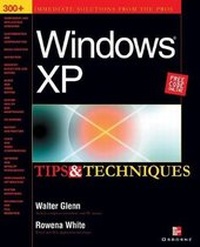
Windows XP Tips and Techniques
Published on 26. March 2002
Book
Paperback/Softback
532 pages
978-0-07-222334-7 (ISBN)
Description
This volume offers more than 300 tips in a clear and concise format, so that users can start working and increase productivity immediately.
More details
Series
Language
English
Place of publication
New York
United States
Publishing group
McGraw-Hill Education - Europe
Product notice
Paperback (trade)
Illustrations
1, black & white illustrations
Dimensions
Height: 234 mm
Width: 187 mm
Thickness: 34 mm
Weight
1032 gr
ISBN-13
978-0-07-222334-7 (9780072223347)
Copyright in bibliographic data and cover images is held by Nielsen Book Services Limited or by the publishers or by their respective licensors: all rights reserved.
Schweitzer Classification
Persons
Walter Glenn (Huntsville, AL) has been working as a PC and Macintosh technician and trainer for more than 15 years. He is currently President of Glenn & Associates Consulting, where he provides network administration and technical support for medium-sized enterprise organizations. Glenn is the author or co-author of 14 computer books including Windows 98 in a Nutshell (O'Reilly), Word 2000 in a Nutshell (O'Reilly), and How to Use Windows XP (SAMS).
Content
PART I: Welcome to Windows XP Ch. 1: Getting Comfortable with Windows Ch. 2: Improving Your Experience with XP Ch. 3: Migrating to Windows XP PART II: Working with Windows XP Ch. 4: Navigation Tips Ch. 5: Start Menu & Desktop Ch. 6: Working with Files & Folders PART III: Customizing Windows XP Ch. 7: Explorer Settings Ch. 8: Control Panel Ch. 9: Registry PART IV: Windows XP on the Internet Ch. 10: Web Browser Tips Ch. 11: Email Tips Ch. 12: Voice & Video Conferencing Ch. 13: Security Ch. 14: Other Internet Tools PART V: Media Creation in Windows XP Ch. 15: Media Viewers/Players Ch. 16: Image Editing Ch. 17: Video Editing Ch. 18: Audio Editing Ch. 19: Burning CDs PART VI: Networking Ch. 20: Workgroups Ch. 21: Users & Permissions PART VII: System Health Ch. 22: Improving Performance Ch. 23: Error Messages Ch. 24: Troubleshooting Hardware Ch. 25: Preventative Maintenance