

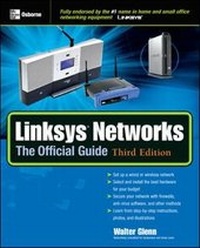
Linksys (R) Networks: The Official Guide, 3rd Ed.
3rd Edition
Published on 16. March 2005
Book
Paperback/Softback
496 pages
978-0-07-225858-5 (ISBN)
Description
Build a wired or wireless Linksys network in your home or office easily with help from this one-stop guide. Inside, you'll find details on selecting the right hardware and components for your needs, installing your network, connecting to the Internet, implementing security measures, and troubleshooting. Then you'll learn how easy it is to share resources between computers including high-speed Internet access, data, music, games, and much more.
More details
Edition
3rd edition
Language
English
Place of publication
United States
Publishing group
McGraw-Hill Education - Europe
Target group
Professional and scholarly
Illustrations
150 Illustrations
Dimensions
Height: 0 mm
Width: 0 mm
Thickness: 0 mm
ISBN-13
978-0-07-225858-5 (9780072258585)
Copyright in bibliographic data and cover images is held by Nielsen Book Services Limited or by the publishers or by their respective licensors: all rights reserved.
Schweitzer Classification
Other editions
Previous edition
Book
09/2003
2nd Edition
Osborne/McGraw-Hill
€27.22
Article exhausted; check for reprint
Person
Walter Glenn, MCSE (Huntsville, AL), is the owner of Glenn & Associates, a consulting company providing network administration and technical support to medium-sized businesses. He is the author of 11 books focusing on MCSE exam preparation.
Content
Part I: Getting StartedChapter 1: Networking ChoicesChapter 2: Purchasing and Connecting HardwareChapter 3: Internet Connection HardwarePart II: Installing Your NetworkChapter 4: Installing an Ethernet Cable NetworkChapter 5: Installing a Wireless NetworkChapter 6: Using Telephone LinesChapter 7: Plugging In to Electric WiresChapter 8: Connecting Your Network to the InternetPart III: Working with Your NetworkChapter 9: SecurityChapter 10: Sharing Files and FoldersChapter 11: Sharing PrintersChapter 12: Tips, Tricks, and TroubleshootingChapter 13: Linksys Media DevicesPart IV: AppendixesAppendix A: Glossary of Network TerminologyAppendix B: Advanced Network ToolsIndex