

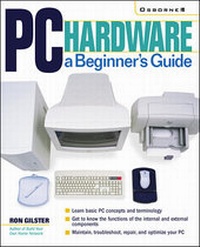
PC Hardware: A Beginner's Guide
Published on 16. May 2001
Book
Paperback/Softback
704 pages
978-0-07-212990-8 (ISBN)
Description
Ideal for PC owners looking for an accessible, easy-to-follow reference, this beginner's guide to PC hardware offers expert advice on every component--processors, motherboards, memory, BIOS, CD-ROM and DVD drives, video cards, and much more. You'll also get details on external devices, including monitors, printers, keyboards, and modems. The book covers both Intel and non-Intel CPUs and USB and AGP ports.
More details
Language
English
Place of publication
United States
Publishing group
McGraw-Hill Education - Europe
Illustrations
100 illustrations
Dimensions
Height: 231 mm
Width: 183 mm
Thickness: 44 mm
Weight
1061 gr
ISBN-13
978-0-07-212990-8 (9780072129908)
Copyright in bibliographic data and cover images is held by Nielsen Book Services Limited or by the publishers or by their respective licensors: all rights reserved.
Schweitzer Classification
Person
Ron Gilster is the author of several best-selling books on networking, PC hardware, and IT career certifications. Ron holds a variety of IT certifications and has worked in networking and computing for over 25 years. Ron has served in a variety of small business and corporate technical, management, and executive positions and is currently a university instructor at several universities and colleges in the Spokane, Washington area.
Content
Part I: The Basics. Chapter 1: The Personal Computer. Chapter 2: Basic PC Concepts and Terminology. Part II: Internal Components. Chapter 3: Microprocessors. Chapter 4: Motherboards. Chapter 5: Chipsets and Controllers. Chapter 6: The BIOS and the Boot Process. Chapter 7: Computer Memory. Chapter 8: Cache Memory. Chapter 9: Hard Disks and Floppy Disks. Chapter 10: CD-ROMs and DVDs. Chapter 11: Expansion Cards. Chapter 12: Video Cards. Chapter 13: System Resources. Chapter 14: Power Supply and Electrical Issues. Part III: External Components. Chapter 15: The System Case. Chapter 16: Monitors and Displays. Chapter 17: Printers. Chapter 18: Keboards, Mice, and Pointing Devices. Chapter 19: Ports and Connectors. Chapter 20: Networks and Communications. Chapter 21: Audio/Visual Devices. Part IV: System Care and Troubleshooting. Chapter 22: PC Care and Maintenance. Chpater 23: Electrical Power Issues. Chapter 24: Troubleshooting PC Hardware.