

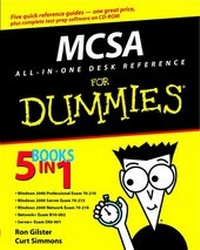
MCSA All-In-One Desk Reference For Dummies
1st Edition
Published on 24. October 2002
Book
Paperback/Softback
912 pages
978-0-7645-1671-9 (ISBN)
Description
The MCSA is Microsoft's hot new certification targeting the server administrator. This study guide for MCSA certification provides readers with everything they'll need to know in order to pass all the exams. It covers all of the required exams including Network+ and Server+.
More details
Edition
1., Aufl.
Language
English
Place of publication
Foster City
United States
Publishing group
John Wiley & Sons Inc
Target group
College/higher education
Professional and scholarly
Dimensions
Height: 23.4 cm
Width: 18.6 cm
Weight
1304 gr
ISBN-13
978-0-7645-1671-9 (9780764516719)
Schweitzer Classification
Persons
Ron Gilster, Network+, Server+, CCNA, has been a data communications and network consultant for more than 30 years.
Curt Simmons, MCSA, MCSE, CTT, is a technology trainer who has written more than 20 computer books.
Curt Simmons, MCSA, MCSE, CTT, is a technology trainer who has written more than 20 computer books.
Content
Introduction.
About This Book.
How This Book Is Organized.
Book I: Installing, Configuring, and Administering Microsoft Windows 2000 Professional: Exam 70-210.
Book II: Installing, Configuring, and Administering Microsoft Windows 2000 Server: Exam 70-215.
Book III: Managing a Microsoft Windows 2000 Network Environment: Exam 70-218.
Book IV: The Network+ Exam.
Book V: The Server+ Exam.
Conventions Used in This Book.
Icons Used in this Book.
Best of Luck.
Book I: Installing, Configuring, and Administering Microsoft Windows 2000 Professional: Exam 70-210.
Chapter 1: About Exam 70-210.
Chapter 2: Installing Windows 2000 Professional.
Chapter 3: Implementing and Conducting Administration of Resources.
Chapter 4: Implementing and Managing Hardware Devices and Drivers.
Chapter 5: Monitoring and Optimizing System Performance and Reliability.
Chapter 6: Configuring and Troubleshooting the Desktop Environment.
Chapter 7: Implementing and Troubleshooting Network Protocols and Services.
Chapter 8: Implementing, Monitoring, and Troubleshooting Security.
Book II: Installing, Configuring, and Administering Microsoft Windows 2000 Server: Exam 70-215.
Chapter 1: About Exam 70-215.
Chapter 2: Installing Windows 2000 Server.
Chapter 3: Installing and Configuring Access to Resources.
Chapter 4: Configuring and Troubleshooting Hardware Devices and Drivers.
Chapter 5: Managing System Performance and Availability.
Chapter 6: Managing, Configuring, and Troubleshooting Storage Use.
Chapter 7: Configuring Windows 2000 Network Connections.
Chapter 8: Implementing, Monitoring, and Troubleshooting Security.
Book III: Managing a Microsoft Windows 2000 Network Environment: Exam 70-218.
Chapter 1: About Exam 70-218.
Chapter 2: Creating and Managing File, Print, and Web Resources.
Chapter 3: Configuring and Troubleshooting the Network Infrastructure.
Chapter 4: Managing and Securing Servers and Client Computers
Chapter 5: Managing Active Directory Organizational Units and Group Policy.
Chapter 6: Configuring, Securing, and Troubleshooting Remote Access.
Book IV: The Network+ Exam.
Chapter 1: About the Network+ Exam.
Chapter 2: Networking Basics.
Chapter 3: Protocols and Standards.
Chapter 4: Remote Connections and WAN Technologies.
Chapter 5: TCP/IP and Network Addressing.
Chapter 6: Implementing a Network.
Chapter 7: Network Support and Troubleshooting.
Book V: The Server+ Exam.
Chapter 1: About the Server+ Exam.
Chapter 2: Servers under the Microscope.
Chapter 3: Memory, BIOS, and Storage.
Chapter 4: RAID and High Availability Systems.
Chapter 5: Installing a Server.
Chapter 6: Configuring a Server.
Chapter 7: Interfacing with a Network.
Chapter 8: Flirting with Disaster.
Chapter 9: Securing and Monitoring the Server.
Chapter 10: Updating the BIOS.
Book VI: Appendix.
Appendix: About the CD.
Index.
End-User License Agreement.
About This Book.
How This Book Is Organized.
Book I: Installing, Configuring, and Administering Microsoft Windows 2000 Professional: Exam 70-210.
Book II: Installing, Configuring, and Administering Microsoft Windows 2000 Server: Exam 70-215.
Book III: Managing a Microsoft Windows 2000 Network Environment: Exam 70-218.
Book IV: The Network+ Exam.
Book V: The Server+ Exam.
Conventions Used in This Book.
Icons Used in this Book.
Best of Luck.
Book I: Installing, Configuring, and Administering Microsoft Windows 2000 Professional: Exam 70-210.
Chapter 1: About Exam 70-210.
Chapter 2: Installing Windows 2000 Professional.
Chapter 3: Implementing and Conducting Administration of Resources.
Chapter 4: Implementing and Managing Hardware Devices and Drivers.
Chapter 5: Monitoring and Optimizing System Performance and Reliability.
Chapter 6: Configuring and Troubleshooting the Desktop Environment.
Chapter 7: Implementing and Troubleshooting Network Protocols and Services.
Chapter 8: Implementing, Monitoring, and Troubleshooting Security.
Book II: Installing, Configuring, and Administering Microsoft Windows 2000 Server: Exam 70-215.
Chapter 1: About Exam 70-215.
Chapter 2: Installing Windows 2000 Server.
Chapter 3: Installing and Configuring Access to Resources.
Chapter 4: Configuring and Troubleshooting Hardware Devices and Drivers.
Chapter 5: Managing System Performance and Availability.
Chapter 6: Managing, Configuring, and Troubleshooting Storage Use.
Chapter 7: Configuring Windows 2000 Network Connections.
Chapter 8: Implementing, Monitoring, and Troubleshooting Security.
Book III: Managing a Microsoft Windows 2000 Network Environment: Exam 70-218.
Chapter 1: About Exam 70-218.
Chapter 2: Creating and Managing File, Print, and Web Resources.
Chapter 3: Configuring and Troubleshooting the Network Infrastructure.
Chapter 4: Managing and Securing Servers and Client Computers
Chapter 5: Managing Active Directory Organizational Units and Group Policy.
Chapter 6: Configuring, Securing, and Troubleshooting Remote Access.
Book IV: The Network+ Exam.
Chapter 1: About the Network+ Exam.
Chapter 2: Networking Basics.
Chapter 3: Protocols and Standards.
Chapter 4: Remote Connections and WAN Technologies.
Chapter 5: TCP/IP and Network Addressing.
Chapter 6: Implementing a Network.
Chapter 7: Network Support and Troubleshooting.
Book V: The Server+ Exam.
Chapter 1: About the Server+ Exam.
Chapter 2: Servers under the Microscope.
Chapter 3: Memory, BIOS, and Storage.
Chapter 4: RAID and High Availability Systems.
Chapter 5: Installing a Server.
Chapter 6: Configuring a Server.
Chapter 7: Interfacing with a Network.
Chapter 8: Flirting with Disaster.
Chapter 9: Securing and Monitoring the Server.
Chapter 10: Updating the BIOS.
Book VI: Appendix.
Appendix: About the CD.
Index.
End-User License Agreement.