

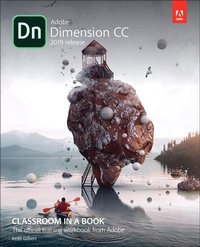
Adobe Dimension CC Classroom in a Book (2018 release)
Published on 31. January 2019
Book
Paperback/Softback
288 pages
978-0-13-486354-2 (ISBN)
Description
The exciting new Adobe Dimension CC empowers graphic designers to create high-quality photorealistic imagery using 2D and 3D assets -- and if you have an Adobe Creative Suite subscription, it's already included. Now, Adobe Dimension CC Classroom in a Book offers complete hands-on training to help you master it quickly and easily. Straight from Adobe Press, this is the latest in our best-selling series of official Adobe software training guides -- packed with self-paced lessons and downloadable files designed by Adobe training experts. Each chapter contains a project that builds on your growing knowledge of the program, and end-of-chapter review questions reinforce each lesson. Long-time Adobe user experience/interactive experience designer Kevin Bomberry covers all you need to know about modeling, applying and editing surface materials, lighting, rendering, and much more -- even if you've never worked with 3D tools before!
More details
Series
Language
English
Place of publication
Indianapolis
United States
Publishing group
Pearson Education (US)
Target group
Professional and scholarly
Dimensions
Height: 231 mm
Width: 187 mm
Thickness: 20 mm
Weight
591 gr
ISBN-13
978-0-13-486354-2 (9780134863542)
Copyright in bibliographic data and cover images is held by Nielsen Book Services Limited or by the publishers or by their respective licensors: all rights reserved.
Schweitzer Classification
Other editions
New editions

Keith Gilbert
Adobe Dimension Classroom in a Book (2020 release)
Book
03/2020
Addison Wesley
€55.70
Shipment within 15-20 days
Person
Keith Gilbert is a design and publishing consultant and educator, Adobe Certified Instructor, conference speaker, author, and contributing writer for various publications. His work has taken him throughout North America, Africa, Europe, and Asia. During his 30+ years as a consultant, his clients have included Adobe, Apple, Target, the United Nations, Best Buy, General Mills, and Lands' End. Find him on Twitter @gilbertconsult and at gilbertconsulting.com
Content
Getting Started
1 Introducing Adobe Dimension
2 Exploring Design Mode
3 Changing Your View of The Scene: Working with The Camera
4 Exploring Render Mode
5 Finding 3D Models and Using CC Libraries
6 Working with Materials
7 Creating Materials with Adobe Capture CC
8 Selecting Objects and Surfaces
9 Applying Graphics to Models
10 Working with Backgrounds
11 Working with Lights
12 Pushing the Limits: Model- And Scene-Building Techniques
13 Post-Processing with Adobe Photoshop CC
1 Introducing Adobe Dimension
2 Exploring Design Mode
3 Changing Your View of The Scene: Working with The Camera
4 Exploring Render Mode
5 Finding 3D Models and Using CC Libraries
6 Working with Materials
7 Creating Materials with Adobe Capture CC
8 Selecting Objects and Surfaces
9 Applying Graphics to Models
10 Working with Backgrounds
11 Working with Lights
12 Pushing the Limits: Model- And Scene-Building Techniques
13 Post-Processing with Adobe Photoshop CC