

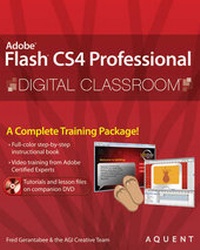
Flash CS4 Professional Digital Classroom
Published on 21. November 2008
Book
Paperback/Softback
448 pages
978-0-470-41093-6 (ISBN)
Description
Flash CS4 Professional Digital Classroom is like having a personal instructor guiding readers through each lesson, while they work at their own pace. This book includes 13 self-paced lessons that let readers discover essential skills and explore new features and capabilities of Adobe Flash Professional. Every lesson is presented in full color with step-by-step instructions. Learning is reinforced with video tutorials and lesson files on a companion DVD that were developed by the same team of Adobe Certified Instructors and Flash experts who have created many of the official training titles for Adobe Systems. Each video tutorial is approximately five minutes long and demonstrates and explains the concepts and features covered in the lesson. This training package shows the basics of using the program, such as using layers and instances to build animation sequences, as well as advance features, such as using ActionScript to create interactive Web page components. Jam-packed with information, this book and DVD takes users from the basics through intermediate level topics and helps readers find the information they need in a clear, approachable manner.
Note: CD-ROM/DVD and other supplementary materials are not included as part of eBook file.
Note: CD-ROM/DVD and other supplementary materials are not included as part of eBook file.
More details
Series
Language
English
Place of publication
Chichester
United Kingdom
Publishing group
John Wiley and Sons Ltd
Target group
Professional and scholarly
Illustrations
col. Illustrations
Dimensions
Height: 235 mm
Width: 188 mm
Thickness: 23 mm
Weight
1050 gr
ISBN-13
978-0-470-41093-6 (9780470410936)
Copyright in bibliographic data and cover images is held by Nielsen Book Services Limited or by the publishers or by their respective licensors: all rights reserved.
Schweitzer Classification
Persons
Fred Gerantabee is the Training Manager at Aquent Graphics Institute and he is also an Adobe Certified Instructor. He is a member of the AGI Creative Team, which develops and delivers training programs for creative, marketing, and communications professionals through the Aquent Graphics Institute.
Content
Starting Up. Lesson 1: What's New in Adobe Flash CS4? Lesson 2: Flash CS4 Jumpstart. Lesson 3: Getting Started with the Drawing Tools. Lesson 4: Using Symbols and the Library. Lesson 5: Advanced Tools. Lesson 6: Creating Basic Animation. Lesson 7: Advanced Animation. Lesson 8: Customizing Your Workflow. Lesson 9: Working with Imported Files. Lesson 10: Introducing ActionScript. Lesson 11: Creating Button Symbols. Lesson 12: Adding Sound to Your Movies. Lesson 13: Introducing Movie Clips. Lesson 14: Working with Video. Lesson 15: Delivering Your Final Movie.