

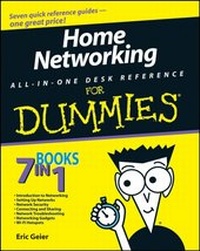
Home Networking All-in-One Desk Reference For Dummies
1st Edition
Published on 22. July 2008
Book
Paperback/Softback
720 pages
978-0-470-27519-1 (ISBN)
Description
7 books in 1 - your key to a successful home network!
Your one-stop guide to setting up a network and keeping it safe
If your household has more than one computer, networking will make your life easier. And all the stuff you need to know is right here - how to choose the right hardware, add user accounts, get different operating systems to work together, secure your network, exchange files, add wireless devices, and even use Wi-Fi out in public.
Discover how to:
* Plan your network
* Install necessary equipment
* Set up and configure your network
* Guard against hackers, phishers, and spam
* Set up your own Web server
* Add cool wireless gadgets
Your one-stop guide to setting up a network and keeping it safe
If your household has more than one computer, networking will make your life easier. And all the stuff you need to know is right here - how to choose the right hardware, add user accounts, get different operating systems to work together, secure your network, exchange files, add wireless devices, and even use Wi-Fi out in public.
Discover how to:
* Plan your network
* Install necessary equipment
* Set up and configure your network
* Guard against hackers, phishers, and spam
* Set up your own Web server
* Add cool wireless gadgets
More details
Edition
1., Auflage
Language
English
Place of publication
Chichester
United Kingdom
Publishing group
John Wiley and Sons Ltd
Target group
Professional and scholarly
Dimensions
Height: 23.5 cm
Width: 18.8 cm
Thickness: 3.9 cm
Weight
1044 gr
ISBN-13
978-0-470-27519-1 (9780470275191)
Schweitzer Classification
Person
Eric Geier is a certified network administrator with years of experience as a computer and wireless networking consultant. He is founder and president of Sky-Nets, Ltd., a Wi-Fi hotspot provider.
Content
Introduction.
Book I: Introduction to Networking.
Chapter 1: Grasping the Main Concepts behind Networking.
Chapter 2: Operating Systems and Networks.
Chapter 3: Networking Hardware.
Book II: Setting Up Networks.
Chapter 1: Setting Up User Accounts on Computers.
Chapter 2: Planning for Your Network.
Chapter 3: Installing Network Adapters.
Chapter 4: Setting Up and Configuring the Network.
Chapter 5: Working with the "Brains" of Your Equipment.
Chapter 6: Taking the Wire Farther.
Chapter 7: Getting a Better Reach with Wireless.
Book III: Network Security.
Chapter 1: Addressing Internet Security.
Chapter 2: Securing the Airwaves: It's Possible.
Chapter 3: Protecting Youngsters.
Book IV: Connecting and Sharing.
Chapter 1: Dealing with Your Network Connections.
Chapter 2: Remote Connections.
Chapter 3: Allowing Sharing of Files and More.
Chapter 4: Sharing Files: Hosting a Folder Party.
Chapter 5: Sharing a Printer: Spreading the Ink.
Chapter 6: Other Sharing Options.
Chapter 7: Accessing Shared Files and Folders.
Chapter 8: Serving Files over the Internet.
Book V: Network Troubleshooting.
Chapter 1: Dealing with Connection and Performance Problems.
Chapter 2: Fixing Sharing Issues.
Chapter 3: Troubleshooting Methods and Tools.
Chapter 4: Getting More Help.
Book VI: Networking Gadgets.
Chapter 1: Voice and Video.
Chapter 2: Family Entertainment.
Chapter 3: Traveling Gadgets.
Chapter 4: Bluetooth Devices.
Chapter 5: Network Magic: Ways to Manage Your Home Network.
Book VII: Wi-Fi Hotspots.
Chapter 1: Wi-Fi Hotspots, Hot Zones, and Cities.
Chapter 2: Making Your Location a Wi-Fi Hotspot.
Chapter 3: Using FON to Share or Get Wireless Internet Access.
Index.
Book I: Introduction to Networking.
Chapter 1: Grasping the Main Concepts behind Networking.
Chapter 2: Operating Systems and Networks.
Chapter 3: Networking Hardware.
Book II: Setting Up Networks.
Chapter 1: Setting Up User Accounts on Computers.
Chapter 2: Planning for Your Network.
Chapter 3: Installing Network Adapters.
Chapter 4: Setting Up and Configuring the Network.
Chapter 5: Working with the "Brains" of Your Equipment.
Chapter 6: Taking the Wire Farther.
Chapter 7: Getting a Better Reach with Wireless.
Book III: Network Security.
Chapter 1: Addressing Internet Security.
Chapter 2: Securing the Airwaves: It's Possible.
Chapter 3: Protecting Youngsters.
Book IV: Connecting and Sharing.
Chapter 1: Dealing with Your Network Connections.
Chapter 2: Remote Connections.
Chapter 3: Allowing Sharing of Files and More.
Chapter 4: Sharing Files: Hosting a Folder Party.
Chapter 5: Sharing a Printer: Spreading the Ink.
Chapter 6: Other Sharing Options.
Chapter 7: Accessing Shared Files and Folders.
Chapter 8: Serving Files over the Internet.
Book V: Network Troubleshooting.
Chapter 1: Dealing with Connection and Performance Problems.
Chapter 2: Fixing Sharing Issues.
Chapter 3: Troubleshooting Methods and Tools.
Chapter 4: Getting More Help.
Book VI: Networking Gadgets.
Chapter 1: Voice and Video.
Chapter 2: Family Entertainment.
Chapter 3: Traveling Gadgets.
Chapter 4: Bluetooth Devices.
Chapter 5: Network Magic: Ways to Manage Your Home Network.
Book VII: Wi-Fi Hotspots.
Chapter 1: Wi-Fi Hotspots, Hot Zones, and Cities.
Chapter 2: Making Your Location a Wi-Fi Hotspot.
Chapter 3: Using FON to Share or Get Wireless Internet Access.
Index.