

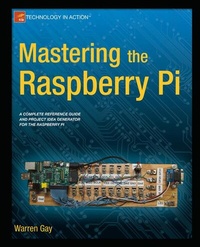
Mastering the Raspberry Pi
Description
You probably already know that the Raspberry Pi is an excellent teaching tool. If you want to teach Linux basics or Python programming or basic electronics, it's a great place to start. But what if you are an electronics engineer or a Linux systems administrator or a very experienced maker? You want to know all of the details and inner working of the Raspberry Pi -- how to (figuratively or maybe even literally) make it get up and dance without wading through basics and introductory material.
If you want to get right into the pro-level guts of the Raspberry Pi, complete with schematics, detailed hardware explanations, messing around with runlevels, reporting voltages and temperatures, and recompiling the kernel, then Mastering the Raspberry Pi is just the book you need. Along with all of the thorough explanations of hardware and operating system, you'll also get a variety of project examples and explanations that you can tune for your own project ideas.
You'll find yourself turning to Mastering the Raspberry Pi over and over again for both inspiration and reference. Whether you're an electronics professional, an entrepreneurial maker, or just looking for more detailed information on the Raspberry Pi, this is exactly the book for you.
More details
Other editions
New editions
Additional editions
Person
Content
Part I: Introduction
Ch. 1 - Why This Book?
Ch. 2 - The Raspberry Pi
Ch. 3 - Preparation: Hardware and Network
Part II: Hardware
Ch. 4 - Figuring Out Power Requirements
Ch. 5 - Header Strips, LEDs, and Reset
Ch. 6 - Working with Memory
Ch. 7 - The CPU and Working with Threads
Ch. 8 - USB Power and API Support
Ch. 9 - Working with Wired and Wireless Ethernet
Ch. 10 - SD Card Storage
Ch. 11 - Serial Communication
Ch. 12 - GPIO: Your Interface to the Outside World
Ch. 13 - 1-Wire Driver
Ch. 14 - I2C Bus: The Two Wire Interface
Ch. 15 - SPI Bus: Signaling, API, and Testing
Part III: Software
Ch. 16 - Booting ARM Linux
Ch. 17 - Initialization: Working with Runlevels
Ch. 18 - vcgencmd: Reporting Voltages and Temperatures
Ch. 19 - Linux Console
Ch. 20 - Building a Cross-Compiler
Ch. 21 - Cross-Compiling the Kernel
Part IV: Projects
Ch. 22 - Humidity and Temperature Sensor
Ch. 23 - GPIO Extender
Ch. 24 - Nunchuk Mouse
Ch. 25 - Real-Time Clock
Ch. 26 - IR Receiver
Ch. 27 - Stepper Motor
Ch. 28 - The H-Bridge Driver
Ch. 29 - Remote Control Panel
Ch. 30 - Pulse Width Modulation: Driving an Analog Meter
Appendices:
A. Glossary
B. Power Standards
C. Electronics Reference
D. Raspbian apt Commands
E. ARM Compile Options
F. Mac OS X Tips
G. Bibliography