

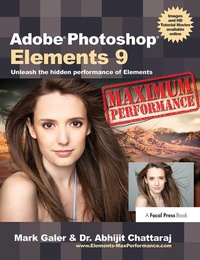
Adobe Photoshop Elements 9: Maximum Performance
Unleash the hidden performance of Elements
1st Edition
Published on 18. September 2018
Book
Hardback
362 pages
978-1-138-37207-8 (ISBN)
Description
Let Mark Galer guide you through the most powerful photo editing tools and techniques that Elements has to offer! A unique cominbtion of step-by-step projects, movie tutorials and sample images will have you creating stunning images in no time at all. Whether you want to enhance your images for maximum impact, optimize your photos for perfect print quality, or creating impressive, seamless montages, Maximum Performance will give you the skills and know-how to create professional quality results, enabling you get maximum performance from this credit crunch approved software.
The package is completed with an astonishingly supportive website packed with over 7 hours of movie tutorials, 100+ sample images, multimedia content and stock photography as well as automated actions to get even more out of the software.
The package is completed with an astonishingly supportive website packed with over 7 hours of movie tutorials, 100+ sample images, multimedia content and stock photography as well as automated actions to get even more out of the software.
More details
Language
English
Place of publication
London
United Kingdom
Publishing group
Taylor & Francis Ltd
Target group
Professional and scholarly
General and Professional Practice & Development
Illustrations
350 farbige Abbildungen
350 Illustrations, color
Dimensions
Height: 246 mm
Width: 189 mm
Weight
830 gr
ISBN-13
978-1-138-37207-8 (9781138372078)
Copyright in bibliographic data and cover images is held by Nielsen Book Services Limited or by the publishers or by their respective licensors: all rights reserved.
Schweitzer Classification
Other editions
Additional editions
Mark Galer | Abhijit Chattaraj
Adobe Photoshop Elements 9: Maximum Performance
Unleash the hidden performance of Elements
E-Book
06/2013
1st Edition
Routledge
€47.49
Available for download
Mark Galer | Abhijit Chattaraj
Adobe Photoshop Elements 9: Maximum Performance
Unleash the hidden performance of Elements
E-Book
06/2013
Routledge
€47.49
Available for download
Mark Galer | Abhijit Chattaraj
Adobe Photoshop Elements 9: Maximum Performance
Unleash the hidden performance of Elements
Book
11/2010
1st Edition
Focal Press
€55.79
Shipment within 15-20 days
Persons
Mark Galer is the Program Director and Senior lecturer at RMIT University in the School of Media and Communication, Australia. He is also co-writer of their popular online photography courses. He has lectured in photography in the UK and Australia and has worked commercially as a freelance photographer on corporate and editorial assignments. He has written numerous top-selling photography books, including Photography Foundations for Art & Design, the Popular Photoshop Elements; Maximum Performance and Photoshop; Essential Skills series. He is an Official Adobe Ambassador for Photoshop and Photoshop Elements.
Dr. Abhijit Chattaraj is a commercial photographer based in Melbourne, Australia. Abhijit began his career as a Computer Scientist and has a PhD in Bioinformatics. He is the co-founder of Wishbone Studio, a creative collective that creates bleeding edge interactive installations that combine stills with moving images and CGI to create captivating experiences for museum and corporate clients. Abhijit's work has been shown widely in exhibitions, most recently he was recognised among the top emerging photographers in Australia
Dr. Abhijit Chattaraj is a commercial photographer based in Melbourne, Australia. Abhijit began his career as a Computer Scientist and has a PhD in Bioinformatics. He is the co-founder of Wishbone Studio, a creative collective that creates bleeding edge interactive installations that combine stills with moving images and CGI to create captivating experiences for museum and corporate clients. Abhijit's work has been shown widely in exhibitions, most recently he was recognised among the top emerging photographers in Australia
Content
Part 1: Optimize Projects: Crop and Correct; Levels; Camera RAW; Target Tones; Contrast; Hue and Saturation; Sharpening; Printing
Part 2: Enhance Projects: Depth of Field; Shafts of Light; Black and White; Toning; Character Portrait; Glamour Portrait; Motion Blur; Low Key; Channels
Part 3: Montage Projects: Creative Montage; Replacing a Sky; High Dynamic Range; Layer Blending; Displacement; Preserving Shadows; Photomerge; Hair Transplant
Jargon Buster; Keyboard Shortcuts
Companion Website: 7+ hours of movie tutorials; High resolution images; Camera RAW and 16 Bits/Channel files; Adobe presets; Maximum Performance Action files
Part 2: Enhance Projects: Depth of Field; Shafts of Light; Black and White; Toning; Character Portrait; Glamour Portrait; Motion Blur; Low Key; Channels
Part 3: Montage Projects: Creative Montage; Replacing a Sky; High Dynamic Range; Layer Blending; Displacement; Preserving Shadows; Photomerge; Hair Transplant
Jargon Buster; Keyboard Shortcuts
Companion Website: 7+ hours of movie tutorials; High resolution images; Camera RAW and 16 Bits/Channel files; Adobe presets; Maximum Performance Action files