

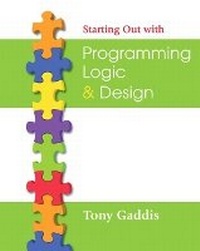
Starting Out with Programming Logic and Design
Published on 29. November 2007
Book
Mixed media product
576 pages
978-0-321-47127-7 (ISBN)
Description
Starting Out with Programming Logic and Design is a language-independent introductory programming book that orients students to programming concepts and logic without assuming any previous programming experience. In the successful, accessible style of Tony Gaddis' best-selling texts, useful examples and detail-oriented explanations allow students to become comfortable with fundamental concepts and logical thought processes used in programming without the complication of language syntax. Students gain confidence in their program design skills to transition into more comprehensive programming courses.
The book is ideal for a programming logic course taught as a precursor to a language-specific introductory programming course, or for the first part of an introductory programming course.
The book is ideal for a programming logic course taught as a precursor to a language-specific introductory programming course, or for the first part of an introductory programming course.
More details
Language
English
Place of publication
United States
Publishing group
Pearson Education (US)
Target group
College/higher education
Dimensions
Height: 255 mm
Width: 257 mm
Thickness: 22 mm
Weight
1016 gr
ISBN-13
978-0-321-47127-7 (9780321471277)
Copyright in bibliographic data and cover images is held by Nielsen Book Services Limited or by the publishers or by their respective licensors: all rights reserved.
Schweitzer Classification
Other editions
New editions
Book
11/2009
2nd Edition
Pearson
€57.68
Article exhausted; check for reprint
Person
Tony Gaddis is the lead author of the Starting Out withseries including Starting Out with Alice, C++, Java (TM), Visual Basic (R) 2005, and C#. Gaddis teaches computer science courses at Haywood Community College in North Carolina. He previously taught programming for several corporations and government agencies, including NASA's Kennedy Space Center. Gaddis is a highly acclaimed instructor who was selected as the North Carolina Community College "Teacher of the Year" in 1994, and who received the Teaching Excellence award from the National Institute for Staff and Organizational Development in 1997.
Content
Preface
Chapter 1 Introduction to Computers and Programming
1.1 Introduction
1.2 Hardware
1.3 How Computers Store Data
1.4 How a Program Works
1.5 Types of Software
Review Questions
Chapter 2 Input, Processing, and Output
2.1 Designing a Program
2.2 Output, Input, and Variables
2.3 Variable Assignment and Calculations
In the Spotlight: Calculating a Percentage
In the Spotlight: Calculating an Average
In the Spotlight: Converting a Math Formula to a Programming Statement
2.4 Variable Declarations and Data Types
2.5 Named Constants
2.6 Hand Tracing a Program
2.7 Documenting a Program
In the Spotlight: Using Named Constants, Style Conventions, and Comments
Review Questions
Programming Exercises
Chapter 3 Modules
3.1 Introduction to Modules
3.2 Defining and Calling a Module
In the Spotlight: Defining and Calling Modules
3.3 Local Variables
3.4 Passing Arguments to Modules
In the Spotlight: Passing an Argument to a Module
In the Spotlight: Passing an Argument by Reference
3.5 Global Variables and Global Constants
In the Spotlight: Using Global Constants
Review Questions
Programming Exercises
Chapter 4 Decision Structures and Boolean Logic
4.1 Introduction to Decision Structures
In the Spotlight: Using the If-Then Statement
4.2 Dual Alternative Decision Structures
In the Spotlight: Using the If-Then-Else Statement
4.3 Comparing Strings
4.4 Nested Decision Structures
In the Spotlight: Multiple Nested Decision Structures
4.5 The Case Structure
In the Spotlight: Using a Case Structure
4.6 Logical Operators
4.7 Boolean Variables
Review Questions
Programming Exercises
Chapter 5 Repetition Structures
5.1 Introduction to Repetition Structures
5.2 Condition-Controlled Loops: While, Do-While, and Do-Until
In the Spotlight: Designing a While Loop
In the Spotlight: Designing a Do-While Loop
5.3 Count-Controlled Loops and the For Statement
In the Spotlight: Designing a Count-Controlled Loop with the For Statement
5.4 Calculating a Running Total
5.5 Sentinels
In the Spotlight: Using a Sentinel
5.6 Nested Loops
Review Questions
Programming Exercises
Chapter 6 Functions
6.1 Introduction to Functions: Generating Random Numbers
In the Spotlight: Using Random Numbers
In the Spotlight: Using Random Numbers to Represent Other Values
6.2 Writing Your Own Functions
In the Spotlight: Modularizing with Functions
6.3 More Library Functions
Review Questions
Programming Exercises
Chapter 7 Input Validation
7.1 Garbage In, Garbage Out
7.2 The Input Validation Loop
In the Spotlight: Designing an Input Validation Loop
7.3 Defensive Programming
Review Questions
Programming Exercises
Chapter 8 Arrays
8.1 Array Basics
In the Spotlight: Using Array Elements in a Math Expression
8.2 Sequentially Searching an Array
8.3 Processing the Contents of an Array
In the Spotlight: Processing an Array
8.4 Parallel Arrays
In the Spotlight: Using Parallel Arrays
8.5 Two-Dimensional Arrays
In the Spotlight: Using a Two-Dimensional Array
8.6 Arrays of Three or More Dimensions
Review Questions
Programming Exercises
Chapter 9 Sorting and Searching Arrays
9.1 The Bubble Sort Algorithm
In the Spotlight: Using the Bubble Sort Algorithm
9.2 The Selection Sort Algorithm
9.3 The Insertion Sort Algorithm
9.4 The Binary Search Algorithm
In the Spotlight: Using the Binary Search Algorithm
Review Questions
Programming Exercises
Chapter 10 Files
10.1 Introduction to File Input and Output
10.2 Using Loops to Process Files
In the Spotlight: Working with Files
10.3 Using Files and Arrays
10.4 Processing Records
In the Spotlight: Adding and Displaying Records
In the Spotlight: Searching for a Record
In the Spotlight: Modifying Records
In the Spotlight: Deleting Records
10.5 Control Break Logic
In the Spotlight: Using Control Break Logic
Review Questions
Programming Exercises
Chapter 11 Menu-Driven Programs
11.1 Introduction to Menu-Driven Programs
11.2 Modularizing a Menu-Driven Program
11.3 Using a Loop to Repeat the Menu
In the Spotlight: Designing a Menu-Driven Program
11.4 Multiple-Level Menus
Review Questions
Programming Exercises
Chapter 12 Recursion
12.1 Introduction to Recursion
12.2 Problem Solving with Recursion
12.3 Examples of Recursive Algorithms
Review Questions
Programming Exercises
Chapter 13 Object-Oriented Programming
13.1 Procedural and Object-Oriented Programming
13.2 Classes
13.3 Using the Unified Modeling Language to Design Classes
13.4 Finding the Classes and Their Responsibilities in a Problem
In the Spotlight: Finding the Classes in a Problem
In the Spotlight: Determining Class Responsibilities
13.5 Inheritance
13.6 Polymorphism
Review Questions
Programming Exercises
Chapter 14 GUI Applications and Event-Driven Programming
14.1 Graphical User Interfaces
14.2 Designing the User Interface for a GUI Program
In the Spotlight: Designing a Window
14.3 Writing Event Handlers
In the Spotlight: Designing an Event Handler
Review Questions
Programming Exercises
Appendices
Appendix A Getting Started with Alice (located on the CD that accompanies this book)
Appendix B ASCII/Unicode Characters
Appendix C Flowchart Symbols
Appendix D Answers to Checkpoint Questions (located on the CD that accompanies this book)
Index
Chapter 1 Introduction to Computers and Programming
1.1 Introduction
1.2 Hardware
1.3 How Computers Store Data
1.4 How a Program Works
1.5 Types of Software
Review Questions
Chapter 2 Input, Processing, and Output
2.1 Designing a Program
2.2 Output, Input, and Variables
2.3 Variable Assignment and Calculations
In the Spotlight: Calculating a Percentage
In the Spotlight: Calculating an Average
In the Spotlight: Converting a Math Formula to a Programming Statement
2.4 Variable Declarations and Data Types
2.5 Named Constants
2.6 Hand Tracing a Program
2.7 Documenting a Program
In the Spotlight: Using Named Constants, Style Conventions, and Comments
Review Questions
Programming Exercises
Chapter 3 Modules
3.1 Introduction to Modules
3.2 Defining and Calling a Module
In the Spotlight: Defining and Calling Modules
3.3 Local Variables
3.4 Passing Arguments to Modules
In the Spotlight: Passing an Argument to a Module
In the Spotlight: Passing an Argument by Reference
3.5 Global Variables and Global Constants
In the Spotlight: Using Global Constants
Review Questions
Programming Exercises
Chapter 4 Decision Structures and Boolean Logic
4.1 Introduction to Decision Structures
In the Spotlight: Using the If-Then Statement
4.2 Dual Alternative Decision Structures
In the Spotlight: Using the If-Then-Else Statement
4.3 Comparing Strings
4.4 Nested Decision Structures
In the Spotlight: Multiple Nested Decision Structures
4.5 The Case Structure
In the Spotlight: Using a Case Structure
4.6 Logical Operators
4.7 Boolean Variables
Review Questions
Programming Exercises
Chapter 5 Repetition Structures
5.1 Introduction to Repetition Structures
5.2 Condition-Controlled Loops: While, Do-While, and Do-Until
In the Spotlight: Designing a While Loop
In the Spotlight: Designing a Do-While Loop
5.3 Count-Controlled Loops and the For Statement
In the Spotlight: Designing a Count-Controlled Loop with the For Statement
5.4 Calculating a Running Total
5.5 Sentinels
In the Spotlight: Using a Sentinel
5.6 Nested Loops
Review Questions
Programming Exercises
Chapter 6 Functions
6.1 Introduction to Functions: Generating Random Numbers
In the Spotlight: Using Random Numbers
In the Spotlight: Using Random Numbers to Represent Other Values
6.2 Writing Your Own Functions
In the Spotlight: Modularizing with Functions
6.3 More Library Functions
Review Questions
Programming Exercises
Chapter 7 Input Validation
7.1 Garbage In, Garbage Out
7.2 The Input Validation Loop
In the Spotlight: Designing an Input Validation Loop
7.3 Defensive Programming
Review Questions
Programming Exercises
Chapter 8 Arrays
8.1 Array Basics
In the Spotlight: Using Array Elements in a Math Expression
8.2 Sequentially Searching an Array
8.3 Processing the Contents of an Array
In the Spotlight: Processing an Array
8.4 Parallel Arrays
In the Spotlight: Using Parallel Arrays
8.5 Two-Dimensional Arrays
In the Spotlight: Using a Two-Dimensional Array
8.6 Arrays of Three or More Dimensions
Review Questions
Programming Exercises
Chapter 9 Sorting and Searching Arrays
9.1 The Bubble Sort Algorithm
In the Spotlight: Using the Bubble Sort Algorithm
9.2 The Selection Sort Algorithm
9.3 The Insertion Sort Algorithm
9.4 The Binary Search Algorithm
In the Spotlight: Using the Binary Search Algorithm
Review Questions
Programming Exercises
Chapter 10 Files
10.1 Introduction to File Input and Output
10.2 Using Loops to Process Files
In the Spotlight: Working with Files
10.3 Using Files and Arrays
10.4 Processing Records
In the Spotlight: Adding and Displaying Records
In the Spotlight: Searching for a Record
In the Spotlight: Modifying Records
In the Spotlight: Deleting Records
10.5 Control Break Logic
In the Spotlight: Using Control Break Logic
Review Questions
Programming Exercises
Chapter 11 Menu-Driven Programs
11.1 Introduction to Menu-Driven Programs
11.2 Modularizing a Menu-Driven Program
11.3 Using a Loop to Repeat the Menu
In the Spotlight: Designing a Menu-Driven Program
11.4 Multiple-Level Menus
Review Questions
Programming Exercises
Chapter 12 Recursion
12.1 Introduction to Recursion
12.2 Problem Solving with Recursion
12.3 Examples of Recursive Algorithms
Review Questions
Programming Exercises
Chapter 13 Object-Oriented Programming
13.1 Procedural and Object-Oriented Programming
13.2 Classes
13.3 Using the Unified Modeling Language to Design Classes
13.4 Finding the Classes and Their Responsibilities in a Problem
In the Spotlight: Finding the Classes in a Problem
In the Spotlight: Determining Class Responsibilities
13.5 Inheritance
13.6 Polymorphism
Review Questions
Programming Exercises
Chapter 14 GUI Applications and Event-Driven Programming
14.1 Graphical User Interfaces
14.2 Designing the User Interface for a GUI Program
In the Spotlight: Designing a Window
14.3 Writing Event Handlers
In the Spotlight: Designing an Event Handler
Review Questions
Programming Exercises
Appendices
Appendix A Getting Started with Alice (located on the CD that accompanies this book)
Appendix B ASCII/Unicode Characters
Appendix C Flowchart Symbols
Appendix D Answers to Checkpoint Questions (located on the CD that accompanies this book)
Index