

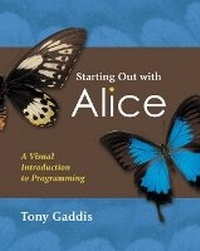
Starting Out with Alice
A Visual Introduction to Programming
Published on 23. February 2007
Book
Mixed media product
352 pages
978-0-321-47515-2 (ISBN)
Description
Starting Out with Alice: A Visual Introduction to Programming presents a fun and motivational way for novice programmers to learn the basic tenets of programming. Using Alice, an innovative and increasingly popular teaching tool, readers from a variety of backgrounds create virtual programming worlds of animations and computer games. In the successful style of Tony Gaddis' texts, useful examples and detail-oriented explanations allow students to become comfortable with fundamental concepts of programming without dealing with frustrating syntax errors and complex design techniques. With the knowledge acquired using Alice, students gain confidence in their skills to transition into Java or other programming languages.
More details
Language
English
Place of publication
United States
Publishing group
Pearson Education (US)
Target group
College/higher education
Dimensions
Height: 250 mm
Width: 255 mm
Thickness: 15 mm
Weight
676 gr
ISBN-13
978-0-321-47515-2 (9780321475152)
Copyright in bibliographic data and cover images is held by Nielsen Book Services Limited or by the publishers or by their respective licensors: all rights reserved.
Schweitzer Classification
Other editions
New editions
Book
11/2010
2nd Edition
Pearson
€75.35
Article exhausted; check for reprint
Person
Tony Gaddis is the author of numerous textbooks, including Starting Out with C++, Starting Out with Java, Starting Out with Visual Basic.NET, and Starting Out with Visual Basic 6. He is a professor at Haywood Community College.
Content
Chapter 1 Introduction to Alice and Objects
1.1 What Is a Computer Program?
1.2 Algorithms and Programming Languages
1.3 Learning to Program with Alice
1.4 Objects
1.5 Classes and the Alice Galleries
1.6 3D Objects and the Camera
Chapter 2 Programming in Alice
2.1 Writing Methods
2.2 Naming Conventions
2.3 Designing a Program
2.4 Comments
2.5 Tips for Setting Up an Initial Scene
2.6 Executing Instructions Simultaneously
2.7 Exporting Your Code for Printing
Chapter 3 Variables, Functions, Math, and Strings
3.1 Variables
3.2 Using Functions
3.3 Creating Math Expressions
3.4 Working with Strings and Text
Chapter 4 Decision and Repetition Structures
4.1 Boolean Values
4.2 The If/Else Decision Structure
4.3 Relational Comparisons and Logical Operators
4.4 The Loop Instruction
4.5 The While Instruction
Chapter 5 Methods, Functions, and More about Variables
5.1 Writing Custom Class-Level Methods
5.2 Saving an Object to a New Class
5.3 Stepwise Refinement
5.4 Passing Arguments
5.5 Using Class-Level Variables as Properties
5.6 Writing Class-Level Functions
5.7 World-Level Methods and Variables
5.8 Using Clipboards
5.9 Tips for Visual Effects and Animation
Chapter 6 Events
6.1 Responding to Events
6.2 Handling Key Press and Mouse Events
6.3 Using Events in Simulations and Games
6.4 Tips for Games and Simulations
Chapter 7 Lists and Arrays
7.1 Lists
7.2 Arrays
Chapter 8 Recursion
8.1 Introduction to Recursion
8.2 Problem Solving with Recursion
Appendixes
A Installing Alice
B Answers to Checkpoints
Index
1.1 What Is a Computer Program?
1.2 Algorithms and Programming Languages
1.3 Learning to Program with Alice
1.4 Objects
1.5 Classes and the Alice Galleries
1.6 3D Objects and the Camera
Chapter 2 Programming in Alice
2.1 Writing Methods
2.2 Naming Conventions
2.3 Designing a Program
2.4 Comments
2.5 Tips for Setting Up an Initial Scene
2.6 Executing Instructions Simultaneously
2.7 Exporting Your Code for Printing
Chapter 3 Variables, Functions, Math, and Strings
3.1 Variables
3.2 Using Functions
3.3 Creating Math Expressions
3.4 Working with Strings and Text
Chapter 4 Decision and Repetition Structures
4.1 Boolean Values
4.2 The If/Else Decision Structure
4.3 Relational Comparisons and Logical Operators
4.4 The Loop Instruction
4.5 The While Instruction
Chapter 5 Methods, Functions, and More about Variables
5.1 Writing Custom Class-Level Methods
5.2 Saving an Object to a New Class
5.3 Stepwise Refinement
5.4 Passing Arguments
5.5 Using Class-Level Variables as Properties
5.6 Writing Class-Level Functions
5.7 World-Level Methods and Variables
5.8 Using Clipboards
5.9 Tips for Visual Effects and Animation
Chapter 6 Events
6.1 Responding to Events
6.2 Handling Key Press and Mouse Events
6.3 Using Events in Simulations and Games
6.4 Tips for Games and Simulations
Chapter 7 Lists and Arrays
7.1 Lists
7.2 Arrays
Chapter 8 Recursion
8.1 Introduction to Recursion
8.2 Problem Solving with Recursion
Appendixes
A Installing Alice
B Answers to Checkpoints
Index