

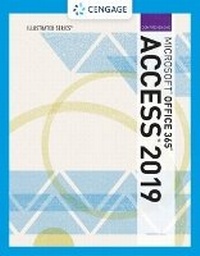
Illustrated MicrosoftA (R)Office 365 & AccessA (R)2019 Comprehensive
Published on 23. May 2019
Book
Paperback/Softback
480 pages
978-0-357-02569-7 (ISBN)
Description
Now students can master the nuances of Microsoft (R) Office quickly with ILLUSTRATED MICROSOFT (R) OFFICE 365 & ACCESS 2019 COMPREHENSIVE, part of today's popular Illustrated Series. This focused, user-friendly approach uses a proven two-page layout that allows students to work through an entire task without turning the page. Clear Learning Outcomes outline the skills for each lesson, while large full-color screen images reflect exactly what students see on their own computers. Each module begins with a brief overview of the principles covered in the lesson and introduces a real-world case scenario to engage students and reinforce critical skills to make them successful in their educational and professional careers. In addition, MindTap and updated SAM (Skills Assessment Manager) online resources are available to guide additional study and ensure successful results.
More details
Language
English
Place of publication
Boston, MA
United States
Publishing group
Cengage Learning, Inc
Target group
College/higher education
Dimensions
Height: 15 mm
Width: 210 mm
Thickness: 271 mm
Weight
770 gr
ISBN-13
978-0-357-02569-7 (9780357025697)
Copyright in bibliographic data and cover images is held by Nielsen Book Services Limited or by the publishers or by their respective licensors: all rights reserved.
Schweitzer Classification
Other editions
New editions
Book
10/2024
Course Technology Inc
€249.50
Article not available at the moment
Person
Lisa Friedrichsen is a professor at Johnson County Community College in Overland Park, Kansas, where she teaches database and web development classes. She also has written several prominent Access, Office and web-related textbooks. Friedrichsen spent a decade at IBM Corp. before becoming a consultant, author and college professor. Combining her extensive industry experience with her passion for teaching, she creates clear, practical presentations. She earned a B.S. in engineering from Iowa State University and an MBA from Drake University.
Content
1. Getting Started with Access.
2. Building Tables and Relationships.
3. Creating Queries.
4. Working with Forms and Reports.
5. Improving Tables and Creating Advanced Queries.
6. Creating Forms.
7. Creating Reports.
8. Importing and Exporting Data.
9. Creating Action Queries.
10. Creating Macros.
11. Creating Modules and VBA.
12. Completing the Application.
Index.
2. Building Tables and Relationships.
3. Creating Queries.
4. Working with Forms and Reports.
5. Improving Tables and Creating Advanced Queries.
6. Creating Forms.
7. Creating Reports.
8. Importing and Exporting Data.
9. Creating Action Queries.
10. Creating Macros.
11. Creating Modules and VBA.
12. Completing the Application.
Index.