

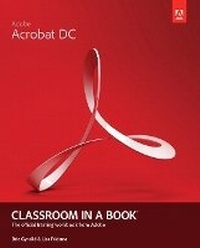
Adobe Acrobat DC Classroom in a Book
Published on 18. June 2015
Book
Mixed media product
320 pages
978-0-13-417183-8 (ISBN)
Description
Adobe Acrobat DC Classroom in a Book is the most thorough and comprehensive way for students to learn how to reliably create, edit, and sign PDF documents and forms with Adobe Acrobat DC. Each of the 13 lessons in this step-by-step, project-based guide contains a project that builds on their growing knowledge of the program, while end-of-chapter review questions reinforce each lesson. This cross-platform (Mac and Windows) book shows students how to collaborate effectively through electronic reviews, easily share their work across multiple platforms and devices (including via the new Adobe Document Cloud service), and speed up their production and business task workflow with Acrobat DC.
All of the book's screenshots have been updated for the new edition, showing users how to navigate the completely overhauled user interface-a selling point for existing users of the software. Readers will also learn how to use the new Tool pane so they can easily convert files (Microsoft Office documents and graphics) to PDF and then learn how to directly edit text and images in their PDFs. They'll also learn how to use the newly refreshed tools to build PDF or web forms, speed up business workflow by gathering feedback and approval via online document reviews. And they'll learn how to create interactive forms and track responses within Acrobat, how to add signatures and security to their PDF files, and much more.
All of the project files used in the book's lessons are available for readers to download at peachpit.com.
All of the book's screenshots have been updated for the new edition, showing users how to navigate the completely overhauled user interface-a selling point for existing users of the software. Readers will also learn how to use the new Tool pane so they can easily convert files (Microsoft Office documents and graphics) to PDF and then learn how to directly edit text and images in their PDFs. They'll also learn how to use the newly refreshed tools to build PDF or web forms, speed up business workflow by gathering feedback and approval via online document reviews. And they'll learn how to create interactive forms and track responses within Acrobat, how to add signatures and security to their PDF files, and much more.
All of the project files used in the book's lessons are available for readers to download at peachpit.com.
More details
Other editions
Previous edition
.. Adobe Creative Team
Adobe Acrobat XI Classroom in a Book
Book
12/2012
Adobe Press,U.S.
€55.05
Article exhausted; check for reprint
Persons
Lisa Fridsma is has long loved the process of teaching others to use Adobe product. She has written, edited, and designed over thirty books in the Classroom in a Book series over the last decade and a half (including books on Photoshop and After Effects), going back to her time on-staff at Adobe. She's currently the owner of Darlington Hill Productions (Informational illustrations and publishing). Lisa lives in Bethesda, MD with her family and two above-average dogs.
Brie Gyncild aims to make technical information accessible to those who need it. Brie has authored The Photoshop CS5 Pocket Guide and The Photoshop Elements 8 Pocket Guide. She has also co-written The Photoshop Show Starring Russell Brown; numerous editions of the Classroom in a Book series on Photoshop, After Effects, Flash, and Acrobat; and several editions of the How to Wow series. Brie lives in Seattle with two cats and an overgrown garden.
Brie Gyncild aims to make technical information accessible to those who need it. Brie has authored The Photoshop CS5 Pocket Guide and The Photoshop Elements 8 Pocket Guide. She has also co-written The Photoshop Show Starring Russell Brown; numerous editions of the Classroom in a Book series on Photoshop, After Effects, Flash, and Acrobat; and several editions of the How to Wow series. Brie lives in Seattle with two cats and an overgrown garden.
Content
GETTING STARTED
About Classroom in a Book
Acrobat Pro and Acrobat Standard
Prerequisites
Installing Adobe Acrobat
Options for purchasing Acrobat DC
Starting Adobe Acrobat
Online content
Additional resources
Adobe Authorized Training Centers
Going mobile
1 INTRODUCING ADOBE ACROBAT DC
About PDF
About Adobe Acrobat
About Acrobat Reader
About the Acrobat DC mobile app
Using PDF on the web
Adding Acrobat Reader installers
Opening a PDF file
Working with toolbars
Working with tools
Tools in the Tools pane
Navigating PDF documents
Viewing PDF presentations in Full Screen mode
Viewing PDF files in Read mode
Setting Acrobat preferences for web browsing
Customizing the Acrobat toolbar
Customizing the brightness of the user interface
Getting help
Review questions and answers
2 CREATING ADOBE PDF FILES
About creating Adobe PDF files
Using the Create PDF tool
Dragging and dropping files
Saving PDF files to cloud accounts
Converting different types of files
Inserting a blank page
Using PDFMaker
Using the Print command to create Adobe PDF files
Reducing file size
Adobe PDF presets
Optimizing PDF files (Acrobat Pro only)
Creating files from the clipboard
Scanning a paper document
Making scanned text editable and searchable
Converting web pages to Adobe PDF
Review ques
About Classroom in a Book
Acrobat Pro and Acrobat Standard
Prerequisites
Installing Adobe Acrobat
Options for purchasing Acrobat DC
Starting Adobe Acrobat
Online content
Additional resources
Adobe Authorized Training Centers
Going mobile
1 INTRODUCING ADOBE ACROBAT DC
About PDF
About Adobe Acrobat
About Acrobat Reader
About the Acrobat DC mobile app
Using PDF on the web
Adding Acrobat Reader installers
Opening a PDF file
Working with toolbars
Working with tools
Tools in the Tools pane
Navigating PDF documents
Viewing PDF presentations in Full Screen mode
Viewing PDF files in Read mode
Setting Acrobat preferences for web browsing
Customizing the Acrobat toolbar
Customizing the brightness of the user interface
Getting help
Review questions and answers
2 CREATING ADOBE PDF FILES
About creating Adobe PDF files
Using the Create PDF tool
Dragging and dropping files
Saving PDF files to cloud accounts
Converting different types of files
Inserting a blank page
Using PDFMaker
Using the Print command to create Adobe PDF files
Reducing file size
Adobe PDF presets
Optimizing PDF files (Acrobat Pro only)
Creating files from the clipboard
Scanning a paper document
Making scanned text editable and searchable
Converting web pages to Adobe PDF
Review ques