

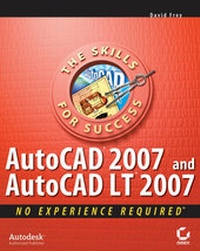
AutoCAD 2007 and AutoCAD LT 2007
No Experience Required
1st Edition
Published on 1. May 2006
Book
Paperback/Softback
696 pages
978-0-470-00877-5 (ISBN)
Description
AutoCAD 2007 and AutoCAD LT 2007: No Experience Required is the perfect step-by-step introduction to the world's leading CAD software. Inside this clear-cut guide are concise explanations and practical tutorials that explain how to plan and develop a complete AutoCAD project. Follow the tutorials sequentially, which have been fully updated for AutoCAD 2007, or jump in at any chapter by downloading the drawing files from the Sybex Web site. Either way, you'll quickly develop a solid grounding in the essentials and learn how to use AutoCAD's productivity tools to get your work done efficiently.
The latest edition of this perennial topseller also covers AutoCAD's revamped 3D design features and includes a glossary and a supporting Web site with project files, bonus chapters, and appendices.
Gain the AutoCAD skills you need:
* Get to know the AutoCAD interface, basic commands, and how to create drawings
* Build on your skills with grouping, elevations, hatches, and using text in drawings
* Graduate to dimensioning, setting external references; and mastering layouts, plotting, and printing
* Understand the new 3D capabilities that make AutoCAD 2007 the complete design tool
Access the supporting Web site for more instruction, including:
* Project files from the book
* Bonus chapter on using the Internet with AutoCAD
* Bonus appendices on attributes and dynamic blocks
More details
Person
David Frey has taught AutoCAD to AEC design professionals, engineers, students, and teachers for 14 years and has considerable experience in the fields of architecture and construction. He is the author of six previous bestselling editions of AutoCAD: No Experience Required. David holds a Master's degree in architecture from the University of California, Berkeley.
Content
Introduction.
Chapter 1: Getting to Know AutoCAD.
Chapter 2: Basic Commands to Get Started.
Chapter 3: Setting Up a Drawing.
Chapter 4: Gaining Drawing Strategies: Part 1.
Chapter 5: Gaining Drawing Strategies: Part 2.
Chapter 6: Using Layers to Organize Your Drawing.
Chapter 7: Grouping Objects into Blocks.
Chapter 8: Generating Elevations.
Chapter 9: Working with Hatches and Fills.
Chapter 10: Controlling Text in a Drawing.
Chapter 11: Dimensioning a Drawing.
Chapter 12: Managing External References.
Chapter 13: Using Layouts to Set Up a Print.
Chapter 14: Printing an AutoCAD Drawing.
Appendix A: Look at Drawing in 3D.
Glossary.
Index.